SystemSpeechRecognizer stops before recognition is finished
Nobody has claimed this yet.
- Dominant language
- C#
- Stars
- 574
- Forks
- 104
- Avg merge
- 19m
- Merged PRs (30d)
- 1
Description
Hi,
I'm using the SystemSpeechRecognizer to extract speech from an audio file.
Therefore I'm using the following code:
using var pipeline = Pipeline.Create();
var store = PsiStore.Create(pipeline, "Audio", @"C:\temp\Stores");
var audio = new WaveFileAudioSource(pipeline, path);
var recognizer = new SystemSpeechRecognizer(pipeline);
var results = new List<IStreamingSpeechRecognitionResult>();
audio.PipeTo(recognizer);
audio.Write("Original", store);
recognizer.Out.Select(x => x.Audio).Write("REC_Audio", store);
recognizer.Out.Do(x => results.Add(x));
recognizer.PartialRecognitionResults.Do(x => results.Add(x));
pipeline.Run();
foreach(var res in results)
{
    Console.WriteLine(res);
}
As you see I'm collecting the partial results and the final results.
I'm using the following audio file (from the cognitive services samples) to execute the code Audio_File.
In the image below you see my results containing final and partial results.
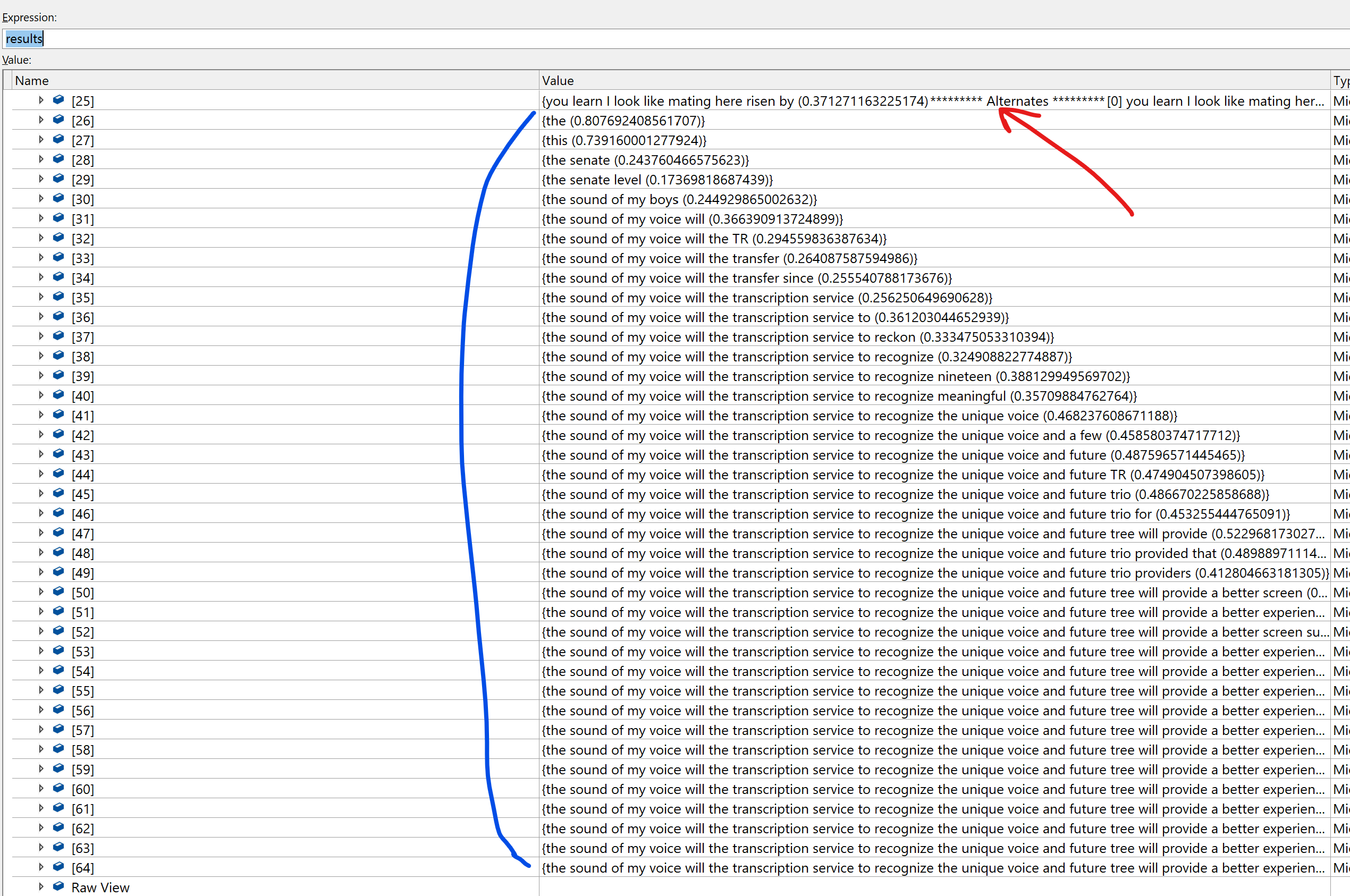
Red: this is the last final result which I've received.
Blue: these are partial results which are detected afterwards
What I don't understand is, why partial results are detected (blue) and I never get another final result ? The pipeline stops before I get a final result.
I would expect that the last partial result is also a final result.
Or have I understood something wrong ?
Also the RecognizeCompleted Emitter is never called so it seems to me that the recognizer didn't finish analyzing the audio.
Image PsiStudio final results audio buffers:
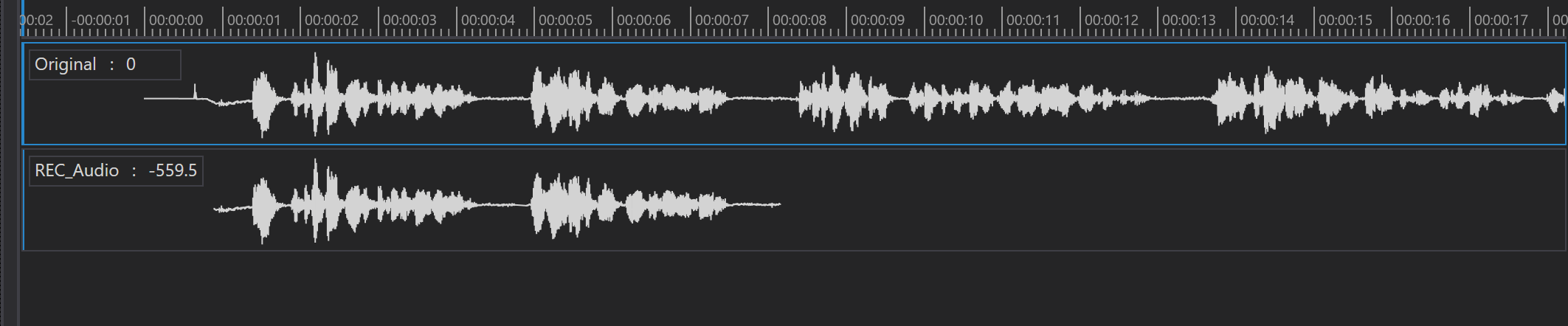
Is anything wrong what I have done ? Or have I understood something wrong?
Thanks for any help.
Contributor guide
First steps
- Read the whole issue, then the project's contributing guide.
- Comment on the issue to say you are picking it up — it saves two people doing the same work.
- Fork the repository and make your change on a branch.
- Open a pull request that references the issue number.
Research direction
Reproduce the issue with SystemSpeechRecognizer, WaveFileAudioSource, the linked WAV file, and the shown Pipeline.Run code. Start by tracing recognizer.Out, PartialRecognitionResults, and RecognizeCompleted through pipeline completion; done means the final recognition result and RecognizeCompleted are delivered for the complete audio.
Written by the indexing model from the issue text.
Assessment
- Tech stack
- csharp
- Domain
- audio-video-rtc
- Issue type
- Bug
- Difficulty
- 3/5
- Estimated time
- 1-2 days
- Activity status
- Stale
- Clarity
- Mostly clear
- Newbie friendliness
- 45/100