microsoft / microsoft/monaco-editor
Incorrectly bolding markdown
Nobody has claimed this yet.
- Dominant language
- JavaScript
- Stars
- 46.8k
- Forks
- 4.1k
- Avg merge
- 17h 58m
- Merged PRs (30d)
- 1
Description
Currently all of the following examples get bolded by the monaco editor:
**hello**
** hello**
**hello **
** hello **
Here's how its rendered by the monaco playground:
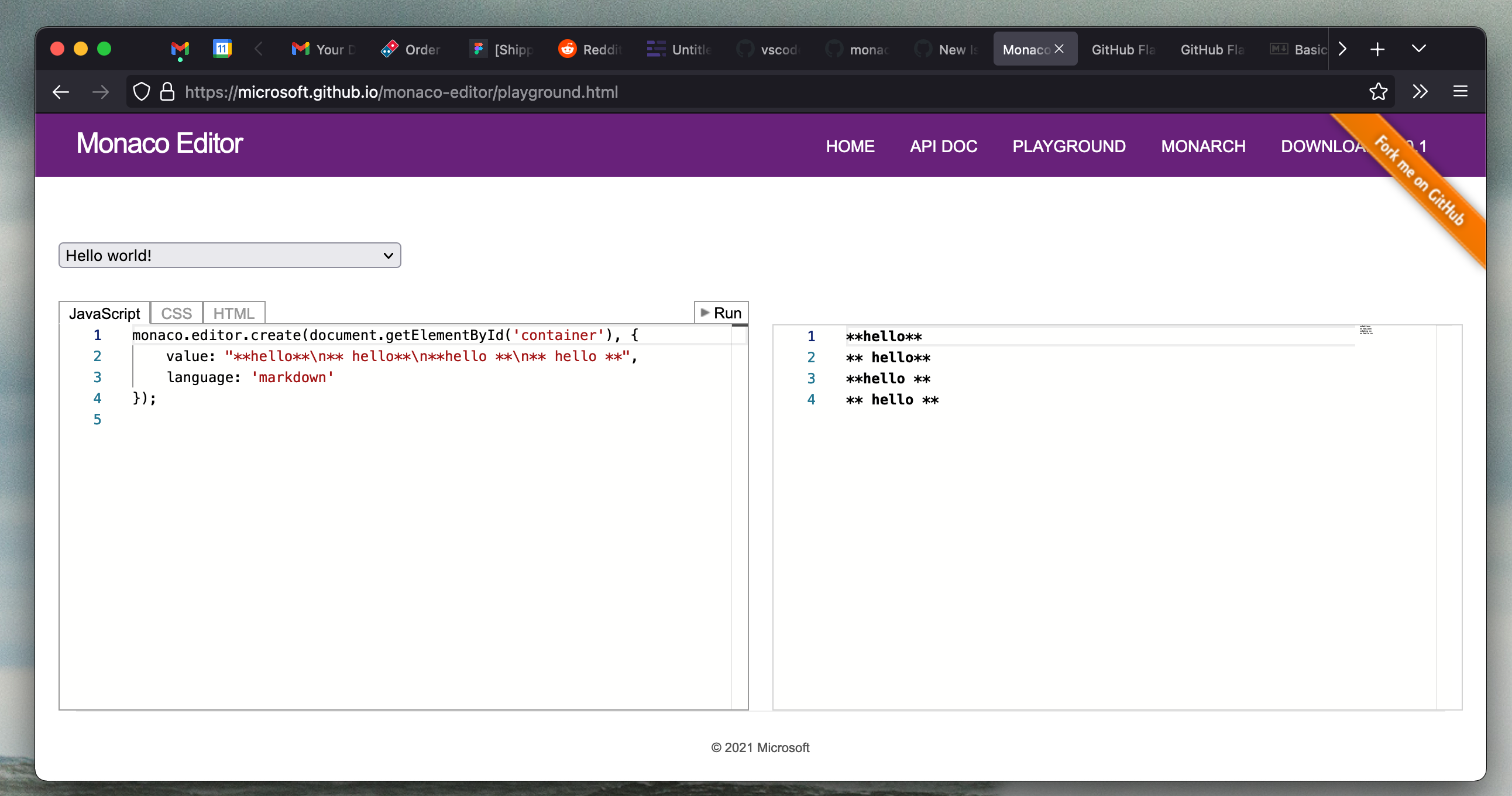
Code here
monaco.editor.create(document.getElementById('container'), {
   value: "**hello**\n** hello**\n**hello **\n** hello **",
   language: 'markdown'
});
While only the first line should be according to the Markdown Spec and example 361 of the GitHub Flavored Markdown Spec:
To bold text, add two asterisks or underscores before and after a word or phrase. To bold the middle of a word for emphasis, add two asterisks without spaces around the letters.
It also appears that VSCode correctly applies the bolding only to the first line:
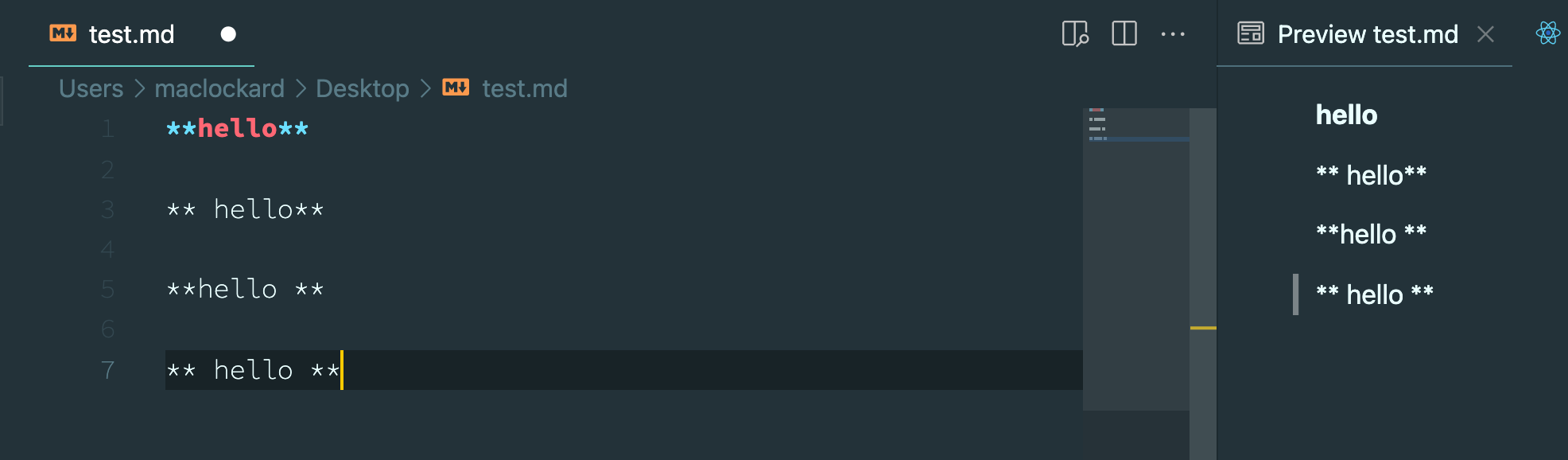
This behavior makes it confusing if using monaco to implement something like a markdown rendered, since the highlighted code will not match the rendered preview.
Contributor guide
First steps
- Read the whole issue, then the project's contributing guide.
- Comment on the issue to say you are picking it up — it saves two people doing the same work.
- Fork the repository and make your change on a branch.
- Open a pull request that references the issue number.
Research direction
Start with the monaco.editor.create example in the issue and reproduce the four markdown lines in the Monaco playground using the markdown language. Compare the highlighting with the VSCode example and the cited Markdown specifications; done means only hello is bolded while the three spaced forms are not.
Written by the indexing model from the issue text.
Assessment
- Tech stack
- javascript
- Domain
- frontend, tooling
- Issue type
- Bug
- Difficulty
- 3/5
- Estimated time
- 1-2 days
- Activity status
- Stale
- Clarity
- Mostly clear
- Newbie friendliness
- 45/100