microsoft / microsoft/maker.js
Calling distort(shape, 1.0, 1.0) changes path significantly
Nobody has claimed this yet.
- Dominant language
- TypeScript
- Stars
- 2k
- Forks
- 302
- Avg merge
- 21h 28m
- Merged PRs (30d)
- 5
Description
So, I'm investigating an issue I am seeing around the distort function.
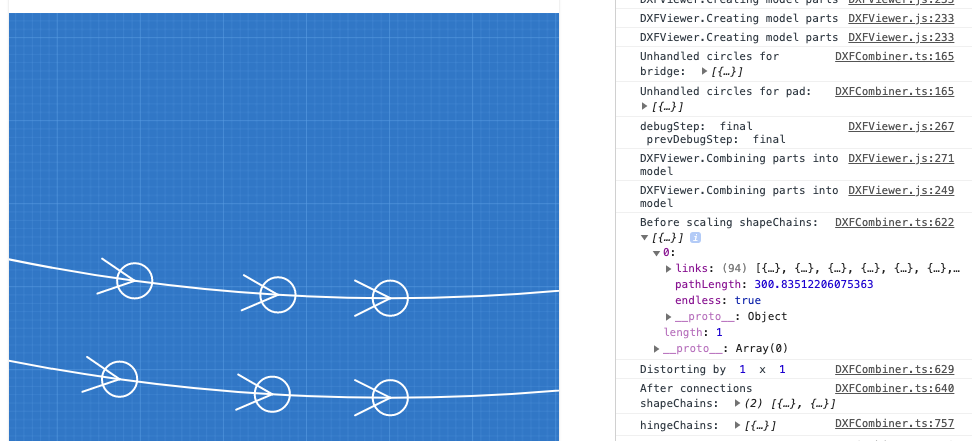
(1) findChains on my original model returns a chain of 94 paths
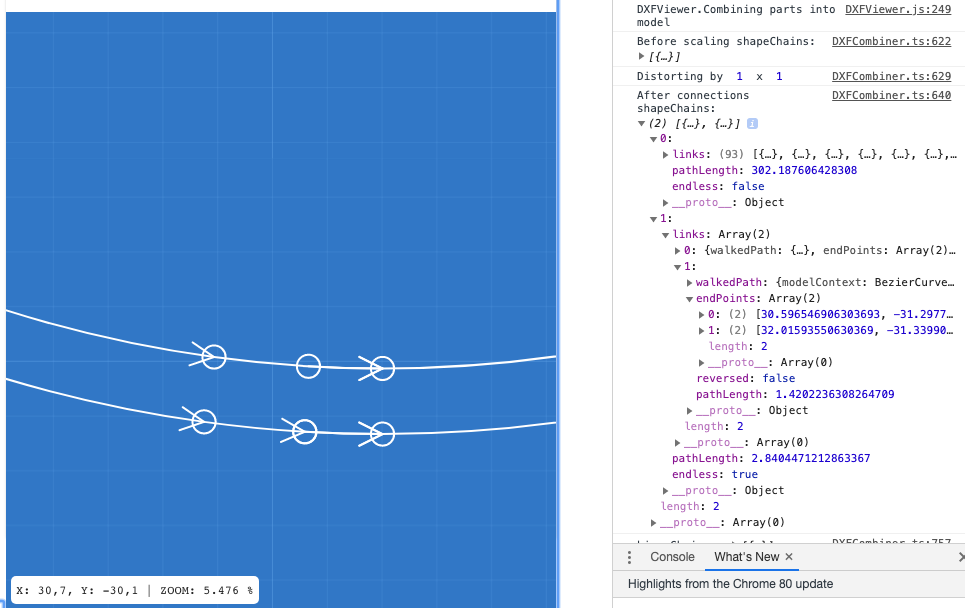
(2) calling distort(shape, 1.0, 1.0) on the same model
(3) findChains this time comes back with 2 chains, one with 93 links with endless: false and one with 2 links that is endless.
I'm trying to further distill it down into a test example and dive deeper why this is happening, but it's weird that distort is changing the model so much, even when the scaling shouldn't change anything.
For now I have a screenshot of the part of my model before:
and after:
Hre's a picture of my full model:

EDIT: Changing the bezierAccuracy option did not make a difference, always the same result of these lines in the bottom curve becoming their own mini-loop.
Contributor guide
First steps
- Read the whole issue, then the project's contributing guide.
- Comment on the issue to say you are picking it up — it saves two people doing the same work.
- Fork the repository and make your change on a branch.
- Open a pull request that references the issue number.
Research direction
Start by reproducing the reported comparison between findChains on the original model and after distort(shape, 1.0, 1.0), using the screenshots and the noted bezierAccuracy experiment as context. Trace distort and findChains to determine why unit scaling creates a separate endless mini-loop. Done means unit scaling preserves the original chain structure, including the 94-path result.
Written by the indexing model from the issue text.
Assessment
- Tech stack
- typescript
- Domain
- computer-graphics
- Issue type
- Bug
- Difficulty
- 4/5
- Estimated time
- 3-5 days
- Activity status
- Stale
- Clarity
- Mostly clear
- Newbie friendliness
- 35/100