microsoft / microsoft/azure-tools-for-java
[IntelliJ][ReportedByUser] Unable to create Non Azure SQL server database connection when Azure connection already exists
@wangmingliang-ms is already working on this.
Since Mar 7, 2023.
- Dominant language
- Java
- Stars
- 262
- Forks
- 185
- Avg merge
- 2d 21h
- Merged PRs (30d)
- 1
Description
Setup
IntelliJ build version: 2022.3.2 IU-223.8617.56
OS: Mac OS X
JDK: JetBrains s.r.o. 17.0.5
Plugin version: 3.73.0-2022.3
Describe the bug
Attempting to create a non-azure (microsoft sql server) datasource in intellij to localhost gets overwritten as an azure datasource pointing to default azure datasource database.
There is no way to create a data source to a localhost connection as they keep getting overridden to point to database.windows.net.
To Reproduce
Steps to reproduce the bug
- log into an azure account that has SQL server instances setup.
- Create an Azure datasource connection in Intellij
- Verify that you can interact with that datasource. (view table etc)
- Install an instance of microsoft sql edge docker image locally: https://hub.docker.com/_/microsoft-azure-sql-edge
- Attempt to connect to the local docker image in Intellj:
- New Datasource
- "Microsoft SQL Server"
- Notice that it pre-fills with an azure host name even though it is not an azure datasource
- reset hostname to "localhost"
- Set user
- set password.
- Click Test Connection
- Verify connection work
- Click okay
- Database gets "converted" to an azure database and hostname overwritten to an azure host name.
Screenshots
Add screenshots to help explain your problem if available.
New "microsoft sql server" datasource defaults to azure host:

Force host to be localhost and driver type default
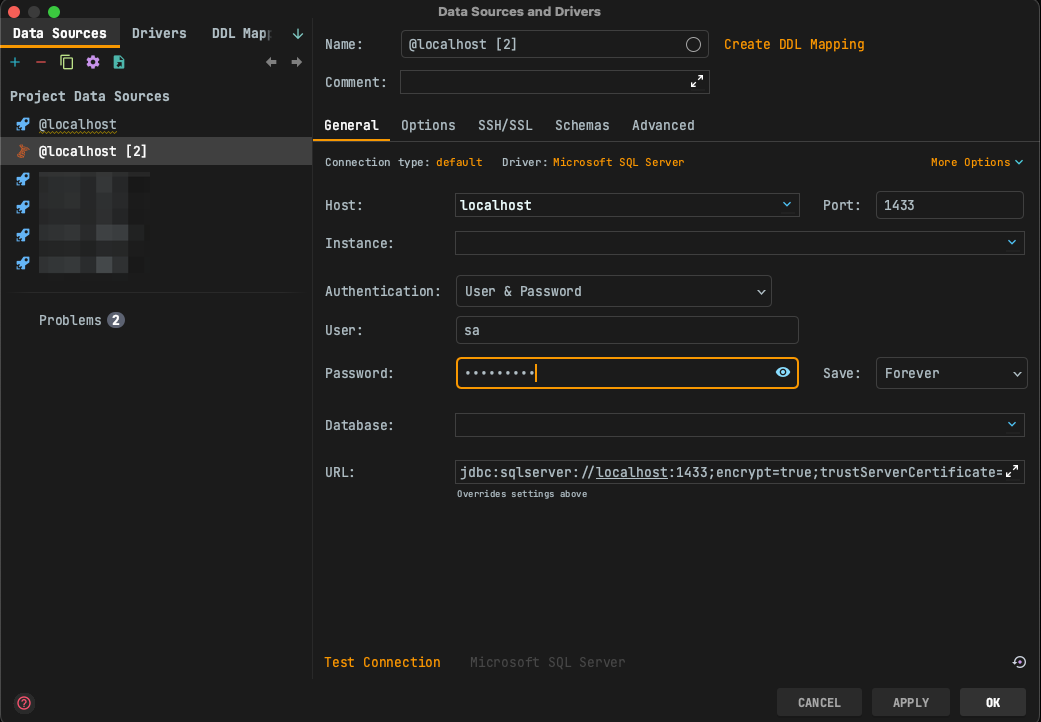
Verifying connection works:
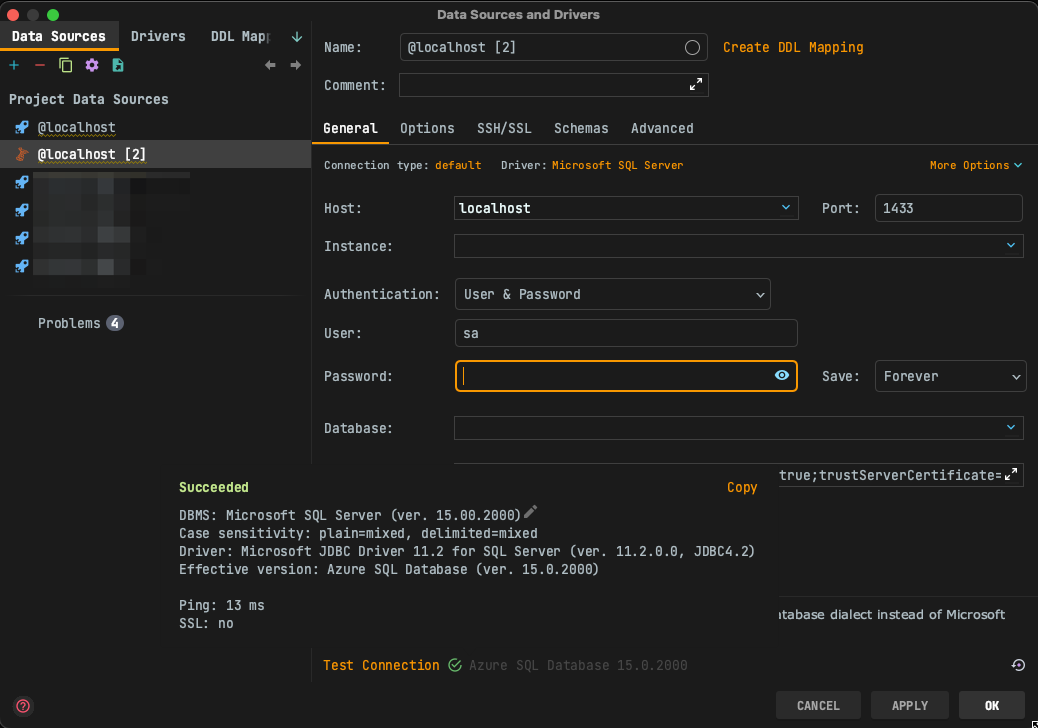
After hitting Apply, the host and connection type get overridden again.

Contributor guide
First steps
- Read the whole issue, then the project's contributing guide.
- Comment on the issue to say you are picking it up — it saves two people doing the same work.
- Fork the repository and make your change on a branch.
- Open a pull request that references the issue number.
Assessment
This issue has not been assessed yet.