microsoft / microsoft/azure-tools-for-java
[IntelliJ][ReportedByUser] Failed to validate runtime of function
@Flanker32 is already working on this.
Since Sep 4, 2022.
- Dominant language
- Java
- Stars
- 262
- Forks
- 185
- Avg merge
- 2d 21h
- Merged PRs (30d)
- 1
Description
Setup
IntelliJ build version: 2021.3 IC-213.5744.223
OS: Mac OS X
JDK: JetBrains s.r.o. 11.0.13
Plugin version: 3.59.0-2021.3
Describe the bug
When trying to run an Azure Function in IntelliJ the following error is thrown:
Failed to run function app locally
Event Log message:
Azure
Failed to validate runtime of function(/opt/homebrew/Cellar/azure-functions-core-tools@4/4.0.3971/func), failed to validate function runtime: Process exited with an error: 127 (Exit value: 127).Call Stack:
● Validate runtime of function(/opt/homebrew/Cellar/azure-functions-core-tools@4/4.0.3971/func)
● Run function app locally (show balloon)
I have tried changing the Azure CLI path to the two possible locations where Homebrew AzureCLI installation puts the func.
Both of these result in the error mentioned above:
/opt/homebrew/Cellar/azure-functions-core-tools@4/4.0.3971/func
/opt/homebrew/bin/func
I was experiencing the same issue on Windows 11 as well
To Reproduce
- Create new Azure Functions project with HttpTrigger
- Try to run the automatically created HttpExample function
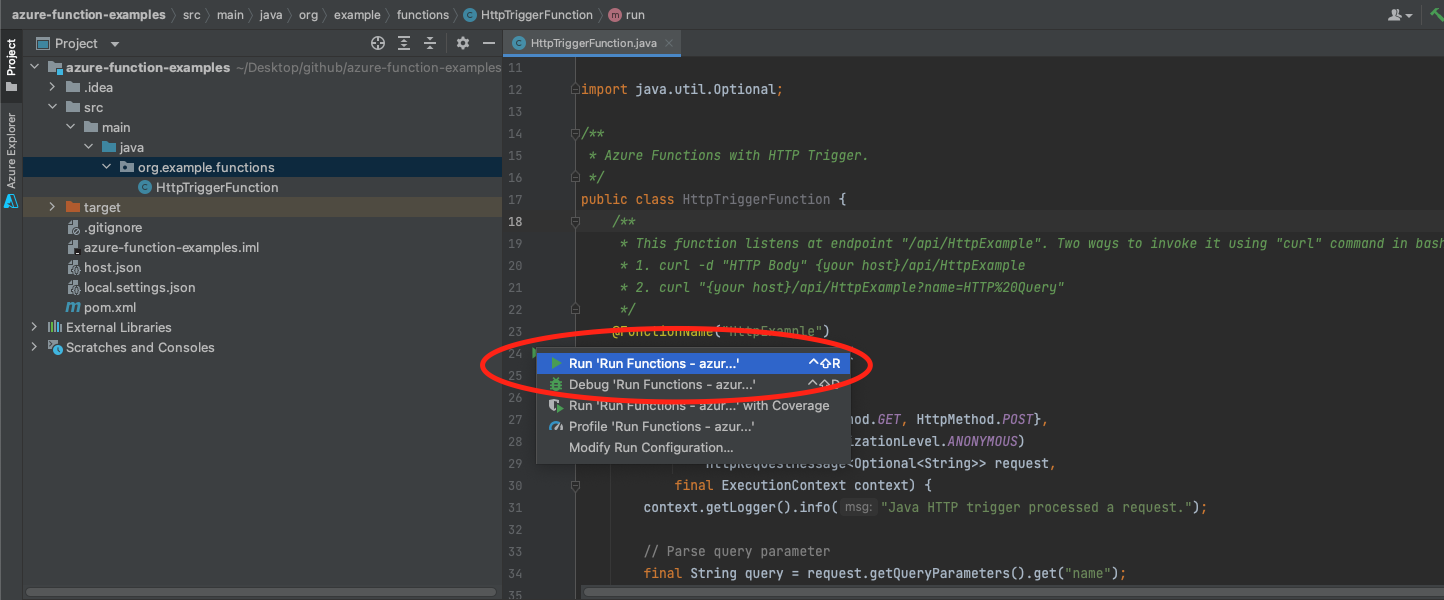
- Get this error
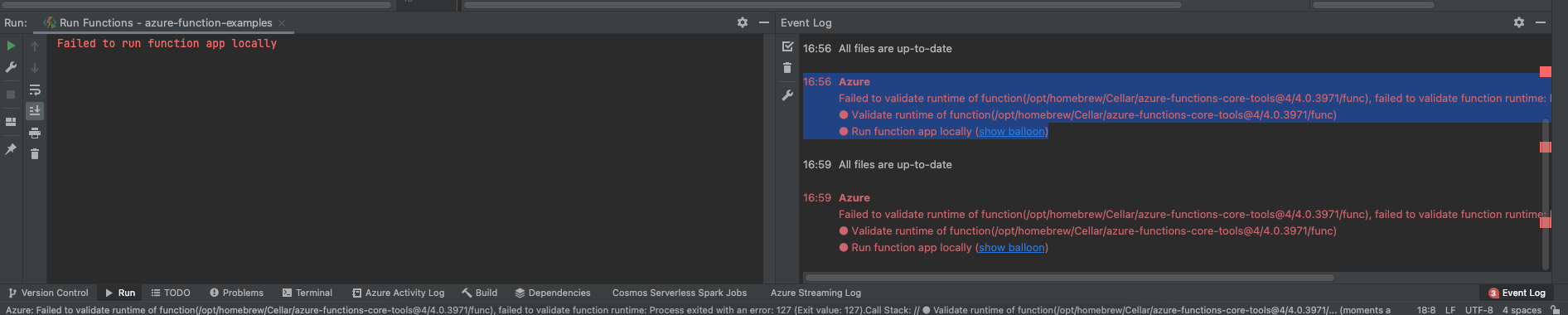
Exception or Stack Trace
Failed to validate runtime of function(/opt/homebrew/Cellar/azure-functions-core-tools@4/4.0.3971/func), failed to validate function runtime: Process exited with an error: 127 (Exit value: 127).Call Stack:
● Validate runtime of function(/opt/homebrew/Cellar/azure-functions-core-tools@4/4.0.3971/func)
● Run function app locally (show balloon)
Screenshots
Contributor guide
First steps
- Read the whole issue, then the project's contributing guide.
- Comment on the issue to say you are picking it up — it saves two people doing the same work.
- Fork the repository and make your change on a branch.
- Open a pull request that references the issue number.
Assessment
This issue has not been assessed yet.