microsoft / microsoft/WindowsAppSDK
WinAppSDK app that runs as administrator cause Publisher to be unknown.
Nobody has claimed this yet.
- Dominant language
- C++
- Stars
- 4.7k
- Forks
- 471
- Avg merge
- 3d 13h
- Merged PRs (30d)
- 28
Description
Describe the bug
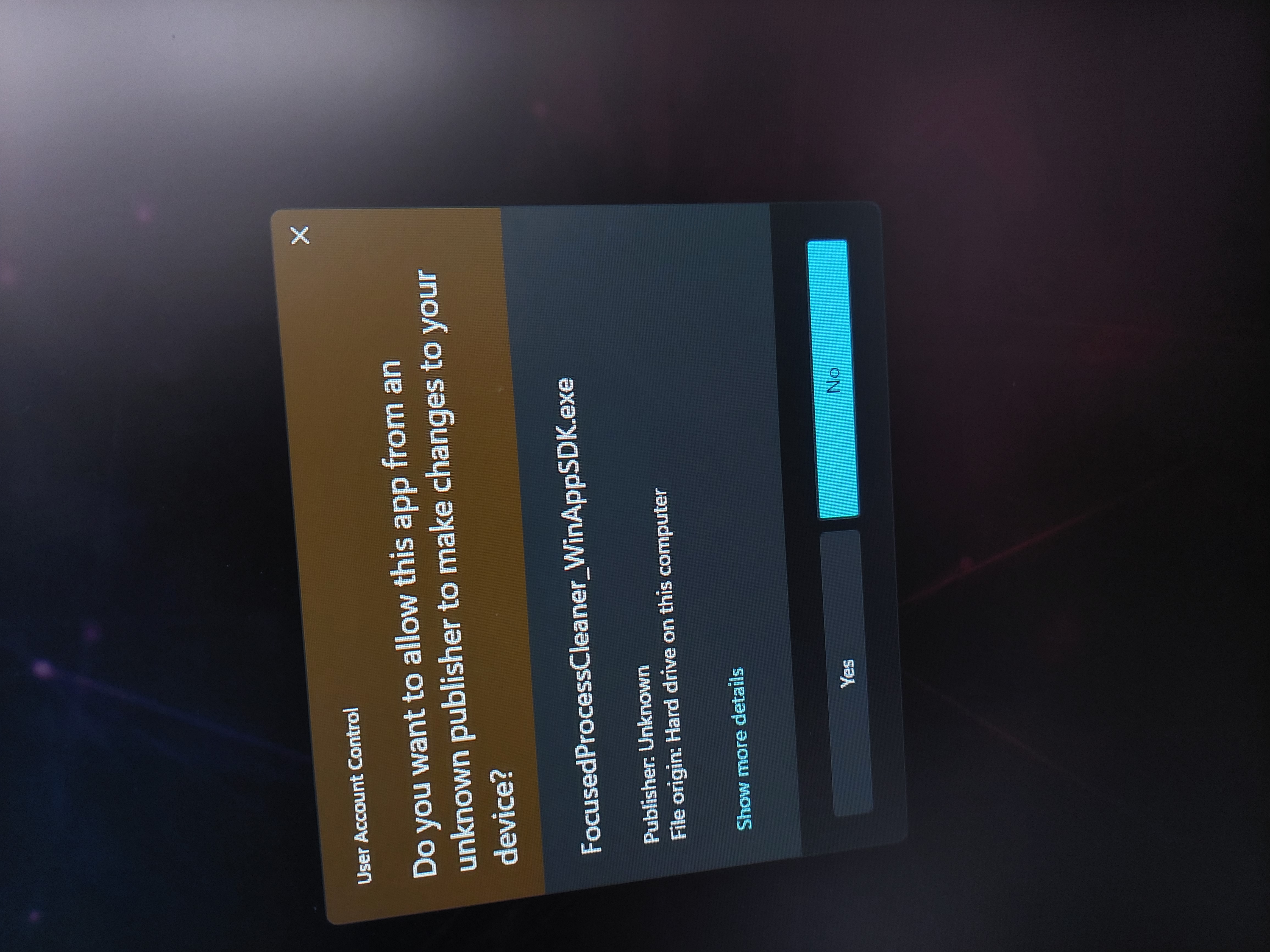
My app is available in Microsoft Store, and the app requires to be run as administrator, the apps runs fine, but when you run it Windows says the publisher is unknown. Which would scare people away, which I can totally understand.

But in the Windows app settings of my app, you can see the publisher is known. It's same as on Microsoft Store.
Isn't this a bug? Windows does know who the publisher of the app is, but when you run it as administrator "it temporarily forgets".
Steps to reproduce the bug
Force Windows App SDK to run in adminstrator.
With these capabilities enabled:
  <Capabilities>
    <rescap:Capability Name="runFullTrust" />
    <rescap:Capability Name="allowElevation" />
  </Capabilities>
And in app.manifest:
  <trustInfo
    xmlns="urn:schemas-microsoft-com:asm.v2">
    <security>
      <requestedPrivileges
        xmlns="urn:schemas-microsoft-com:asm.v3">
        <requestedExecutionLevel level="requireAdministrator" uiAccess="false" />
      </requestedPrivileges>
    </security>
  </trustInfo>
Expected behavior
I expect app in administrator mode to have publisher from the Microsoft Store.
Screenshots
No response
NuGet package version
None
Packaging type
Packaged (MSIX)
Windows version
Windows 11 version 21H2 (22000)
IDE
Visual Studio 2022
Additional context
No response
Contributor guide
No contributing guide indexed for this repository
First steps
- Read the whole issue, then the project's contributing guide.
- Comment on the issue to say you are picking it up — it saves two people doing the same work.
- Fork the repository and make your change on a branch.
- Open a pull request that references the issue number.
Research direction
Start by reproducing the packaged MSIX app on Windows 11 21H2 with the listed runFullTrust and allowElevation capabilities and the requireAdministrator setting in app.manifest. Compare the publisher shown in Windows app settings with the administrator launch warning, then determine whether the behavior belongs to Windows or Windows App SDK. Done means identifying a reproducible SDK issue or documenting the platform limitation and next step.
Written by the indexing model from the issue text.
Assessment
- Domain
- desktop, operating-systems
- Issue type
- Bug
- Difficulty
- 4/5
- Estimated time
- 3-5 days
- Activity status
- Quiet
- Clarity
- Needs clarification
- Newbie friendliness
- 35/100