microsoft / microsoft/WindowsAppSDK
WPF Pack URIs don't work in a WPF app referencing Windows App SDK
Nobody has claimed this yet.
- Dominant language
- C++
- Stars
- 4.7k
- Forks
- 471
- Avg merge
- 3d 13h
- Merged PRs (30d)
- 28
Description
### Describe the bug
I was working on a WPF app and wanted to implement the Windows App SDK using it, but when I tried to run the app after referencing the SDK via NuGet, I got an error stating that an image file I was using couldn't be found. The image file was being referenced in the WPF app the [recommended way](https://learn.microsoft.com/en-us/dotnet/desktop/wpf/app-development/pack-uris-in-wpf?view=netframeworkdesktop-4.8#using-pack-uris-in-markup). The issue disappeared once I removed the Windows App SDK reference.
The error I receive is `System.IO.FileNotFoundException: 'Could not find file 'C:\Users\jacob\source\repos\WpfPackUriErrorRepro\WpfPackUriErrorRepro\bin\Debug\net6.0-windows10.0.19041.0\SmileyColor.png'.'` The image file shouldn't be and isn't separate from the application; instead, it's embedded as a resource in the WPF application and should be referenced via the Pack URI, such as `pack://application:,,,/SmileyColor.png`.
### Steps to reproduce the bug
I created a minimum-code reproduction that features this issue: https://github.com/JaykeBird/WpfPackUriErrorRepro
The reproduction should display a star image in the middle of the window and print a line to Visual Studio's Output window about the width of a different image.
If you want to create similar code from scratch yourself:
1. Create a new WPF Application via Visual Studio's New Project dialog.
2. Add an image to the newly created project (such as right-clicking the project entry in Solution Explorer, going to "Add > Existing Item", and then finding an image file to add).
3. With the image file added to the project, right-click it, select "Properties", and then set the "Build Action" to "Resource".
4. In the application's main window, add an `Image` control, and set its source to the image file you just added. It should look something like ``.
5. Build and run the project. You can see the image appear in the window that appears.
6. Now, add a reference to Microsoft.WindowsAppSDK to the project via NuGet.
7. Try to build and run the project again. The project builds but the image does not appear in the window anymore.
8. In the MainWindow.xaml.cs file, add the line `var bim = new BitmapImage(new Uri("pack://application:,,,/myImage.png", UriKind.RelativeOrAbsolute));`, replacing the "myImage.png" part with the name of the image file in question.
9. Try to build and run the project again. The project builds, but an exception is thrown on the line that was just added.
### Expected behavior
The WPF application should be able to run, and display resource images without throwing such an exception. This behavior shouldn't change based upon if you have the Windows App SDK referenced or not.
### Screenshots
This is the expected result:
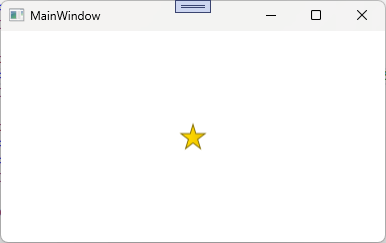
Right now, the star does not appear and instead FileNotFoundExceptions occur.
### NuGet package version
Windows App SDK 1.2.3: 1.2.230118.102
### Packaging type
Unpackaged
### Windows version
Windows 11 version 22H2 (22621, 2022 Update)
### IDE
Visual Studio 2022
### Additional context
I originally encountered this with Windows App SDK version 1.2.221209.1. I did not test this with any of the previous versions, so I do not know if this is new or old.
Contributor guide
No contributing guide indexed for this repository
First steps
- Read the whole issue, then the project's contributing guide.
- Comment on the issue to say you are picking it up — it saves two people doing the same work.
- Fork the repository and make your change on a branch.
- Open a pull request that references the issue number.
Research direction
Start with the linked WpfPackUriErrorRepro and its MainWindow.xaml.cs, then reproduce the failure with and without the Microsoft.WindowsAppSDK NuGet reference. Check the pack URI image steps and the BitmapImage exception. Done means embedded WPF resource images display and the URI no longer throws when Windows App SDK is referenced.
Written by the indexing model from the issue text.
Assessment
- Tech stack
- csharp
- Domain
- desktop
- Issue type
- Bug
- Difficulty
- 4/5
- Estimated time
- 3-5 days
- Activity status
- Stale
- Clarity
- Mostly clear
- Newbie friendliness
- 45/100