microsoft / microsoft/TypeScript
Types missing from package with npm install, but not with npm link
Nobody has claimed this yet.
- Dominant language
- Go
- Stars
- 111k
- Forks
- 14.3k
- Avg merge
- 2d 4h
- Merged PRs (30d)
- 132
Description
TypeScript Version: 3.8.3
Search Terms:
javascript index.d.ts
declare module javascript
Code
/// <reference path="./typedef.js" />

declare module '@sveltech/routify' {
    export * from '@sveltech/routify/runtime/helpers'
    export * from '@sveltech/routify/runtime/store'
    export const Router: import('svelte/internal').SvelteComponent

    global {
        export const $page:ClientNodeApi
        export const $layout:ClientNodeApi
        export const $params:import('./runtime/helpers').ParamsHelper
        export const $leftover:import('./runtime/helpers').LeftoverHelper
        export const $url: import('./runtime/helpers').UrlHelper
        export const $isActive: import('./runtime/helpers').IsActiveHelper
        export const $goto: import('./runtime/helpers').GotoHelper
        export const $beforeUrlChange: import('./runtime/helpers').BeforeUrlChangeHelper
        export const $ready: import('./runtime/helpers').ReadyHelper
        export let $basepath: String
    }
}

declare module '@sveltech/routify/tmp/routes' {
    export const tree: ClientNode
    export const routes: ClientNode[]
}
Expected behavior:
Exports should be available available after installing npm.
Actual behavior:
If I use npm link in Routify and link to it with npm link @sveltech/routify everything works fine, but if I use npm install @sveltech/routify it doesn't work.
With npm install @sveltech/routify

With npm link @sveltech/routify
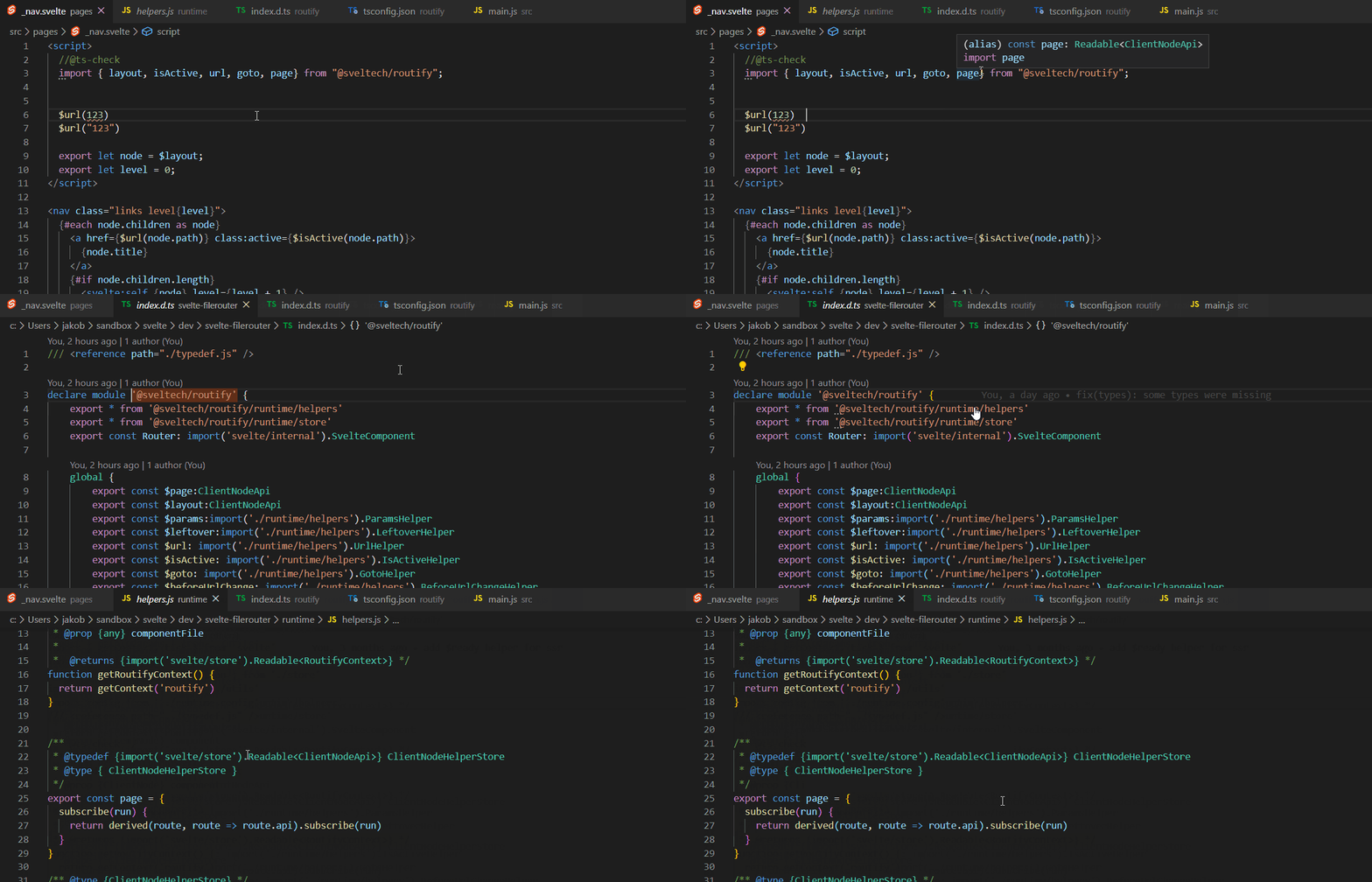
repository https://github.com/sveltech/routify/blob/typefixes/tsconfig.json
Contributor guide
First steps
- Read the whole issue, then the project's contributing guide.
- Comment on the issue to say you are picking it up — it saves two people doing the same work.
- Fork the repository and make your change on a branch.
- Open a pull request that references the issue number.
Research direction
Start with the linked tsconfig.json and reproduce the difference between npm install @sveltech/routify and npm link using the supplied declarations. Compare how the installed and linked packages expose their types, then verify that the declared exports are available after installation.
Written by the indexing model from the issue text.
Assessment
- Tech stack
- javascript, typescript
- Domain
- developer-experience, tooling
- Issue type
- Bug
- Difficulty
- 4/5
- Estimated time
- 3-5 days
- Activity status
- Stale
- Clarity
- Mostly clear
- Newbie friendliness
- 35/100