microsoft / microsoft/PowerToys
Weird effects when scrolling to the bottom of the ZoomIt settings at certain window sizes
- Dominant language
- C
- Stars
- 139k
- Forks
- 8.6k
- PR merge metrics
- PR metrics pending
Description
### Microsoft PowerToys version
0.99.1
### Installation method
GitHub
### Area(s) with issue?
Settings
### Steps to reproduce
1) Go to the ZoomIt settings in PowerToys Settings
2) Scroll to the bottom
3) Try to keep scrolling further than possible.
4) Repeat this with different window sizes.
### ✔️ Expected Behavior
Does nothing; simply doesn't let you scroll further.
### ❌ Actual Behavior
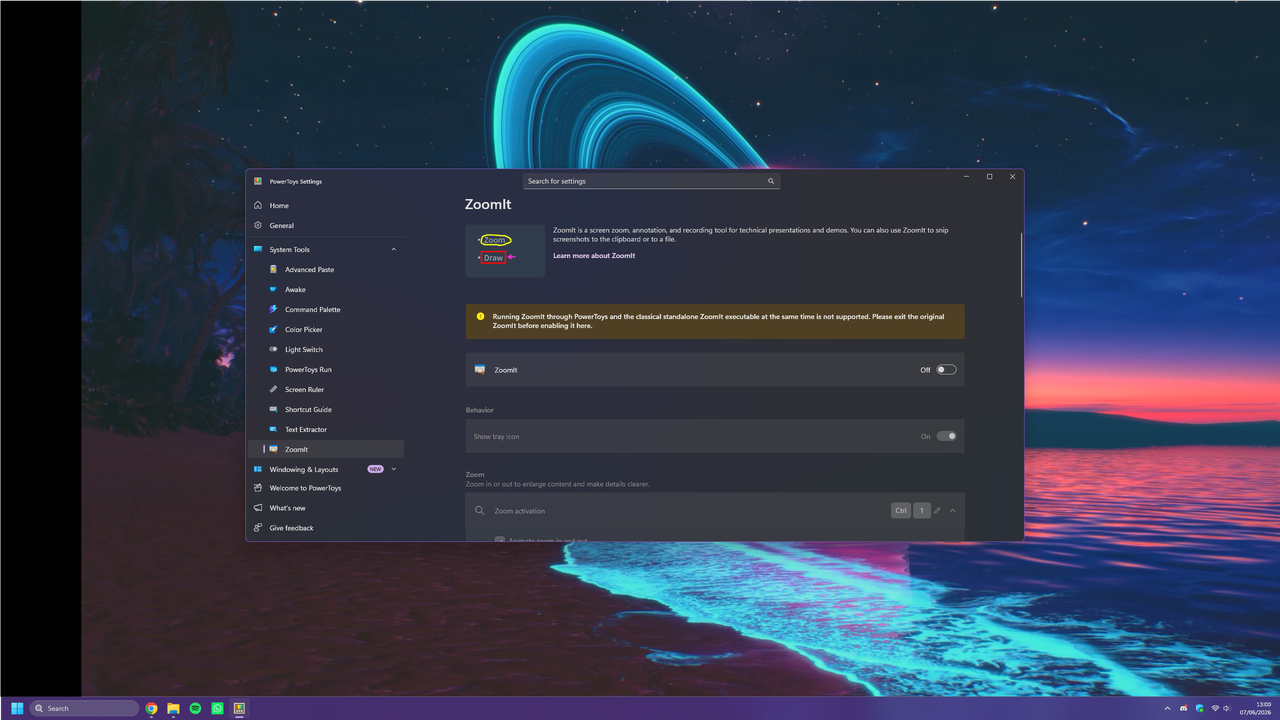
For some reason, at certain window sizes, it seems to either do this bouncing thing shown in the video or do that really fast to the point where it looks blurry. It doesn't happen in fullscreen This doesn't seem to happen in settings for other things in PowerToys. See the video for what happens and the screenshot for the size of the window compared to the rest of my desktop.
Video: https://streamable.com/cnhvml
Screenshot:
### Upload Bug Report ZIP-file
[PowerToysReport_2026-06-07-13-12-52.zip](https://github.com/user-attachments/files/28680806/PowerToysReport_2026-06-07-13-12-52.zip)
### Additional Information
OS: Windows 11 Professional 25H2
System Language: British English
Running as admin?: No
User or System Installation: User
### Other Software
_No response_
Contributor guide
Research direction
Start in the ZoomIt settings within PowerToys Settings and reproduce the issue by scrolling past the bottom at several non-fullscreen window sizes. Trace the settings page's scrolling behavior and confirm it stops without bouncing or rapidly oscillating, while fullscreen and other settings remain unaffected.
Written by the indexing model from the issue text.
Assessment
- Domain
- desktop
- Issue type
- Bug
- Difficulty
- 3/5
- Estimated time
- 1-2 days
- Activity status
- Quiet
- Clarity
- Mostly clear
- Newbie friendliness
- 48/100