microsoft / microsoft/PowerToys
New utility proposal: Macro — keyboard macro recorder with hotkey-triggered step sequences
Nobody has claimed this yet.
- Dominant language
- C
- Stars
- 139k
- Forks
- 8.6k
- PR merge metrics
- PR metrics pending
Description
Description of the new feature / enhancement
Add a Macro utility to PowerToys that lets users record and replay keyboard sequences triggered by a configurable hotkey. Each macro is a named, ordered list of steps that executes automatically when the hotkey fires.
Scenario when this would be used?
- Automation of repetitive text entry: a developer presses
Ctrl+F9and a boilerplate comment block is typed into the editor - Application-scoped shortcuts: a macro scoped to
notepad.exethat formats text differently than the same hotkey in another app - Multi-step keyboard sequences: open a terminal, navigate to a project folder, and run a build command — all from a single hotkey
- Accessibility: users with repetitive strain injury can replace multi-key sequences with a single hotkey
- Testing and QA: quickly replay a fixed input sequence to reproduce a bug
Supporting information
Fit with PowerToys philosophy:
Macro is a direct complement to Keyboard Manager — KBM remaps individual keys, Macro executes sequences. Both are power-user keyboard utilities. AutoHotkey, Macro Recorder, and similar tools have large Windows user bases, and the existing Automation for PowerToys request (#36941) has significant community interest.
Proposed implementation:
Three projects added under src/modules/Macro/:
| Project | Purpose |
|---|---|
MacroCommon |
Shared models + AOT-compatible JSON serializer |
MacroEngine |
Background host: hotkey registration (RegisterHotKey), step execution (SendInput), named-pipe IPC |
MacroModuleInterface |
C++ Runner integration (PowertoyModuleIface) |
Step types: PressKey, TypeText, Wait, Repeat (with nested steps).
Macro definition stored at %APPDATA%\Microsoft\PowerToys\Macro\macros.json — hot-reloaded on change via FileSystemWatcher.
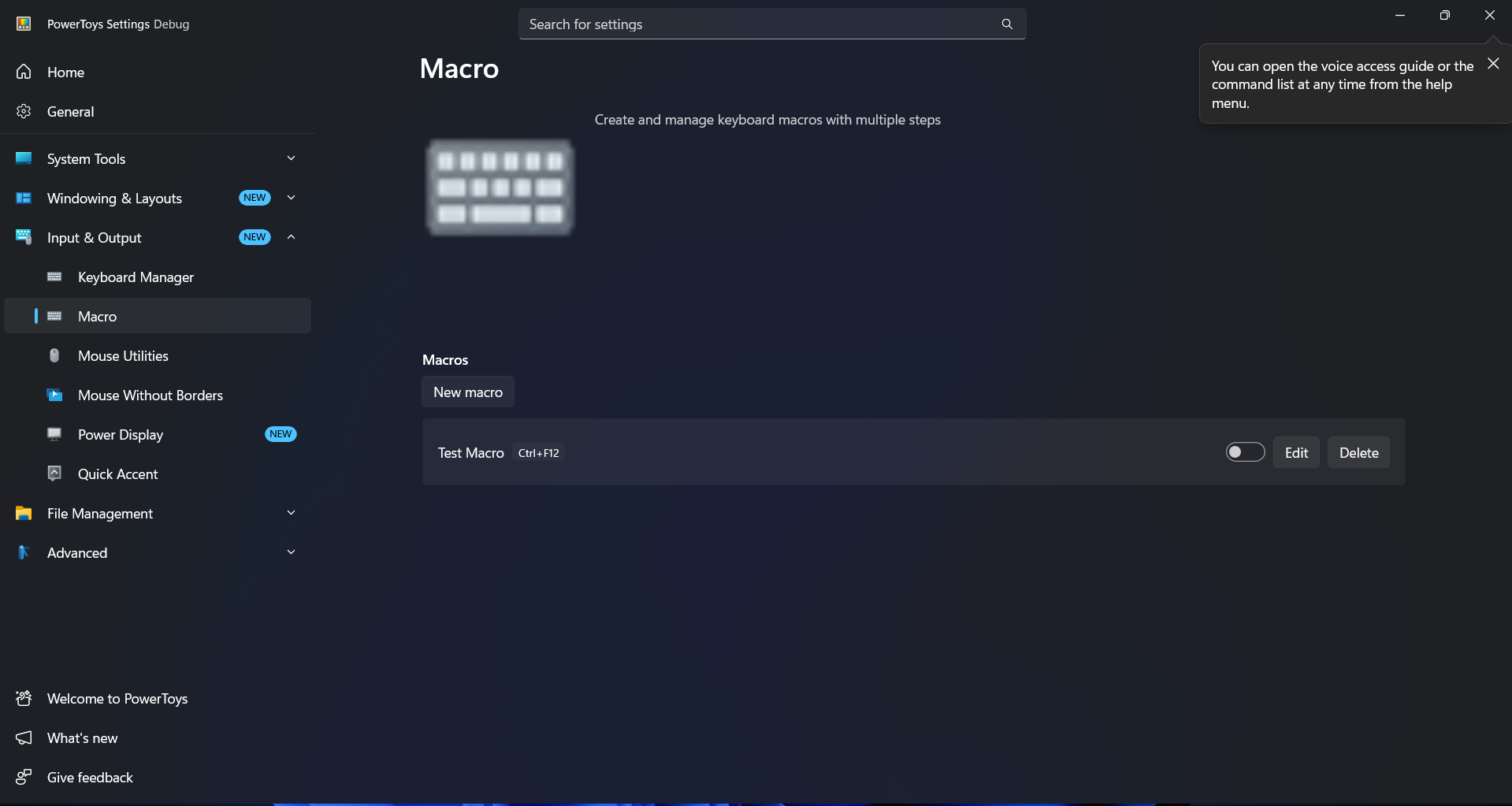
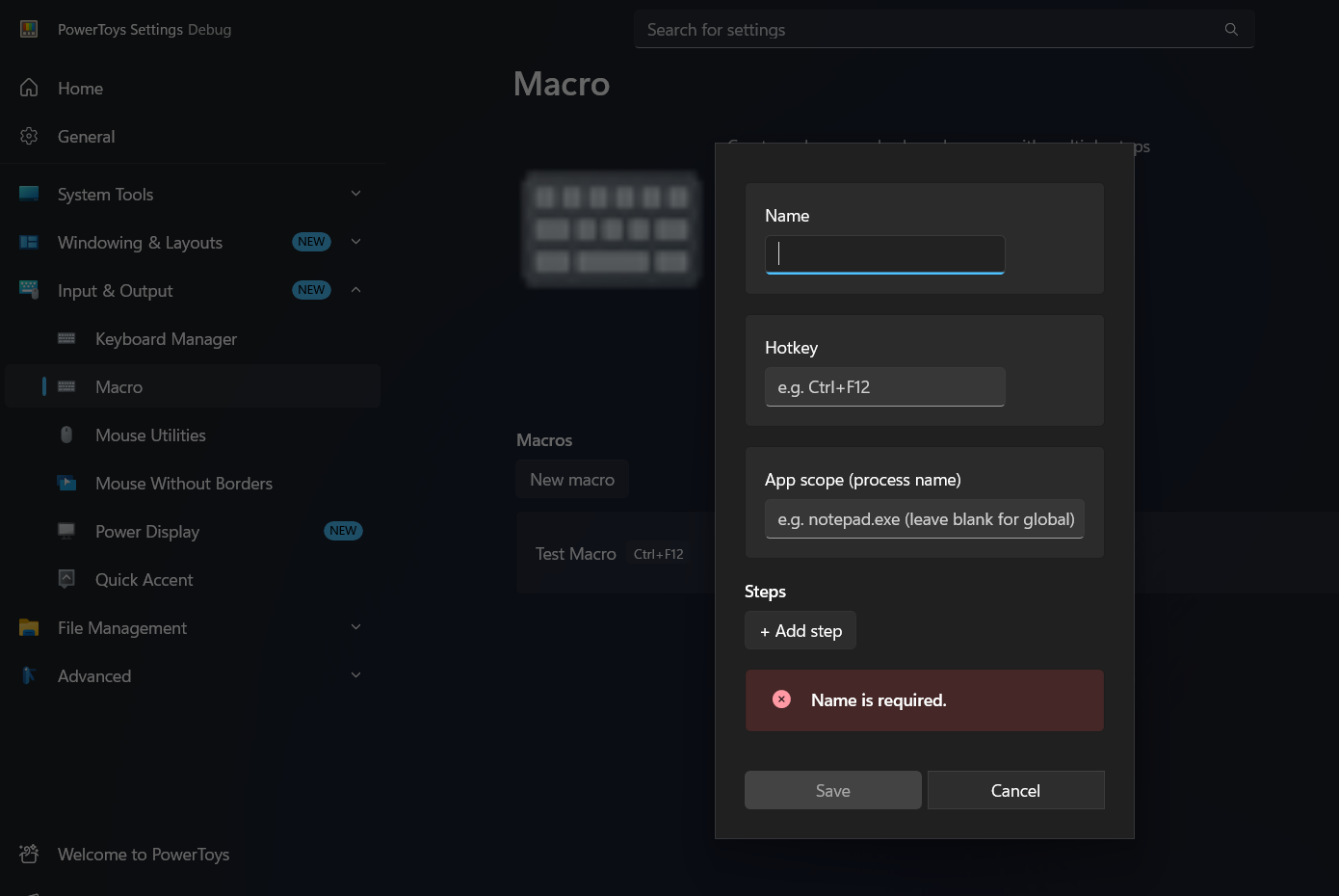
Settings UI additions: MacroPage (list with enable toggles, edit, delete) and MacroEditDialog (name, hotkey, app scope, step-tree editor) integrated into the existing Settings app with full MVVM layer.
Working prototype: A prototype implementation exists with 197 passing unit tests covering serialization, hotkey parsing, step execution, app-scope checking, and all UI view models. Screenshots:
Known limitations / future work:
- No macro recorder (manual step entry only for v1)
- No condition-based branching yet (planned for follow-up)
- No import/export
- App scope matches by process name only (no window title filtering)
I would like to contribute this feature. I have read CONTRIBUTING.md and commented on the contributor thread. Happy to discuss the approach, write a formal spec, or adjust the scope based on team feedback before proceeding.
Contributor guide
First steps
- Read the whole issue, then the project's contributing guide.
- Comment on the issue to say you are picking it up — it saves two people doing the same work.
- Fork the repository and make your change on a branch.
- Open a pull request that references the issue number.
Research direction
Start with CONTRIBUTING.md and the existing Keyboard Manager integration, then review the proposed projects under src/modules/Macro/, especially MacroCommon, MacroEngine, and MacroModuleInterface. Check the prototype’s 197 unit tests and the proposed MacroPage and MacroEditDialog scope. Done means agreeing on the feature scope and architecture before implementing the utility and its Settings integration.
Written by the indexing model from the issue text.
Assessment
- Tech stack
- cpp
- Domain
- desktop, tooling
- Issue type
- Feature
- Difficulty
- 5/5
- Estimated time
- Over a week
- Activity status
- Quiet
- Clarity
- Mostly clear
- Newbie friendliness
- 35/100