microsoft / microsoft/PowerPlatformConnectors
[BUG] Four policies for single action don't work
Nobody has claimed this yet.
- Dominant language
- C#
- Stars
- 1.3k
- Forks
- 1.5k
- Avg merge
- 5d 15h
- Merged PRs (30d)
- 11
Description
Type of Connector
Independent Publisher Connector
Name of Connector
TP-Link Cloud (Not yet submitted)
Describe the bug
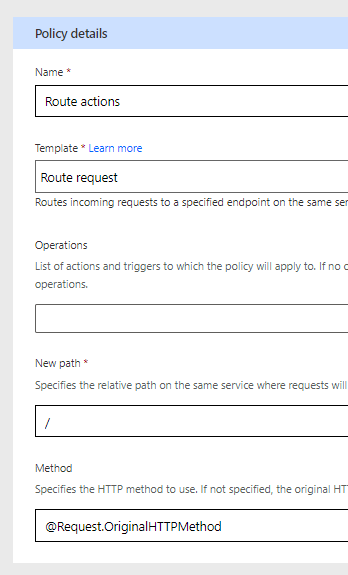
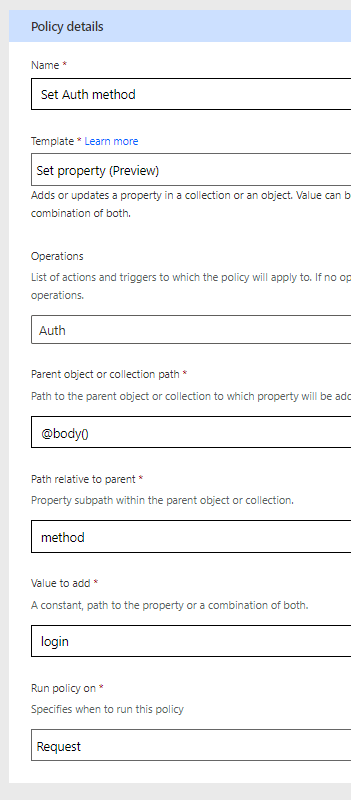
For this API to be set, it requires two policies to be set:
-
Route all requests to the base URL:
-
Set a property for each action within the POST body for the action method:
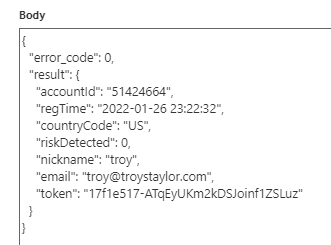
This correctly works, with the authentication action correctly returning a token:
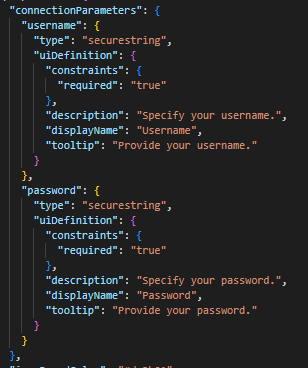
To submit this as an IndiePub, I'm like to use a set connectionParameters for the username and password also required as part of the authentication action. I've downloaded the connector and added the following to apiProperties.json:
then uploaded the changes back. I then add the two policies:
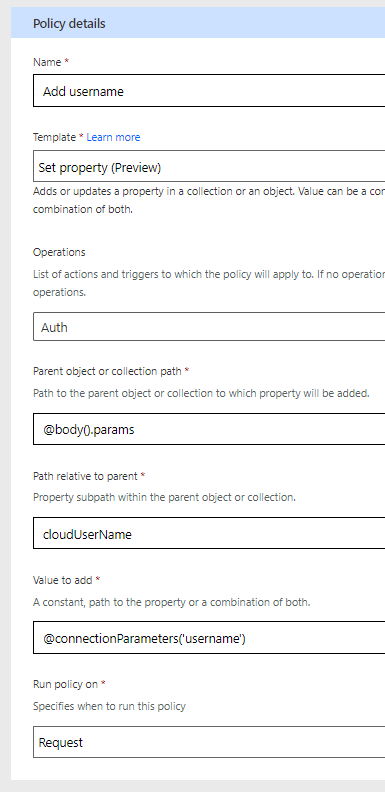
but when I test it, it doesn't take the username/password. I've tried creating new connections and testing it in a new Flow, but it is not working.
Is it possible that four policies are too many? I don't see anything in the documentation saying there is a limit.
Is this a security bug?
No, this is not a security bug
What is the severity of this bug?
Severity 2 - One or more important connector features are down
To Reproduce
Create custom connector and add four policies for one action.
Expected behavior
connectionParameters should be used
Environment summary
Power Automate Editor
Additional context
Can't submit if not working.
Contributor guide
No contributing guide indexed for this repository
First steps
- Read the whole issue, then the project's contributing guide.
- Comment on the issue to say you are picking it up — it saves two people doing the same work.
- Fork the repository and make your change on a branch.
- Open a pull request that references the issue number.
Research direction
Start in the Power Automate Editor with the TP-Link Cloud custom connector and review the apiProperties.json connectionParameters alongside the four policies configured for one action. Reproduce the authentication flow with newly created connections and verify whether the username and password are used; done means the connectionParameters are applied and the connector can be submitted.
Written by the indexing model from the issue text.
Assessment
- Domain
- api
- Issue type
- Bug
- Difficulty
- 4/5
- Estimated time
- 3-5 days
- Activity status
- Stale
- Clarity
- Mostly clear
- Newbie friendliness
- 25/100