microsoft / microsoft/CSS-Exchange
[Feature] Health Check should check if KDC is available and working
@dpaulson45 is already working on this.
Since Dec 6, 2024.
- Dominant language
- PowerShell
- Stars
- 1.3k
- Forks
- 395
- Avg merge
- 14h 7m
- Merged PRs (30d)
- 5
Description
Is your request related to a problem? Please describe.
The Health Checker script for Exchange should validate that the KDC that the exchange is using is actually responding.
The problem:
Users were unable to send mails via Outlook and OWA. But there was no problem with sending via SMTP.
Users in OWA received an error about not being permitted to perform this action.
Cause:
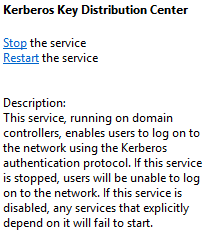
This issue was caused by the "Kerberos Key Distribution Center" being disabled and stopped on the domain controller within the site of the Exchange server.
How to identify:
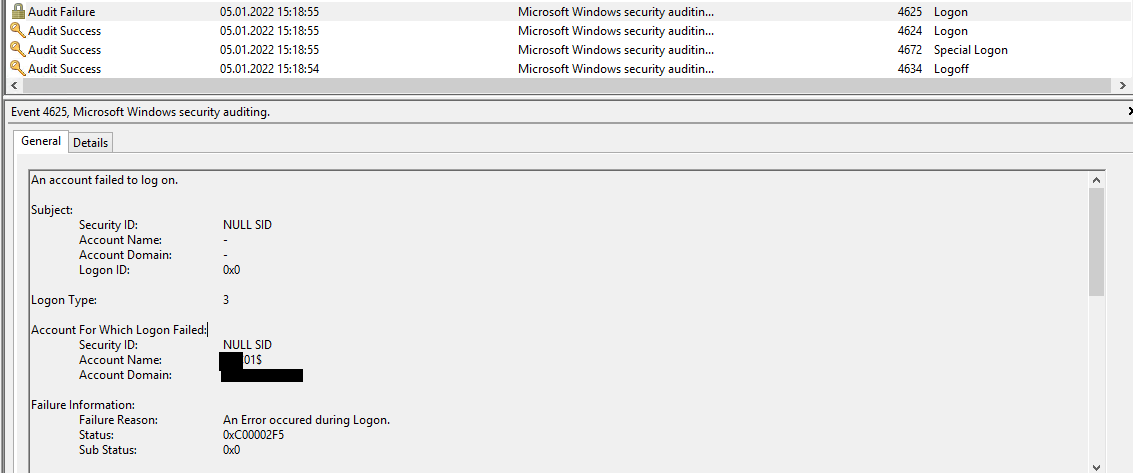
Look into the Security Eventlog and check all events of Type 4625 if they contain:
- Subject ID: NULL SID
- Logon ID: 0x0
- Account Name: EX01$ [where EXC01 is the hostname of the affected Exchange server]
- Security ID: NULL SID
- Logon Type: 3
- Failure Reason: An Error occurred during Logon.
- Status: 0xC00002F5 [STATUS_MUST_BE_KDC from ntstatus.h]
- Sub Status: 0x0
Describe The Request
The exchange health check script should check if the domain controller and the Kerberos key distribution center are available and accepting requests.
Additional context
Add any other context or screenshots about the feature request here.

While the KDC is disabled running a nltest /SC_Verify:shikar.local on the exchange server shows:
Flags: b0 HAS_IP  HAS_TIMESERV
Trusted DC Name \\DC01.example.com
Trusted DC Connection Status Status = 0 0x0 NERR_Success
Trust Verification Status = 0 0x0 NERR_Success
The command completed successfully
and Test-ComputerSecureChannel returns True.
Contributor guide
First steps
- Read the whole issue, then the project's contributing guide.
- Comment on the issue to say you are picking it up — it saves two people doing the same work.
- Fork the repository and make your change on a branch.
- Open a pull request that references the issue number.
Assessment
This issue has not been assessed yet.