microsoft / microsoft/AzureStorageExplorer
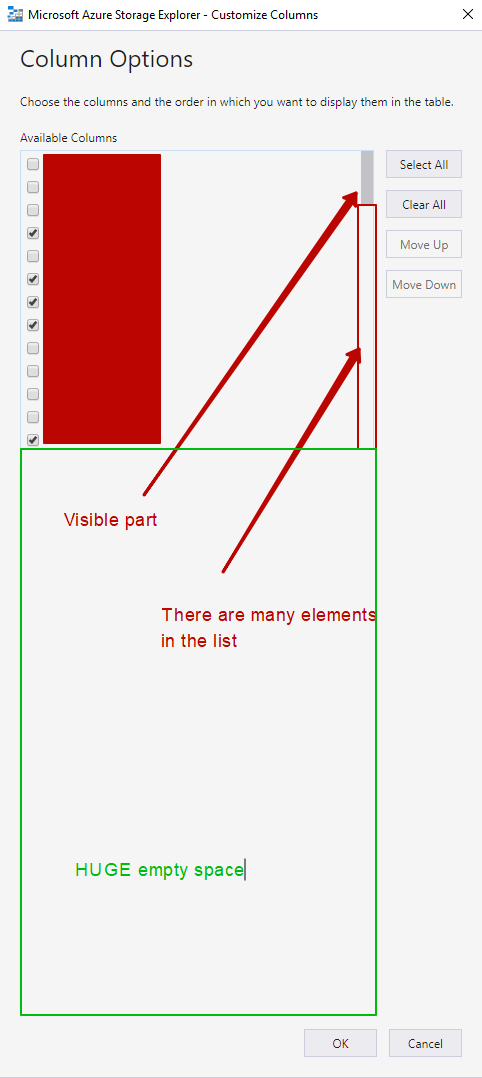
Columns Options -> Available Columns list is not stretched vertically
Nobody has claimed this yet.
- Dominant language
- No language data
- Stars
- 452
- Forks
- 92
- Avg merge
- 15h 20m
- Merged PRs (30d)
- 3
Description
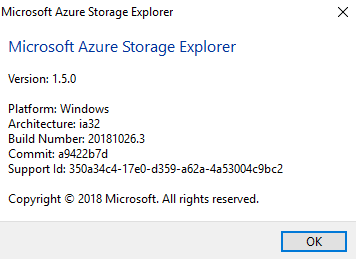
Storage Explorer Version: 1.5.0
Platform/OS Version: Windows
Architecture: ia32
Regression From: ¯\(°_o)/¯
Steps to Reproduce:
- Create a storage account
- Create a table storage
- Open it in Microsoft Azure Storage Explorer
- Add number of items to the storage. Items all together must have numerous different properties. Number of properties all together must exceed 13
- Observing the table press "Column Options" button to see the list of available columns.
- Double-click bottom border of the Columns window to expand it to the max height.
Expected Experience:
List of "Available Columns" is expanded along with the window itself.
Actual Experience:
Even though the window is expanded to the full height, list of available columns is not expanded.
Actual Experience:
Possible fix: Attach "Available Columns" element's container both, to top and to the bottom of the window.
Contributor guide
No contributing guide indexed for this repository
First steps
- Read the whole issue, then the project's contributing guide.
- Comment on the issue to say you are picking it up — it saves two people doing the same work.
- Fork the repository and make your change on a branch.
- Open a pull request that references the issue number.
Research direction
Reproduce the issue in the Column Options window using a table with more than 13 properties, then inspect the Available Columns element and its container layout. Confirm that resizing the window expands the list vertically; no source file or test is named in the issue.
Written by the indexing model from the issue text.
Assessment
- Domain
- desktop, frontend
- Issue type
- Bug
- Difficulty
- 2/5
- Estimated time
- 1-3 hours
- Activity status
- Stale
- Clarity
- Mostly clear
- Newbie friendliness
- 45/100