microsoft / microsoft/AzureStorageExplorer
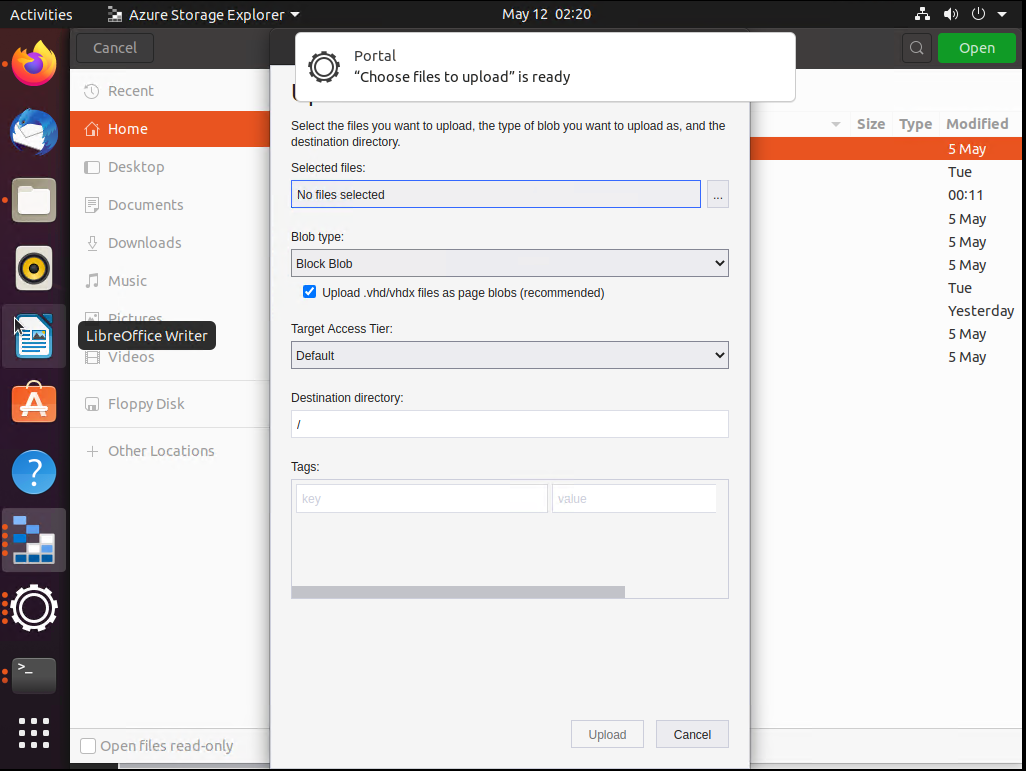
The 'Choose files to upload' dialog pops up if not clicking the '"Choose files to upload" is ready' info when uploading files on Linux
Open
@craxal is already working on this.
Since May 16, 2022.
:computer: linux
:grey_question: external
:test_tube: testing
- Dominant language
- No language data
- Stars
- 452
- Forks
- 92
- Avg merge
- 15h 20m
- Merged PRs (30d)
- 3
Description
Storage Explorer Version: 1.24.1
Build Number: 20220510.2
Branch: hotfix/1.24.1
Platform/OS: Linux Ubuntu 20.04
Architecture: x64
How Found: From running test cases
Regression From: Not a regression
Steps to Reproduce
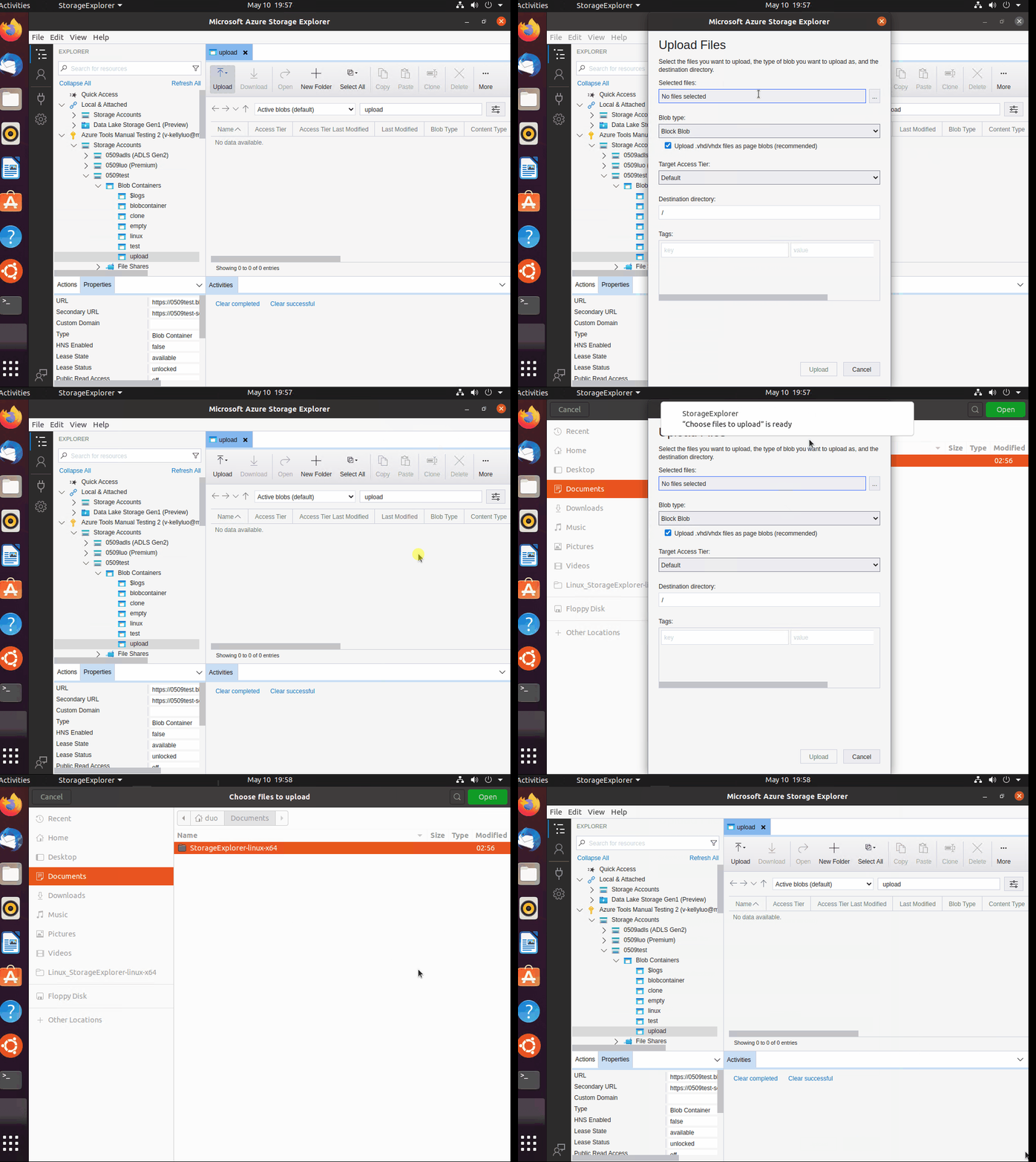
- Open Storage Explorer on Linux.
- Expand one storage account -> Blob Containers -> Create a blob container.
- Click 'Upload -> Upload files/folder' -> Click 'No folder/files selected' box.
- A "Choose files to upload" is ready info prompts -> Don't click it.
- Check whether the 'Choose files to upload' dialog doesn't pop up.
Expected Experience
The 'Choose files to upload' dialog doesn't pop up.
Actual Experience
The 'Choose files to upload' dialog pops up.
Additional Context
- This issue doesn't reproduce when firstly uploading files.
- In previous versions, no "Choose files to upload" is ready info prompts.
- This issue doesn't reproduce when downloading files, the 'Select a folder for download' dialog doesn't pop up if not clicking the prompt info.
- Here is the record:
Contributor guide
No contributing guide indexed for this repository
First steps
- Read the whole issue, then the project's contributing guide.
- Comment on the issue to say you are picking it up — it saves two people doing the same work.
- Fork the repository and make your change on a branch.
- Open a pull request that references the issue number.
Assessment
This issue has not been assessed yet.