microsoft / microsoft/AzureStorageExplorer
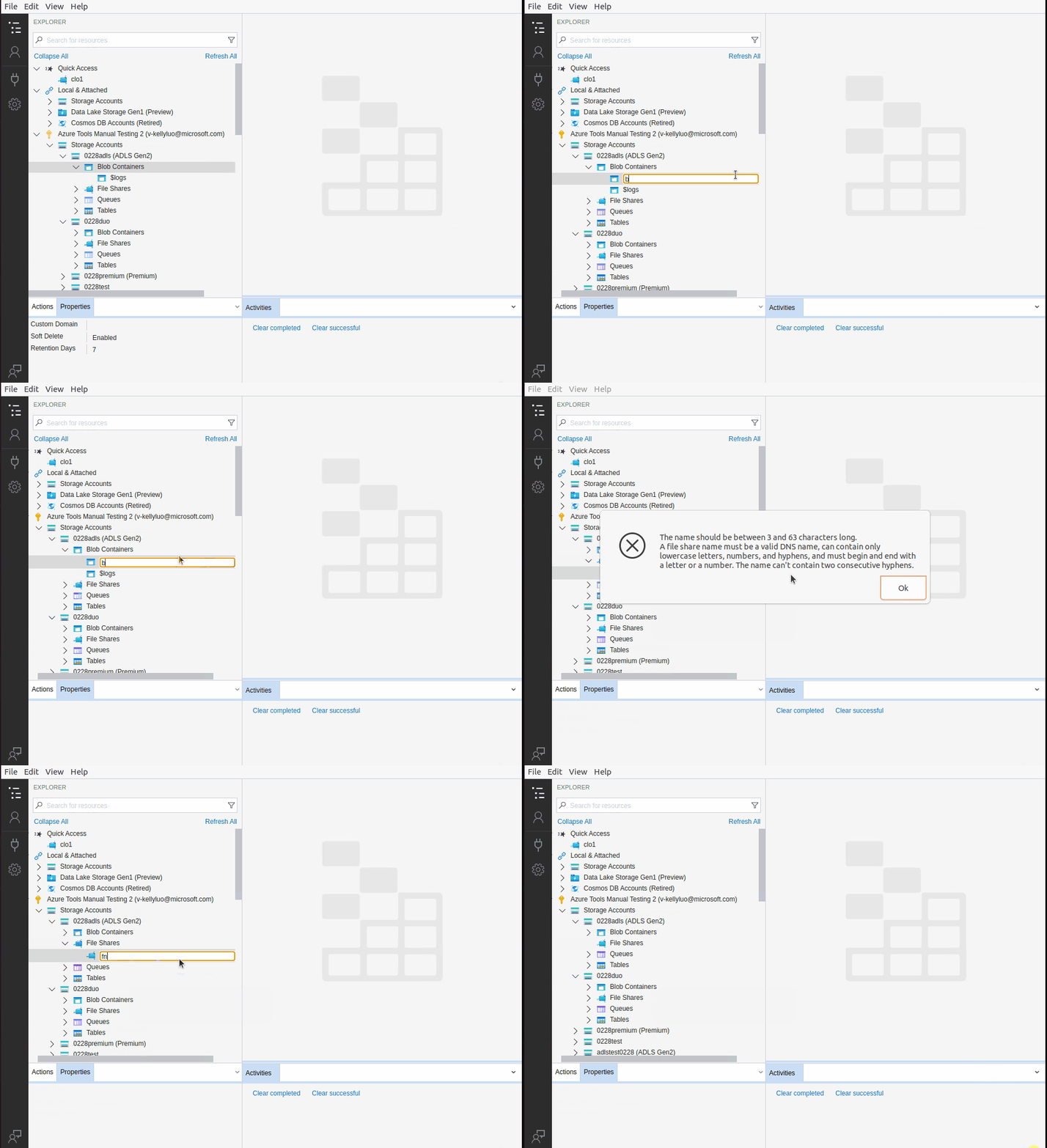
The error dialog pops up again after clicking 'OK' on the first pop-up error dialog if creating one service using an invalid name
Open
Nobody has claimed this yet.
:computer: linux
:test_tube: testing
- Dominant language
- No language data
- Stars
- 452
- Forks
- 92
- Avg merge
- 15h 20m
- Merged PRs (30d)
- 3
Description
Storage Explorer Version: 1.23.0
Build Number: 20220223.14
Branch: rel/1.23.0
Platform/OS: Linux Ubuntu 20.04
Architecture: x64
How Found: From running test cases
Regression From: Not a regression
Steps to Reproduce
- Expand one storage account.
- Right click the 'Blob Containers' node -> Select 'Create Blob Container'.
- Input an invalid name in the text input -> Type enter.
- An error dialog pops up -> Click 'OK'.
- The error dialog is closed -> Check no error dialog pops up again.
Expected Experience
No error dialog pops up again.
Actual Experience
The error dialog pops up again.
Additional Context
- This issue cannot be reproduced consistently.
- This issue also reproduces for other services.
- This issue doesn't reproduce on Mac & Windows.
- Here is the record:
Contributor guide
No contributing guide indexed for this repository
First steps
- Read the whole issue, then the project's contributing guide.
- Comment on the issue to say you are picking it up — it saves two people doing the same work.
- Fork the repository and make your change on a branch.
- Open a pull request that references the issue number.
Assessment
This issue has not been assessed yet.