microsoft / microsoft/AzureStorageExplorer
ssh -X to server and run StorageExplorer is giving password manager service error
Nobody has claimed this yet.
- Dominant language
- No language data
- Stars
- 452
- Forks
- 92
- Avg merge
- 15h 20m
- Merged PRs (30d)
- 3
Description
Preflight Checklist
- I have installed the latest version of Storage Explorer.
- I have checked existing resources, including the troubleshooting guide and the release notes.
- I have searched for similar issues.
Storage Explorer Version
1.22.1
Regression From
no
Architecture
x64
Storage Explorer Build Number
20220122.3
Platform
Linux
OS Version
Centos 7.3
Bug Description
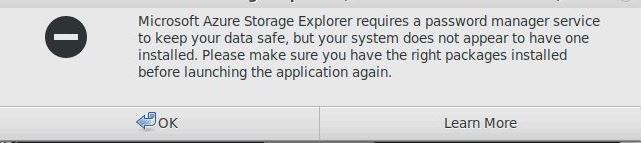
Microsoft Azure Storage Explorer requires a password manager service to keep your data safe, but your system does not appear to have one installed. Please make sure you have the right packages installed before launching the application again.
Getting above error if we login from other machine to the machine through CLI where storsge explorer is running locally and try to launch this
Working fine if we directly login to the server with display manager localy and run this from the same machine.
Steps to Reproduce
Login to a machine with ssh where storsge explorer is installed from Citrix or vnc Display manager
launch storage manager on server where this is installed from local path
Storage Explorer is coming up with following pop up window and not starting
Microsoft Azure Storage Explorer requires a password manager service to keep your data safe, but your system does not appear to have one installed. Please make sure you have the right packages installed before launching the application again.
The Storage Explorer is working fine if we run vnc or citrix on the installed machine where Storage Explorer is installed and open this from the display manger on that machine.
Actual Experience
storsge explorer is not working when we login through ssh and redirect display to other machine
Expected Experience
The Storage explorer should work over ssh and redirect the display to present display session
Additional Context
No response
Microsoft Reference Ticket : SR 2201210010001953
Contributor guide
No contributing guide indexed for this repository
First steps
- Read the whole issue, then the project's contributing guide.
- Comment on the issue to say you are picking it up — it saves two people doing the same work.
- Fork the repository and make your change on a branch.
- Open a pull request that references the issue number.
Research direction
Start by reproducing the launch through SSH with X11 forwarding on CentOS 7.3, comparing it with a local VNC or Citrix display-manager launch. Investigate the password manager service initialization in the SSH-launched session; done means Storage Explorer starts successfully over SSH and preserves the working local-display behavior.
Written by the indexing model from the issue text.
Assessment
- Tech stack
- azure, linux
- Domain
- desktop, operating-systems, security
- Issue type
- Bug
- Difficulty
- 4/5
- Estimated time
- 3-5 days
- Activity status
- Stale
- Clarity
- Needs clarification
- Newbie friendliness
- 25/100