microsoft / microsoft/AzureStorageExplorer
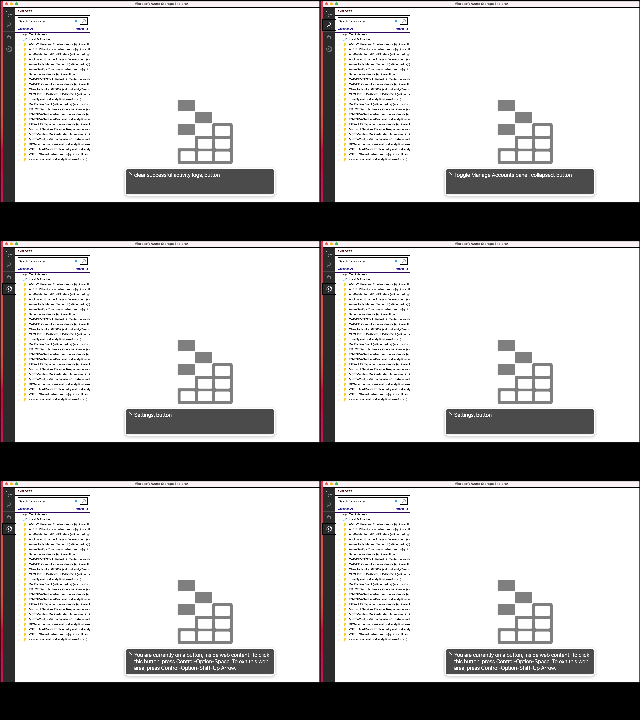
A11y_Azure Tools Storage Explorer_ Connect to Azure Storage_ Labels or Instructions: Label is not provided for "Connect to Azure Storage" button in left side pane.
Nobody has claimed this yet.
- Dominant language
- No language data
- Stars
- 452
- Forks
- 92
- Avg merge
- 15h 20m
- Merged PRs (30d)
- 3
Description
GitHubTags:
#A11y_Azure Tools Storage Explorer; #A11ySev3; #A11yTCS; #A11yWCAG2.1; #DesktopApp; #Azure Tools Storage Explorer; #MAC; #BM-AzureToolsStorageExplorer-MAC-Sep2021; #WCAG3.3.2; #Labels or Instructions; #AINotInScope;#A11yMAS;
Environment Details:
Application Name: Azure Tools Storage Explorer
Standard Violated: Labels or Instructions
Repro Steps:
1.Open Azure Tools Storage Explorer
2.Tab till the "Connect to Azure Storage" button in left pane.
3.verify whether the labels or tooltips is present for "Connect to Azure Storage"button.
Actual Result:
Label is not provided for "Connect to Azure Storage" button in left side pane.
Note:
Similar issue is observed for Settings button, Remote Explorer button, Account management button.
Expected Result:
Label should be provided for "Connect to Azure Storage" button in left side pane.
User Impact:
Keyboard users will find difficult in finding the label of "Connect to Azure Storage " button if the label is not provided for "Connect to Azure Storage" button in left side pane.
Attachments:
Contributor guide
No contributing guide indexed for this repository
First steps
- Read the whole issue, then the project's contributing guide.
- Comment on the issue to say you are picking it up — it saves two people doing the same work.
- Fork the repository and make your change on a branch.
- Open a pull request that references the issue number.
Research direction
No source files or tests are named. Reproduce the issue in Azure Storage Explorer on macOS, then locate the UI definitions for the Connect to Azure Storage button and the similarly affected Settings, Remote Explorer, and Account management buttons. Done means keyboard users can identify each button through an accessible label or tooltip.
Written by the indexing model from the issue text.
Assessment
- Tech stack
- azure
- Domain
- accessibility, desktop
- Issue type
- Bug
- Difficulty
- 3/5
- Estimated time
- 1-2 days
- Activity status
- Stale
- Clarity
- Clearly specified
- Newbie friendliness
- 48/100