microsoft / microsoft/AzureStorageExplorer
Add "import cert" feature info to the cert exception dialog.
Nobody has claimed this yet.
- Dominant language
- No language data
- Stars
- 452
- Forks
- 92
- Avg merge
- 15h 20m
- Merged PRs (30d)
- 3
Description
When using a self-signed cert, you get this dialog.
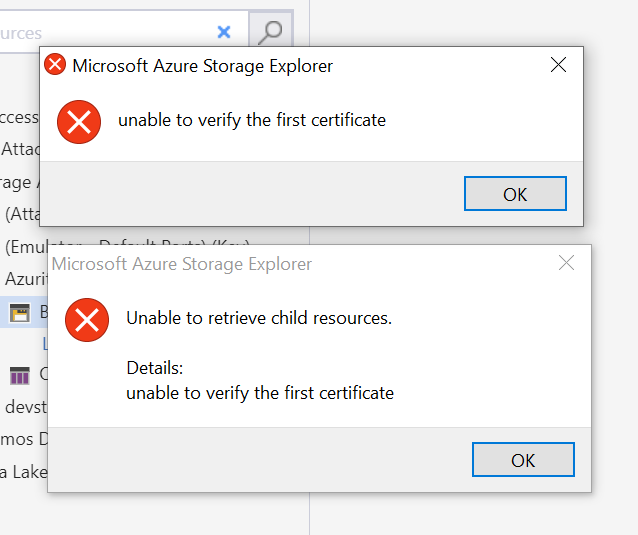
I got this and didn't realize SE had a feature that allowed me to import certificates...and didn't think to look for such a feature.
It would be great if the dialog had something like "Please try importing your certificate with Edit->SSL Certificates -> Import Certificates.
#2598
Contributor guide
No contributing guide indexed for this repository
First steps
- Read the whole issue, then the project's contributing guide.
- Comment on the issue to say you are picking it up — it saves two people doing the same work.
- Fork the repository and make your change on a branch.
- Open a pull request that references the issue number.
Research direction
Start at the self-signed certificate exception dialog and trace the existing Edit > SSL Certificates > Import Certificates entry mentioned in the issue. Update the dialog to tell users about importing certificates, then verify that the message points to that menu path and appears for the described certificate case.
Written by the indexing model from the issue text.
Assessment
- Domain
- desktop, security
- Issue type
- Feature
- Difficulty
- 2/5
- Estimated time
- 1-3 hours
- Activity status
- Stale
- Clarity
- Mostly clear
- Newbie friendliness
- 45/100