microsoft / microsoft/AzureStorageExplorer
Make blob properties dialog non-modal so I can open two or more at once :)
Nobody has claimed this yet.
- Dominant language
- No language data
- Stars
- 452
- Forks
- 92
- Avg merge
- 15h 20m
- Merged PRs (30d)
- 3
Description
Is your feature request related to a problem? Please describe.
I'm using blob storage to store episodes of a podcast. I generate the podcast feed dynamically by reading the blobs from the podcast's container and I populate episode metadata using blob metadata. It's pretty slick! The problem is when I upload a new episode using storage explorer I can only open blob properties for one blob at a time. I have a good handful of metadata properties I use so it would be nice to be able to open another blob properties window for comparison.
Describe the solution you'd like
I would like for the blob properties dialog to be made non-modal, meaning doesn't force you to click ok or cancel before you can interact with the main window again.
Describe alternatives you've considered
A nice alternative would be a "copy metadata" context menu option. There are some logistical hurdles there though. Like how do you paste the copied metadata into the new blob's metadata. Maybe have a raw text edit view where you can just paste raw text containing name/value pairs separated by newlines? That would actually be great because then I could tweak that raw text after pasting it but before saving the metadata to the blob.
For example I have an isLive metadata property to determine if the episode should be included in the feed. I wouldn't want to paste that property from an old blob into a new blob and accidentally set the new episode live before I'm done editing it's data.
Additional context
The modal dialog I'm talking about is opened by right-clicking a blog and going to properties.
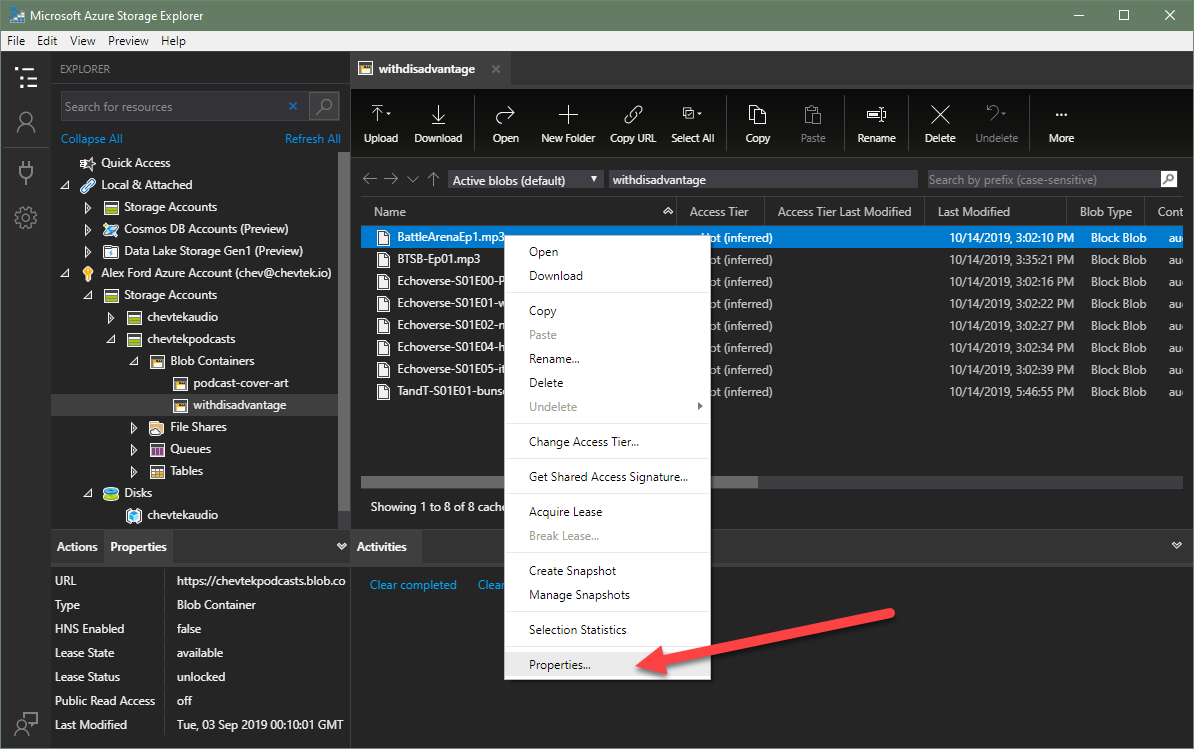
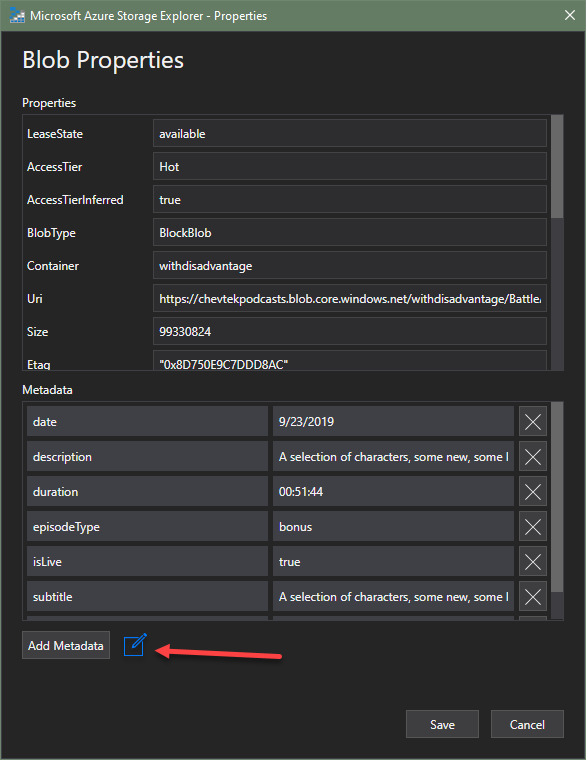
Making the dialogs non-modal sounds like the easy solution but I'd really love to have my alternative idea of a "raw edit mode" which turns the metadata list into a raw text area. I'm thinking a "source" button or something like below that could toggle between the two edit modes. This text area edit mode would solve both the copy and paste problems because I could open an older blob, go to raw edit mode, copy the text, then go to the new blob raw edit mode and paste the text, tweak it, and save it. That sounds like the ideal solution to me but maybe your team could come up with an even better idea.
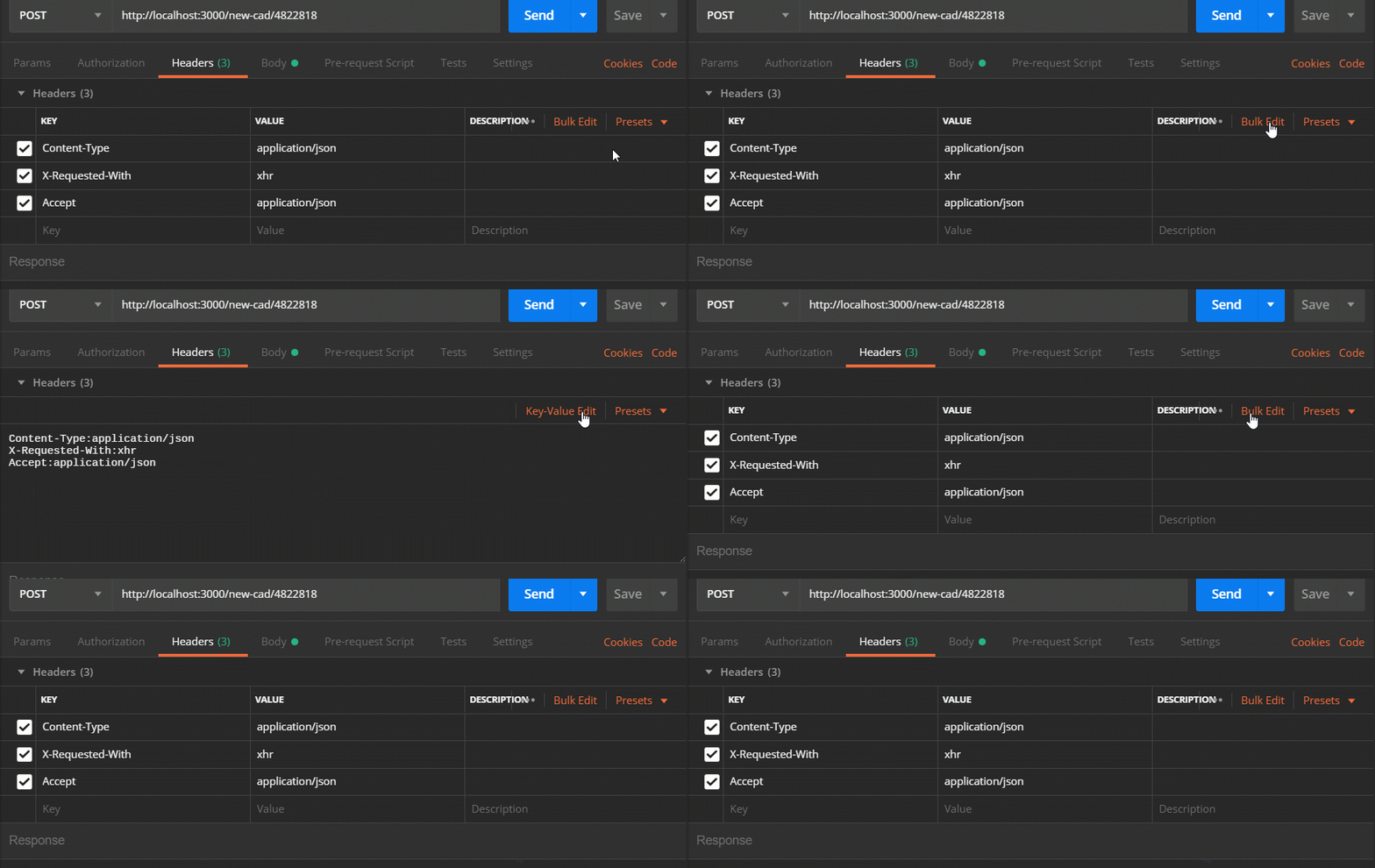
I just remembered a perfect example of this. In Postman you can toggle between "Key-Value Edit" and "Bulk Edit". That's exactly what I want here!
Contributor guide
No contributing guide indexed for this repository
First steps
- Read the whole issue, then the project's contributing guide.
- Comment on the issue to say you are picking it up — it saves two people doing the same work.
- Fork the repository and make your change on a branch.
- Open a pull request that references the issue number.
Research direction
Start from the blob context-menu entry point: right-click a blob and choose Properties. Inspect how that dialog is opened and determine what must change so multiple blob properties dialogs can remain open while the main window stays usable. Done means two or more blob properties windows can be opened for comparison without forcing an OK or Cancel first.
Written by the indexing model from the issue text.
Assessment
- Tech stack
- azure
- Domain
- cloud, desktop
- Issue type
- Feature
- Difficulty
- 4/5
- Estimated time
- 3-5 days
- Activity status
- Stale
- Clarity
- Mostly clear
- Newbie friendliness
- 35/100