microsoft / microsoft/AdaptiveCards
[Authoring][iOS] Bullet formatted Text not rendering as expected
Open
Nobody has claimed this yet.
Area-Schema
Bug
- Dominant language
- C#
- Stars
- 2k
- Forks
- 595
- Avg merge
- 1d 19h
- Merged PRs (30d)
- 1
Description
Target Application
iOS Visualizer
Application Operating System
iOS
Schema Version
any
Problem Description
When the bullet formatting is used in TextBlock, the iOS renderer shows a different output compared to the expected one in the designer - https://adaptivecards.io/designer
Expected Outcome
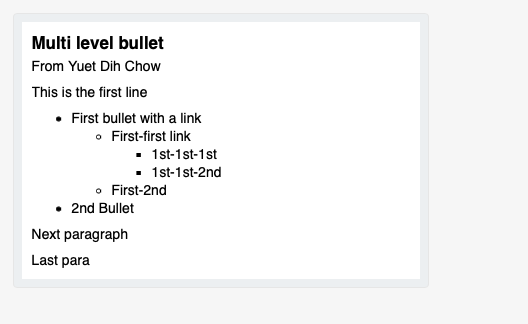
Actual Outcome
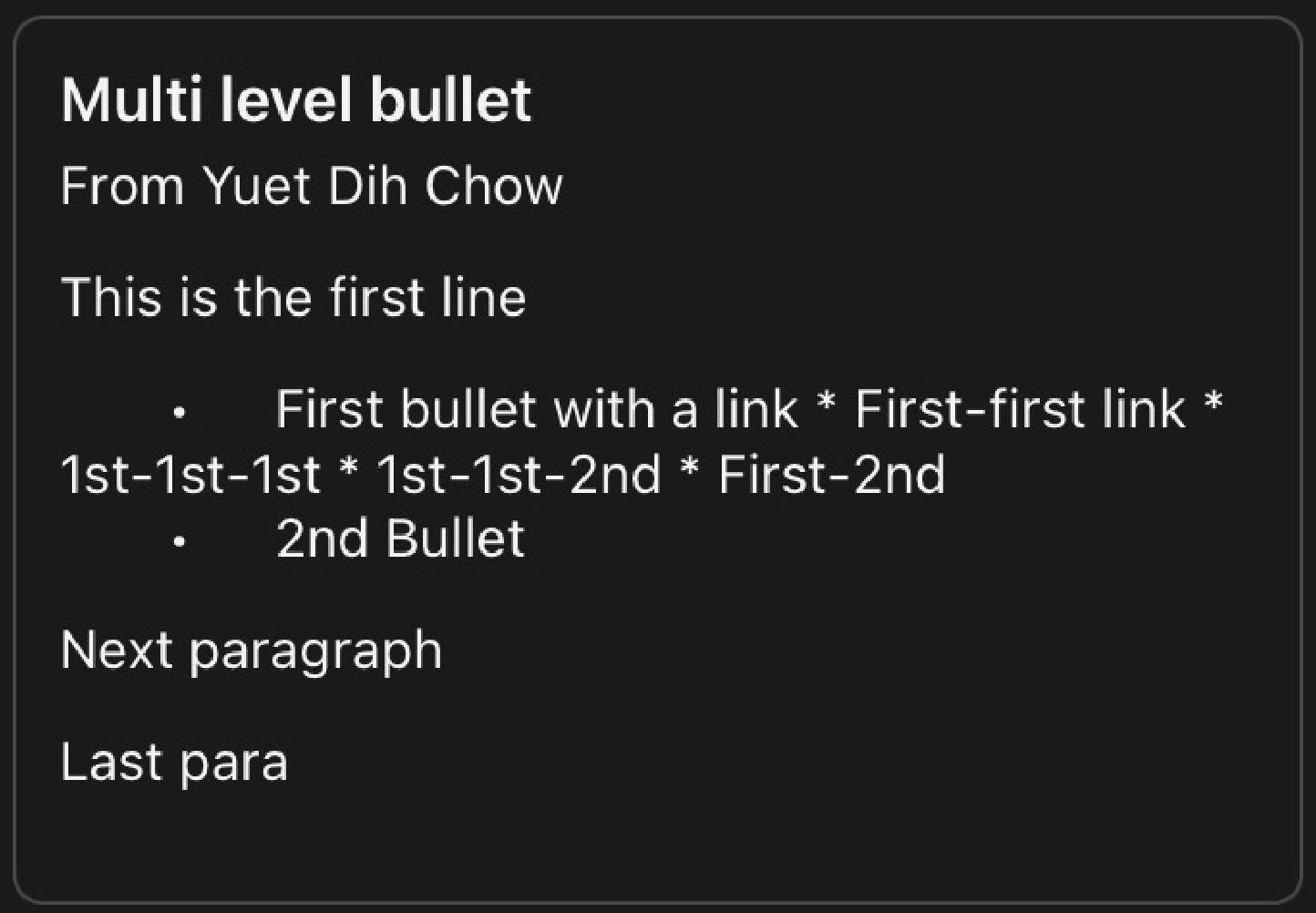
Card JSON
{
   "type":"AdaptiveCard",
   "version":"1.2",
   "body":[
      {
         "type":"TextBlock",
         "size":"medium",
         "weight":"bolder",
         "text":"Multi level bullet",
         "wrap":true
      },
      {
         "type":"TextBlock",
         "text":"From Yuet Dih Chow",
         "spacing":"small"
      },
      {
         "type":"TextBlock",
         "text":"This is the first line",
         "wrap":true
      },
      {
         "type":"TextBlock",
         "text":"* First bullet with a link \n  * First-first link \n    * 1st-1st-1st \n    * 1st-1st-2nd \n  * First-2nd \n* 2nd Bullet \n",
         "wrap":true
      },
      {
         "type":"TextBlock",
         "text":"Next paragraph",
         "wrap":true
      },
      {
         "type":"TextBlock",
         "text":"Last para",
         "wrap":true
      },
      {
         "type":"TextBlock",
         "text":" ",
         "wrap":true,
         "spacing":"none"
      },
      {
         "type":"Input.Text",
         "id":"cardId",
         "value":"UpdateCard",
         "isVisible":false
      }
   ]
}
Repro Steps
No response
Contributor guide
First steps
- Read the whole issue, then the project's contributing guide.
- Comment on the issue to say you are picking it up — it saves two people doing the same work.
- Fork the repository and make your change on a branch.
- Open a pull request that references the issue number.
Research direction
Start with the supplied Adaptive Card JSON and reproduce it in the iOS Visualizer, then compare its bullet rendering with the adaptivecards.io designer. Trace the iOS TextBlock rendering path for multiline text and nested bullets. Done means the iOS output matches the expected designer rendering for the provided card.
Written by the indexing model from the issue text.
Assessment
- Tech stack
- ios
- Domain
- mobile-dev
- Issue type
- Bug
- Difficulty
- 3/5
- Estimated time
- 1-2 days
- Activity status
- Stale
- Clarity
- Mostly clear
- Newbie friendliness
- 35/100