microsoft / microsoft/AdaptiveCards
[Rendering] UWP ChoiceSet - validation error and choice is opened automatically when submitting with error
Open
Nobody has claimed this yet.
Area-Renderers
- Dominant language
- C#
- Stars
- 2k
- Forks
- 595
- Avg merge
- 1d 19h
- Merged PRs (30d)
- 1
Description
Target Platforms
UWP
SDK Version
n/a
Application Name
AdaptiveCardVisualizer
Problem Description
Load v1.5\Elements\Input.ChoiceSet.Filtered.json
two problems:
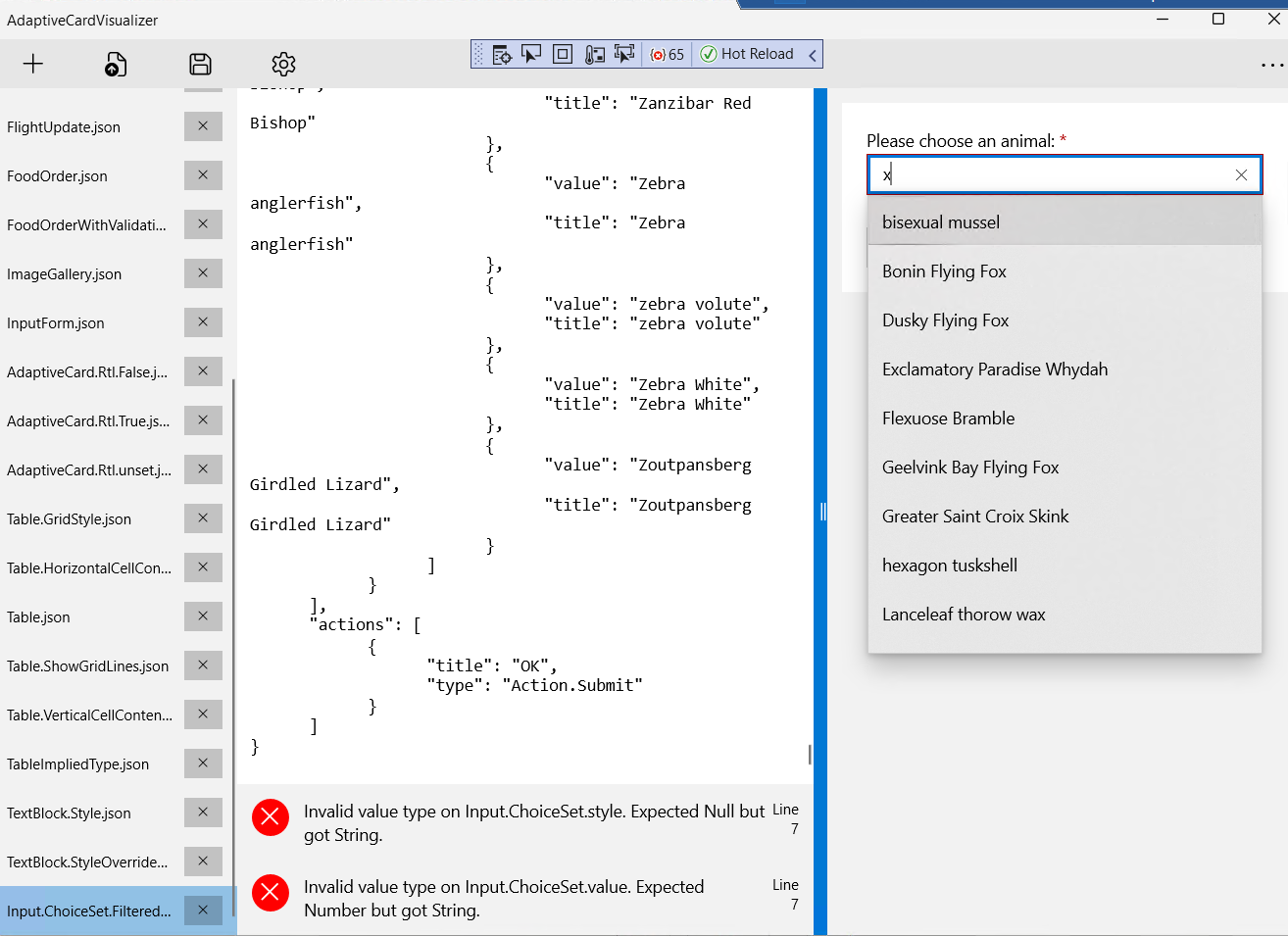
- warning messages:
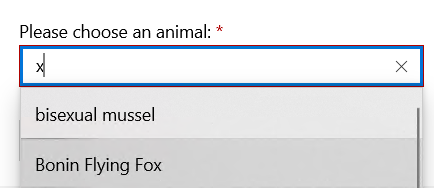
Invalid value type on Input.ChoiceSet.style. Expected Null but got String.andInvalid value type on Input.ChoiceSet.value. Expected Number but got String. - when clicking submit but with error, expect:
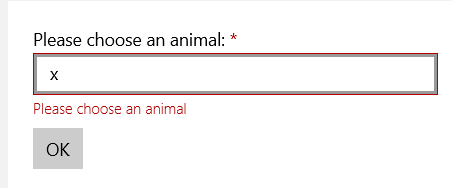
but it actually opened the popup
Screenshots
Card JSON
Sample Code Language
No response
Sample Code
No response
Contributor guide
First steps
- Read the whole issue, then the project's contributing guide.
- Comment on the issue to say you are picking it up — it saves two people doing the same work.
- Fork the repository and make your change on a branch.
- Open a pull request that references the issue number.
Research direction
Start by loading samples/v1.5/Elements/Input.ChoiceSet.Filtered.json in AdaptiveCardVisualizer on UWP and reproduce both reported problems. Trace the ChoiceSet rendering and submission-validation path. Done means the sample no longer reports the style and value warnings, and submitting with a validation error does not open the choice popup.
Written by the indexing model from the issue text.
Assessment
- Tech stack
- csharp
- Domain
- desktop
- Issue type
- Bug
- Difficulty
- 3/5
- Estimated time
- 1-2 days
- Activity status
- Stale
- Clarity
- Mostly clear
- Newbie friendliness
- 35/100