micro-editor / micro-editor/micro
Windows terminal: Copying data (with click or ctrl-c/ctrl-shift-c) pastes as a single string in other output.
Nobody has claimed this yet.
- Dominant language
- Go
- Stars
- 29.6k
- Forks
- 1.4k
- Avg merge
- 2d 18h
- Merged PRs (30d)
- 10
Description
Description of the problem or steps to reproduce
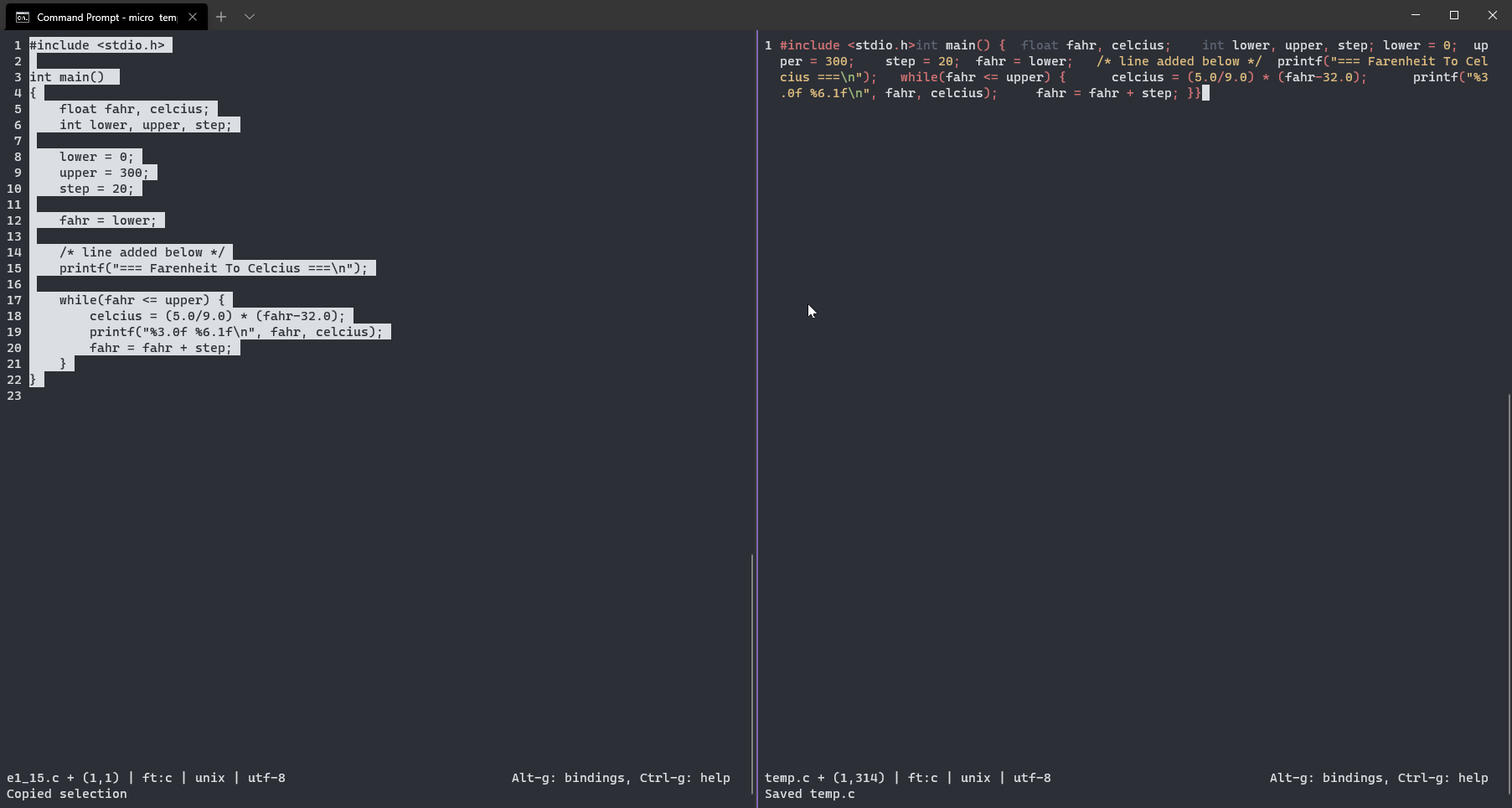
No SSH. When copying multiple lines (a block of code) in windows terminal and then pasting it in another file buffer the entire output is pasted as a single string.
When used the copy with click-selected feature :
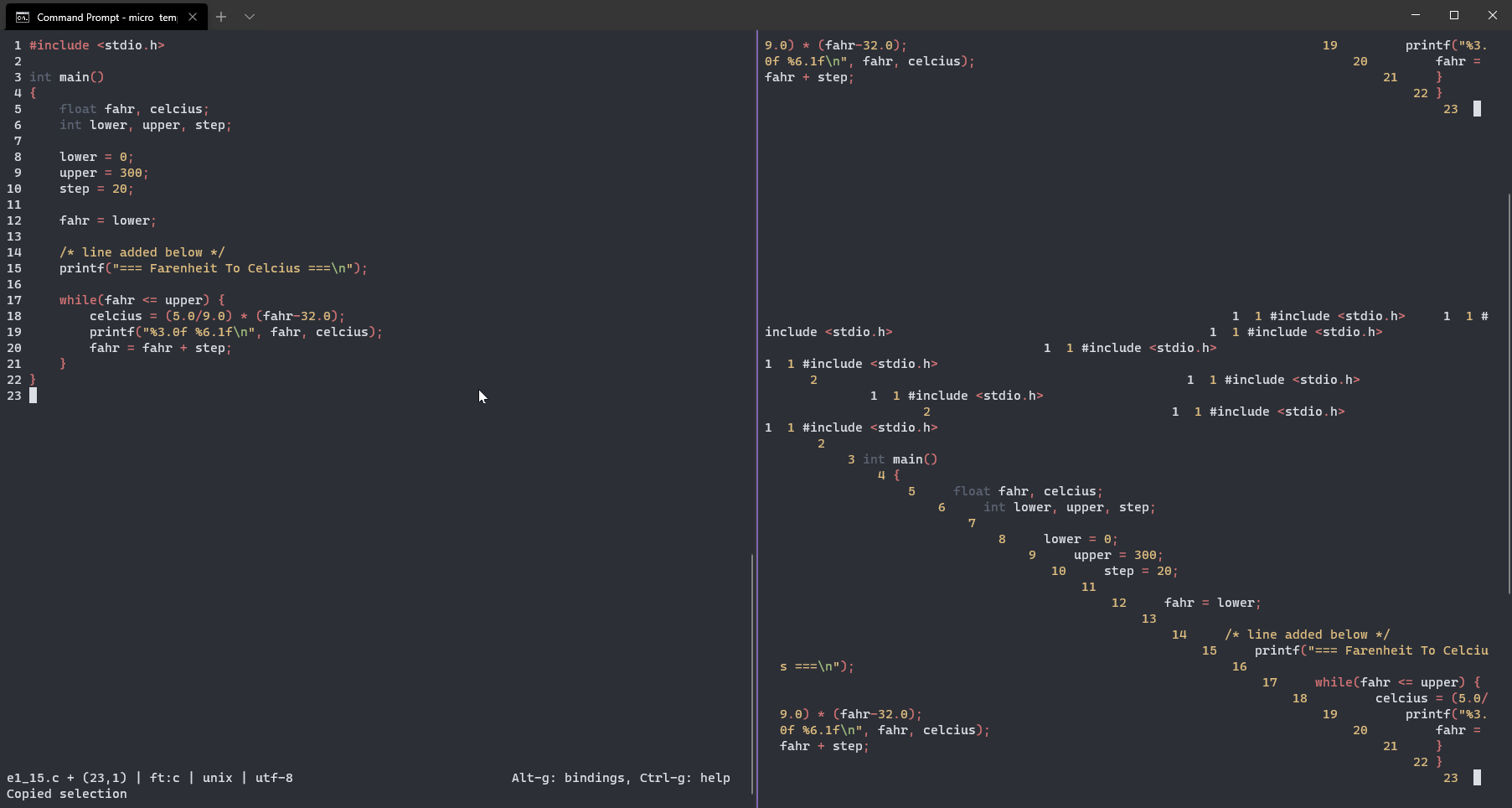
a) The output is pasted but in a stair case manner
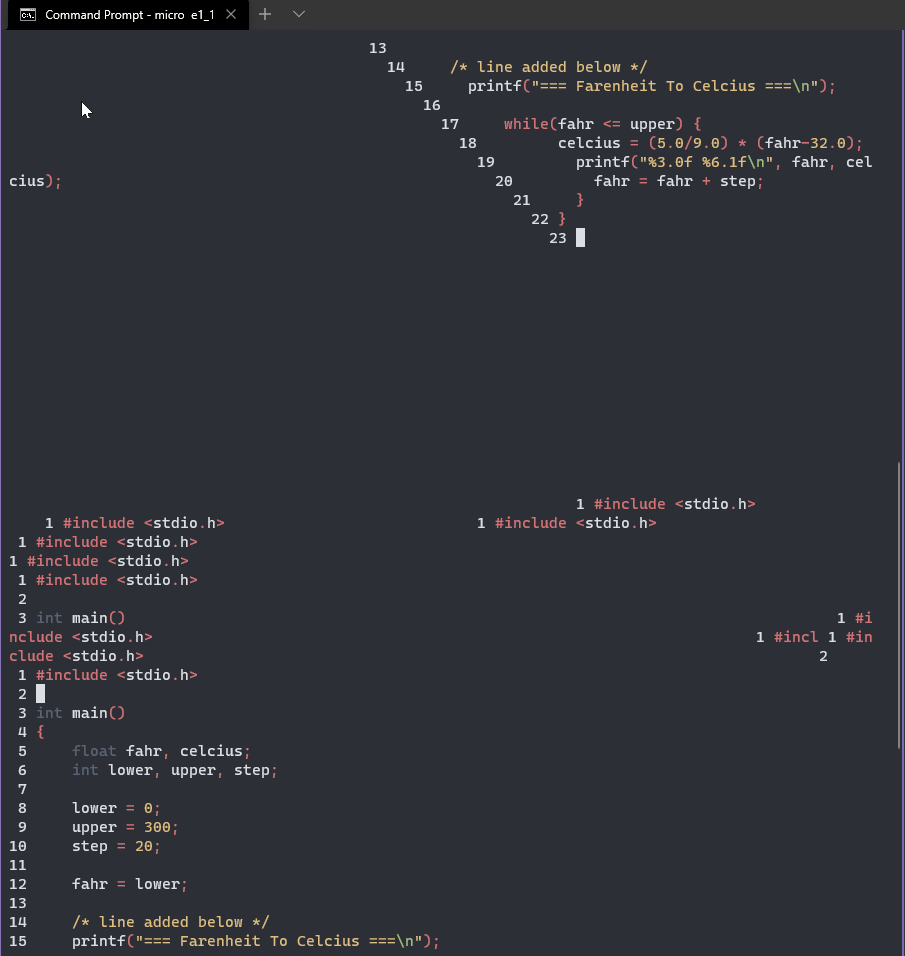
b) the initial source file (from where the data is copied) "scrolls up" and reveals clipboard/(other) data - still in a staircase manner.
Specifications
Commit hash:5044ccf6
OS: Windows 10 20H2 [Build: 19042.662]
Terminal: Windows Terminal [ Command Prompt selected ]
Staircase paste when using select to copy -
Normal ^-C or ^-Shift-C copy paste
Garbage data in source file when select copy is used and buffer is scrolled up.
Contributor guide
No contributing guide indexed for this repository
First steps
- Read the whole issue, then the project's contributing guide.
- Comment on the issue to say you are picking it up — it saves two people doing the same work.
- Fork the repository and make your change on a branch.
- Open a pull request that references the issue number.
Research direction
No source files or tests are named. First reproduce the copy and paste cases on Windows 10 with the Command Prompt profile, using both click selection and Ctrl-C/Ctrl-Shift-C. Done means copied multiline content pastes with the intended line structure and does not cause the source buffer to scroll or reveal altered data.
Written by the indexing model from the issue text.
Assessment
- Tech stack
- go
- Domain
- cli
- Issue type
- Bug
- Difficulty
- 4/5
- Estimated time
- 3-5 days
- Activity status
- Quiet
- Clarity
- Mostly clear
- Newbie friendliness
- 38/100