micro-editor / micro-editor/micro
System clipboard not found (Raspberry Pi)
Nobody has claimed this yet.
- Dominant language
- Go
- Stars
- 29.6k
- Forks
- 1.4k
- Avg merge
- 2d 18h
- Merged PRs (30d)
- 10
Description
Try using Micro Editor over SSH. (Chromebook -> Rasberry Pi 4)
So the Micro Editor installed on a Raspberry Pi 4.
When started the Micro editor, it shows this error:
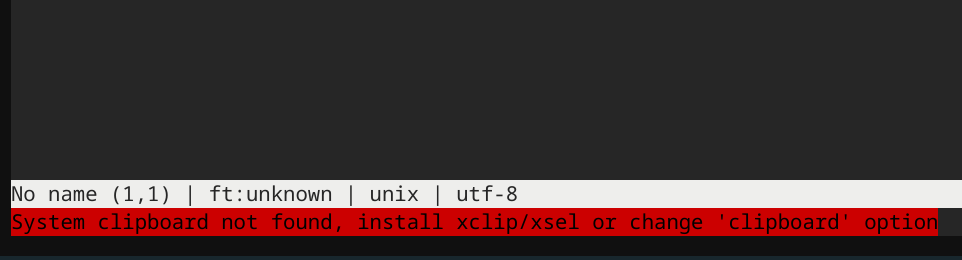
Installed xclip and xsel , but after restart the error shows again.
Reading the documentation, also read the 'help copypaste'.
Trying also {"clipboard": "terminal"} in the settings.json without luck!
UPDATE: i can paste perfecly 'remotly' with [CTRL] + [SHIFT] + [C], but the error still appears
Specifications
Commit hash: cfcb2e45
OS: Rasbian Buster
Terminal: Secure Shell App (ChromeOS)
Contributor guide
No contributing guide indexed for this repository
First steps
- Read the whole issue, then the project's contributing guide.
- Comment on the issue to say you are picking it up — it saves two people doing the same work.
- Fork the repository and make your change on a branch.
- Open a pull request that references the issue number.
Research direction
No source files or tests are named. First reproduce the clipboard warning in Micro over SSH on a Raspberry Pi using commit cfcb2e45, with xclip and xsel installed and the terminal clipboard setting tested. Done means remote paste continues to work without the erroneous system-clipboard error.
Written by the indexing model from the issue text.
Assessment
- Tech stack
- go, raspberry-pi
- Domain
- cli, operating-systems
- Issue type
- Bug
- Difficulty
- 3/5
- Estimated time
- 1-2 days
- Activity status
- Stale
- Clarity
- Mostly clear
- Newbie friendliness
- 35/100