matrix-org / matrix-org/matrix-js-sdk
m.megolm_backup.v1 overwritten by new Secure Storage
Nobody has claimed this yet.
- Dominant language
- TypeScript
- Stars
- 2.2k
- Forks
- 704
- Avg merge
- 1d 20h
- Merged PRs (30d)
- 40
Description
**Steps to reproduce (Element web):**
1. Setup a Secure Backup.
2. Reset the Secure Backup with a new passphrase/recovery key.
3. Delete the newly created Secure Backup.
4. Connect the session to the old Key Backup using the old passphrase/recovery key.
**Outcome:**
Backup restoration fails due to `RESTORE_BACKUP_ERROR_BAD_KEY` error.
Any successive attempts to restore keys from the backup fail with the same error.
**Implications:**
Creating a new Secure Backup takes away the possibility of decrypting keys stored in a previous Secure Backup version, which were encrypted by a different key. (Unless any device has the backup key cached locally).
**Reasoning about the problem cause:**
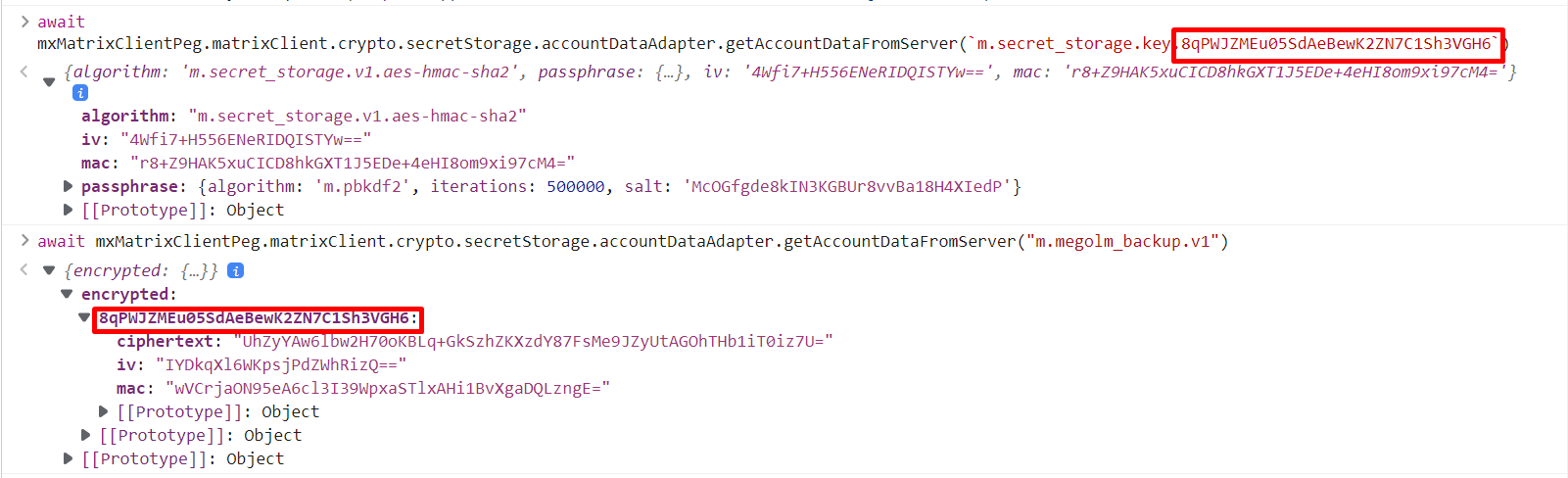
When Secret Storage is created from scratch, a new backup recovery key is generated and uploaded to the server. The key is uploaded as `m.megolm_backup.v1` to the account data stored on the server.
Since the account data is not tied to a single version of 4S, any new key written to the `m.megolm_backup.v1` overwrites the previous key that was stored in it.
Finally, when we call `restoreKeyBackupWithSecretStorage()` in order to restore the keys,
the `const storedKey = await this.getSecret("m.megolm_backup.v1")` line returns the backup key of the last created Secure Storage, instead of fetching the key based on the current Secure Backup version.
**Possible Solution:**
Use `m.secret_storage.key.key_id` to fetch the default backup key based on the key_id associated with a version of the Secure Storage. Alse update the `m.secret_storage.default_key`, which is overwritten the same way.
Contributor guide
First steps
- Read the whole issue, then the project's contributing guide.
- Comment on the issue to say you are picking it up — it saves two people doing the same work.
- Fork the repository and make your change on a branch.
- Open a pull request that references the issue number.
Research direction
Start by tracing restoreKeyBackupWithSecretStorage(), especially the getSecret("m.megolm_backup.v1") lookup, and inspect how Secure Backup versions relate to m.secret_storage.key.key_id and m.secret_storage.default_key. Reproduce the reset, deletion, and old-backup restoration sequence, then verify that restoring an older version uses its associated key and succeeds without a locally cached backup key.
Written by the indexing model from the issue text.
Assessment
- Tech stack
- typescript
- Domain
- security
- Issue type
- Bug
- Difficulty
- 4/5
- Estimated time
- 3-5 days
- Activity status
- Stale
- Clarity
- Mostly clear
- Newbie friendliness
- 42/100