matomo-org / matomo-org/docker
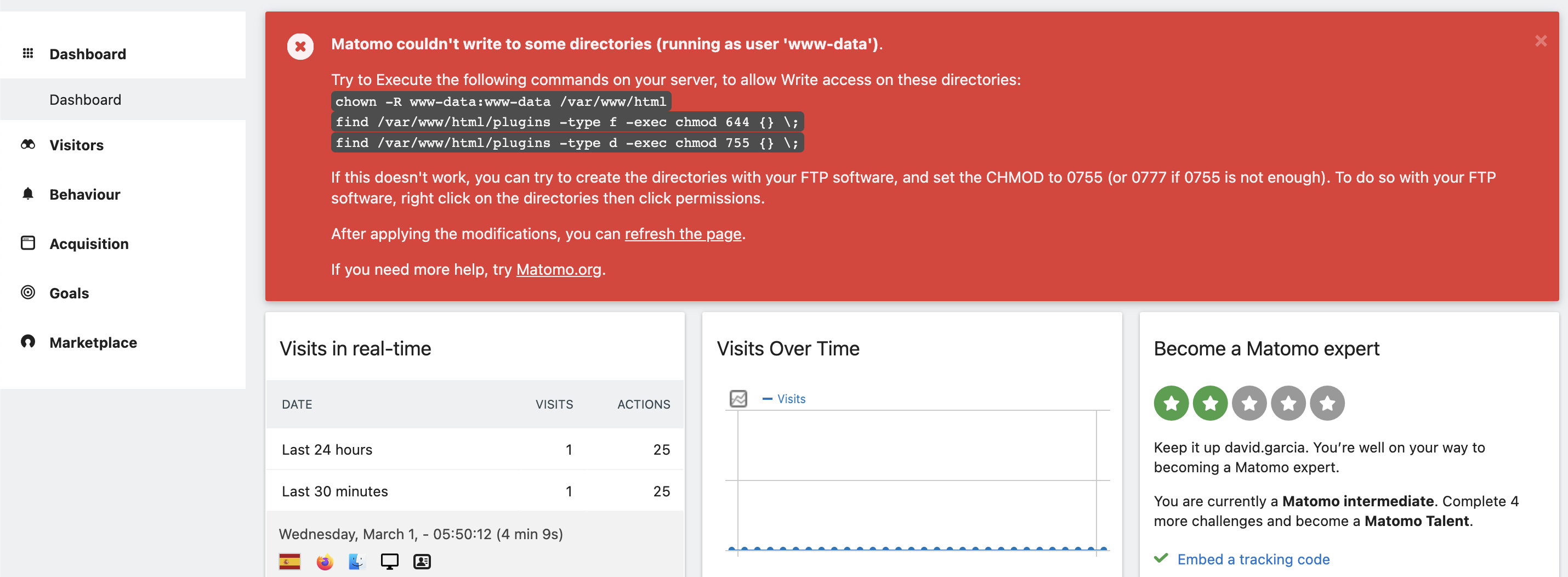
Matomo couldn't write to some directories (running as user 'www-data').
Nobody has claimed this yet.
- Dominant language
- Shell
- Stars
- 1k
- Forks
- 384
- PR merge metrics
- No merged PRs in 30d
Description
As per https://github.com/matomo-org/matomo/issues/18813 it seems better to post this issue here when Docker containers are involved, so this is the `docker-compose.yaml` file in my server:
```yml
version: "3"
services:
mariadb:
image: mariadb:latest
command: --max-allowed-packet=64MB
restart: unless-stopped
volumes:
- ./data/mariadb:/var/lib/mysql
env_file:
- ./.env
app:
image: matomo:fpm-alpine
restart: unless-stopped
links:
- mariadb
volumes:
- ./config:/var/www/html/config:rw
- ./logs:/var/www/html/logs
- ./data/matomo:/var/www/html
env_file:
- ./.env
web:
image: nginx:alpine
restart: unless-stopped
volumes:
- ./data/matomo:/var/www/html:ro
# see https://github.com/matomo-org/matomo-nginx
- ./matomo.conf:/etc/nginx/conf.d/default.conf:ro
ports:
- 8080:80
```
And, although it seemed to work as expected, after installing a plugin from the marketplace (that needed to run `php ./console core:update`) the system renders this error message:
```
Matomo couldn't write to some directories (running as user 'www-data').
Try to Execute the following commands on your server, to allow Write access on these directories:
chown -R www-data:www-data /var/www/html
find /var/www/html/plugins -type f -exec chmod 644 {} \;
find /var/www/html/plugins -type d -exec chmod 755 {} \;
If this doesn't work, you can try to create the directories with your FTP software, and set the CHMOD to 0755 (or 0777 if 0755 is not enough). To do so with your FTP software, right click on the directories then click permissions.
After applying the modifications, you can [refresh the page](https://analytics.deralia.net/index.php).
If you need more help, try [Matomo.org](https://matomo.org/).
```
I have tried running the 3 commands, but no success. I also tried to run the `find ...` commands for the whole `/var/www/html` directory (not just the plugins) but still no success, the error message is there and seems impossible to get rig of it.
Any advise here would be appreciated.
Thanks,
Contributor guide
No contributing guide indexed for this repository
First steps
- Read the whole issue, then the project's contributing guide.
- Comment on the issue to say you are picking it up — it saves two people doing the same work.
- Fork the repository and make your change on a branch.
- Open a pull request that references the issue number.
Research direction
Start with the reported docker-compose.yaml and compare the app and web volume mounts, especially ./config, ./logs, and ./data/matomo. Reproduce the permission check in the matomo:fpm-alpine container as www-data and determine whether the documented Docker setup can write to the mounted paths; done means the reported error no longer appears after the plugin update.
Written by the indexing model from the issue text.
Assessment
- Tech stack
- docker, docker-compose
- Domain
- devops, infrastructure
- Issue type
- Bug
- Difficulty
- 4/5
- Estimated time
- 3-5 days
- Activity status
- Stale
- Clarity
- Needs clarification
- Newbie friendliness
- 25/100