Anti-alias on fill layer causes border to be drawn above other layers
Nobody has claimed this yet.
- Dominant language
- TypeScript
- Stars
- 12.4k
- Forks
- 2.4k
- PR merge metrics
- No merged PRs in 30d
Description
I'm seeing this issue in Studio.
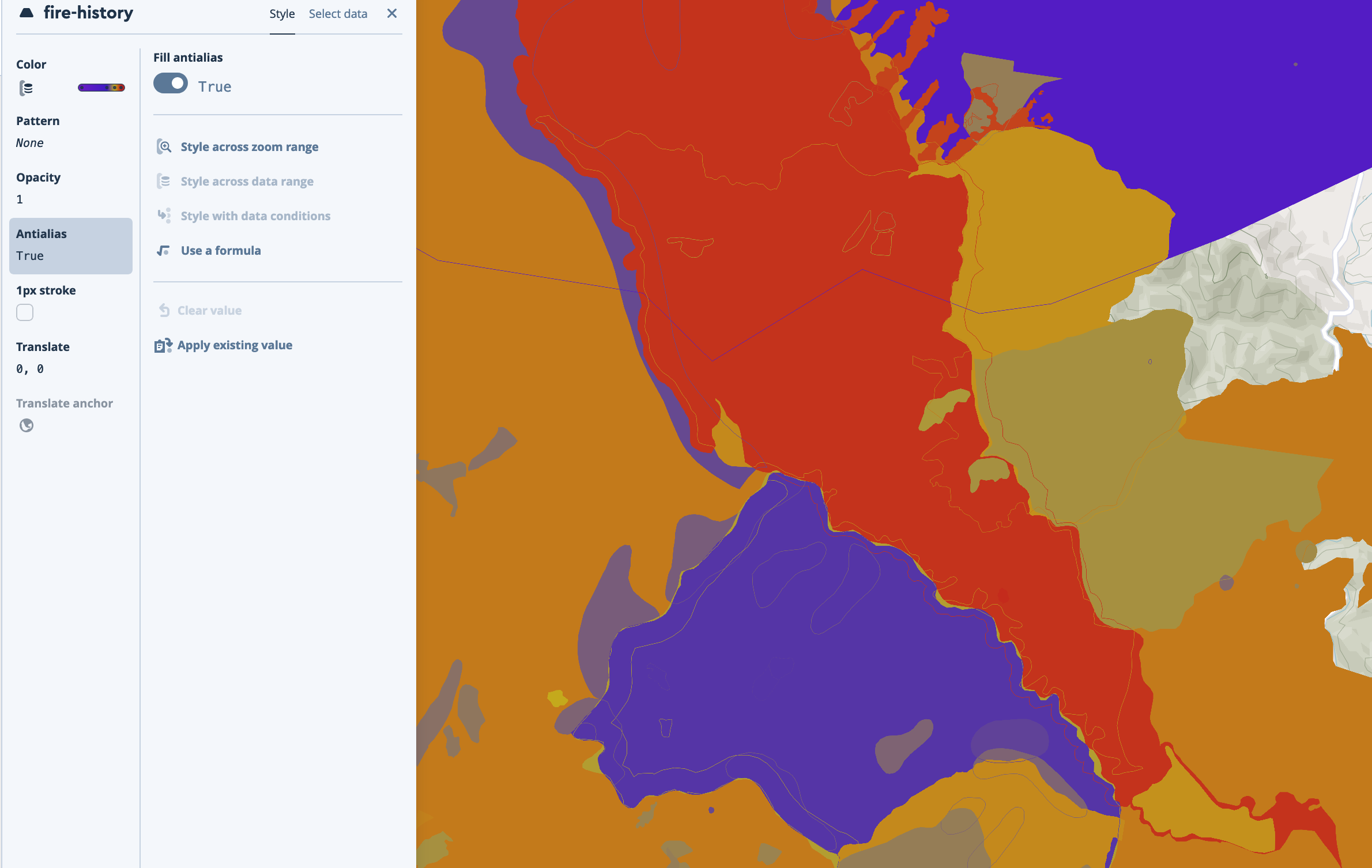
All the polygons here are in the same layer, with their color determined by a property. The opacity of the 1px stroke is zero.
Expected: a result much like this (no borders separately from their fills), which you get when you turn off antialias:
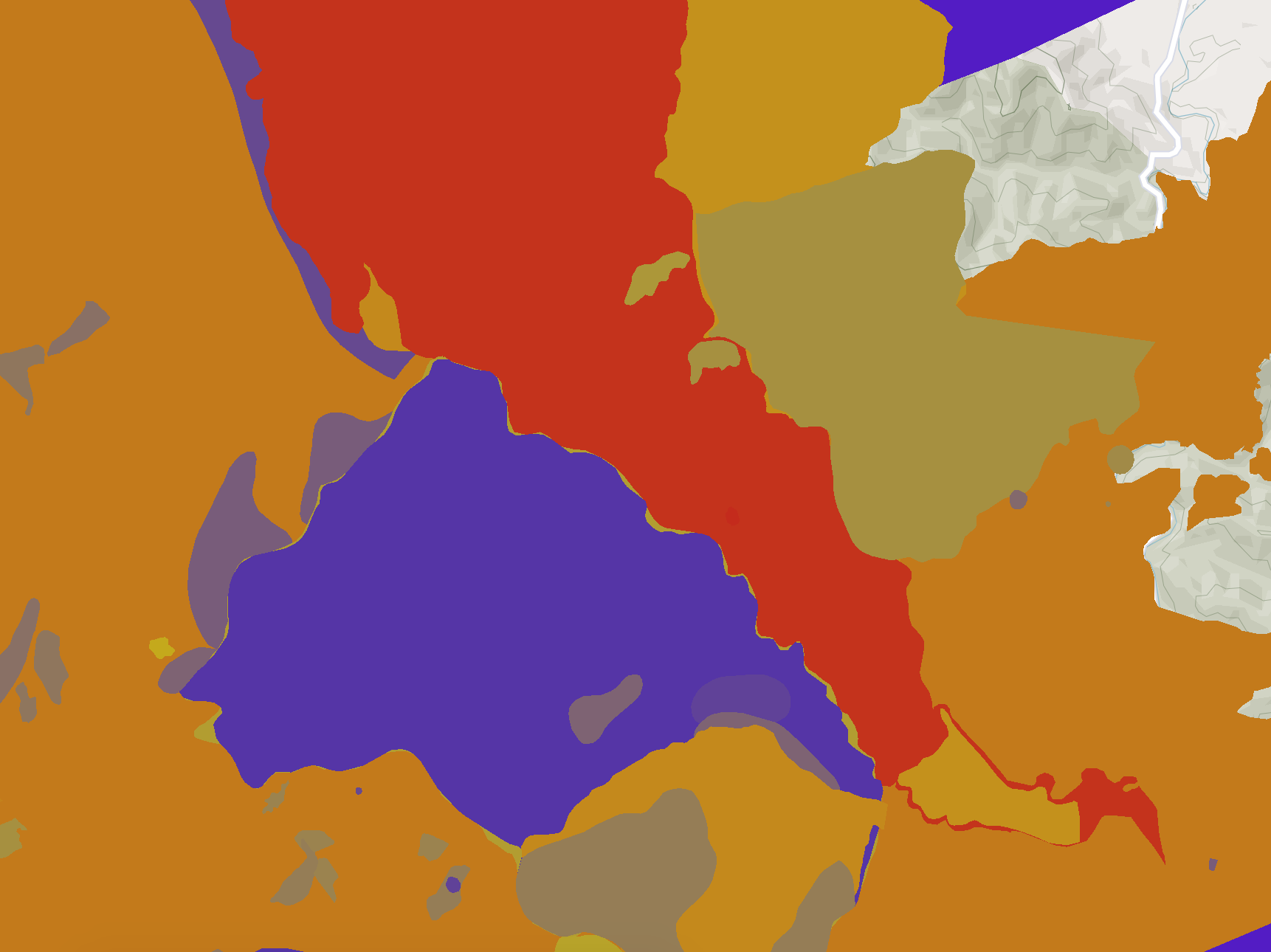
I guess this is a known issue? Couldn't find it mentioned anywhere though.
Contributor guide
First steps
- Read the whole issue, then the project's contributing guide.
- Comment on the issue to say you are picking it up — it saves two people doing the same work.
- Fork the repository and make your change on a branch.
- Open a pull request that references the issue number.
Research direction
Reproduce the rendering issue in Studio with antialiasing enabled, using polygons in one layer, a property-driven color, and a zero-opacity 1px stroke. Compare the result with antialiasing disabled, then trace the fill-layer rendering entry point to determine why borders appear above other fills. Done means the antialiased output has no visible borders when the stroke opacity is zero.
Written by the indexing model from the issue text.
Assessment
- Tech stack
- javascript, typescript
- Domain
- computer-graphics
- Issue type
- Bug
- Difficulty
- 4/5
- Estimated time
- 3-5 days
- Activity status
- Stale
- Clarity
- Mostly clear
- Newbie friendliness
- 45/100