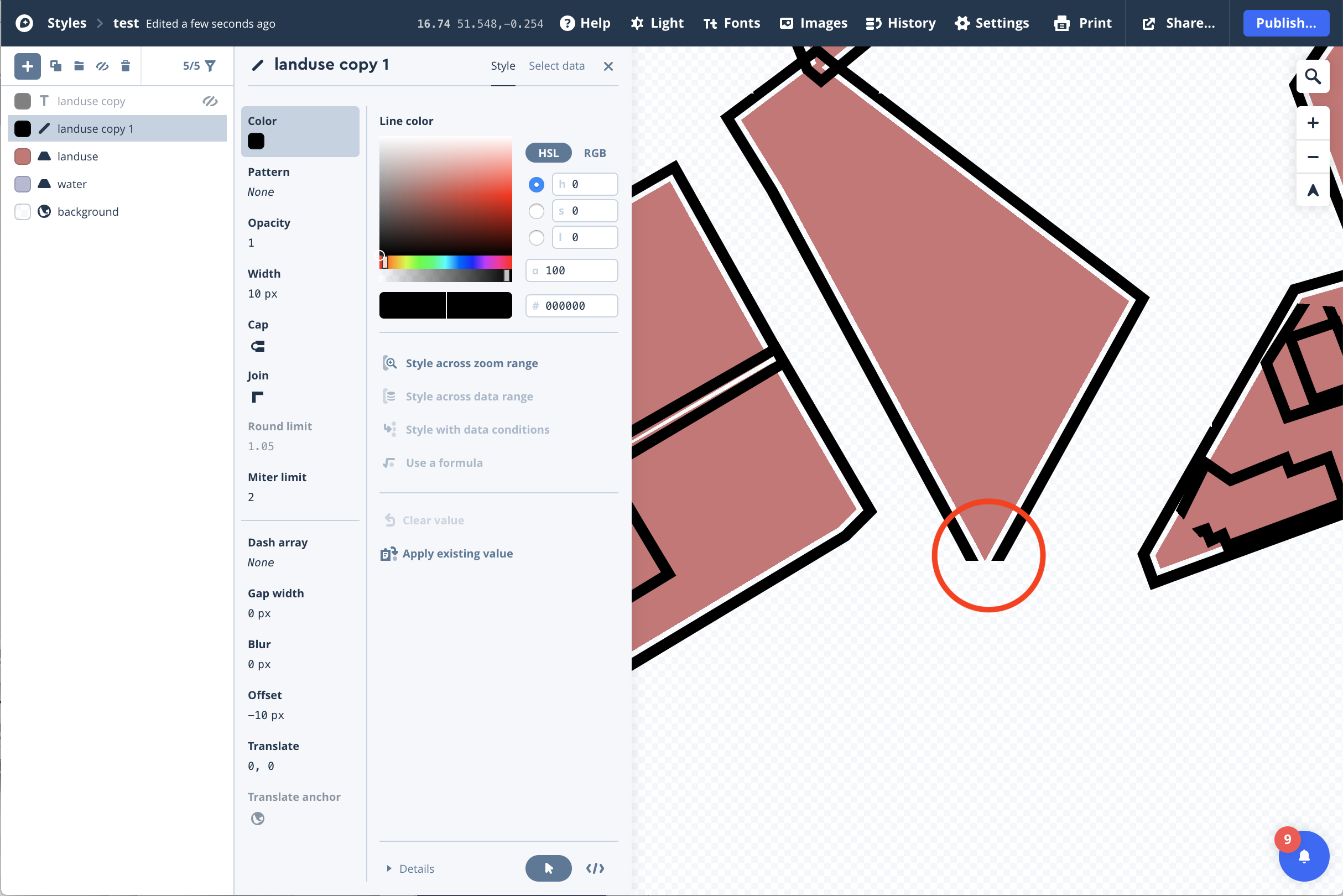
Line corners cut off when creating line border outside polygon
Open
Nobody has claimed this yet.
bug :lady_beetle:
- Dominant language
- TypeScript
- Stars
- 12.4k
- Forks
- 2.4k
- PR merge metrics
- No merged PRs in 30d
Description
mapbox-gl-js version: 1.5.0
browser: Chrome
Steps to Trigger Behavior
- Create a line layer using a polygon source which includes polygons with 'sharp' angles
- Add some thickness to the border and an offset (optional)
- Set the join type to miter
Link to Demonstration
Expected Behavior
Line should provide a continuous border around the polygons regardless of geometry.
Actual Behavior
Line cuts off where there are sharp angles on polygons.
Note: we're using this behaviour because we can't change the border thickness on a fill type - so we're using a line layer around polygons to create the effect.
Contributor guide
First steps
- Read the whole issue, then the project's contributing guide.
- Comment on the issue to say you are picking it up — it saves two people doing the same work.
- Fork the repository and make your change on a branch.
- Open a pull request that references the issue number.
Research direction
Reproduce the issue in Chrome with a polygon source, a thick offset line layer, and miter joins, using the steps and screenshot in the report. Investigate the line-layer rendering path for sharp polygon angles; done means the border remains continuous around the polygons without cut-off corners.
Written by the indexing model from the issue text.
Assessment
- Tech stack
- typescript
- Domain
- computer-graphics, frontend
- Issue type
- Bug
- Difficulty
- 4/5
- Estimated time
- 3-5 days
- Activity status
- Stale
- Clarity
- Mostly clear
- Newbie friendliness
- 35/100