Make pins in symbol layer pixel perfect for clicking.
Open
Nobody has claimed this yet.
auto-triaged
feature :green_apple:
- Dominant language
- TypeScript
- Stars
- 12.4k
- Forks
- 2.4k
- PR merge metrics
- No merged PRs in 30d
Description
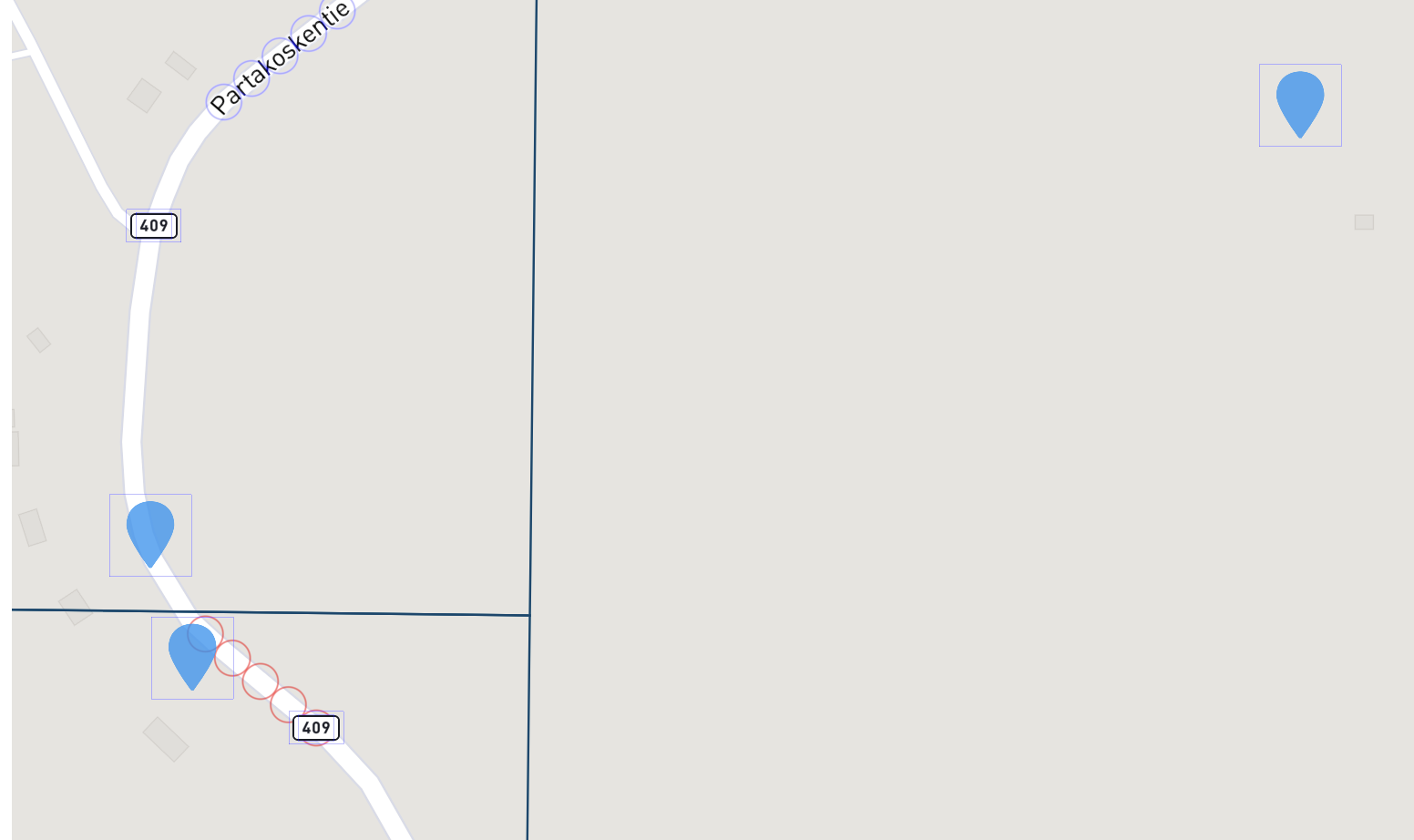
I am using layer of symbols and want to make it possible as much as possible pixel perfect the icon be. How i can achieve this i am using custom maki icons for these symbols.
Is it somehow possible to increase the size of the icon but reduce the size of square for example?
My Layer looks like this:
 "id": tableName + "-layer",
                    "type": "symbol",
                    "source": tableName,
                    "source-layer": tableName,
                    "layout": {
                        "icon-image": 'marker-15-svg',
                        "icon-size": ["interpolate",
                            ["linear"], ["zoom"],
                            4, 1.3,
                            8, 1.5,
                            13, 2.5
                        ],
                        "icon-allow-overlap": true,
                        "icon-padding": 0,
                        "icon-offset": [0, -3],
                        "icon-anchor": "center",
                        "symbol-z-order": "source"
                    },
                    "paint": {
                        "icon-color": materialSetColor,
                        "icon-opacity": {"stops": [[10, 0.7], [30, 1]]},
                    }
Contributor guide
First steps
- Read the whole issue, then the project's contributing guide.
- Comment on the issue to say you are picking it up — it saves two people doing the same work.
- Fork the repository and make your change on a branch.
- Open a pull request that references the issue number.
Research direction
The issue names no source file, test, or entry point. Start by reviewing the symbol-layer settings shown—icon-size, icon-padding, icon-offset, and icon-anchor—and identify the hit-area behavior to verify; done means a documented or implemented way to enlarge the visible icon without enlarging its clickable square.
Written by the indexing model from the issue text.
Assessment
- Tech stack
- typescript
- Domain
- frontend, web-dev
- Issue type
- Feature
- Difficulty
- 5/5
- Estimated time
- Over a week
- Activity status
- Stale
- Clarity
- Needs clarification
- Newbie friendliness
- 25/100