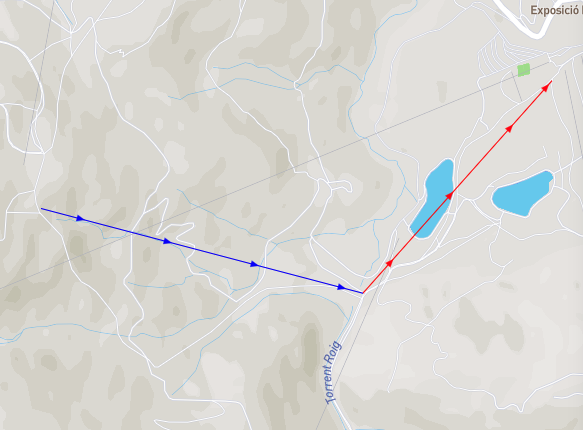
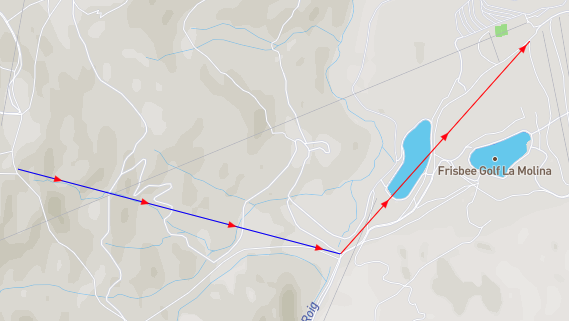
Wrong color applied to symbols with "symbol-placement"="line" on two adjacent lines
Nobody has claimed this yet.
- Dominant language
- TypeScript
- Stars
- 12.4k
- Forks
- 2.4k
- PR merge metrics
- No merged PRs in 30d
Description
**mapbox-gl-js version**: 2.7.0
I also could reproduce the issue on Mapbox Studio and Mapbox Android v10.0.0+
**browser**: Chrome 99.0.4844.51
### Steps to Trigger Behavior
1. Add two lines with overlapping endpoints or endpoints that are very close to each other. The distance between the endpoints that triggers the bug depends on the zoom
2. Add a symbol layer and set "symbol-placement" to "line" (Setting it to "line-center" or "point" doesn't trigger the issue)
3. Get the color of both layers from the "color" feature property
### Link to Demonstration
https://jsbin.com/kufuyuw/edit?html,js,output
### Expected Behavior
(here the line endpoints are not overlapping)
### Actual Behavior
Contributor guide
First steps
- Read the whole issue, then the project's contributing guide.
- Comment on the issue to say you are picking it up — it saves two people doing the same work.
- Fork the repository and make your change on a branch.
- Open a pull request that references the issue number.
Research direction
Start with the linked JSBin demonstration and reproduce the issue using two nearby or overlapping line endpoints and a symbol layer with "symbol-placement" set to "line". Compare the rendered colors with the feature color properties, and verify that "line-center" and "point" remain unaffected. Done means adjacent lines receive their correct colors when their endpoints are close.
Written by the indexing model from the issue text.
Assessment
- Tech stack
- javascript, typescript
- Domain
- computer-graphics, frontend, web-dev
- Issue type
- Bug
- Difficulty
- 4/5
- Estimated time
- 3-5 days
- Activity status
- Stale
- Clarity
- Mostly clear
- Newbie friendliness
- 35/100