mapbox / mapbox/mapbox-gl-draw
Custom controls not visible on iOS
Nobody has claimed this yet.
- Dominant language
- JavaScript
- Stars
- 1.1k
- Forks
- 612
- Avg merge
- 8d 9h
- Merged PRs (30d)
- 5
Description
mapbox-gl-js version: 1.9.1
mapbox-gl-draw version: 1.2.0-dev (https://github.com/trygveaa/mapbox-gl-draw/tree/dont-drag-with-multiple-fingers)
Steps to Trigger Behavior
- Ionic 5 (Angular) Application with mapbox-gl-js and mapbox-gl-draw
new MapboxDraw({
    displayControlsDefault: false,
    controls: {
        polygon: true,
        trash: true
    }
})
Expected Behavior
Custom draw controls are visible on all platforms
Actual Behavior
Custom draw controls are not visible on iOS. Using the default draw controls (new MapboxDraw()) is working.
However, the custom draw controls are visible on macOS in Chrome and Safari.
iOS 13.4 (iPad 6. Generation)
| Custom draw controls | Default draw controls |
|---|---|
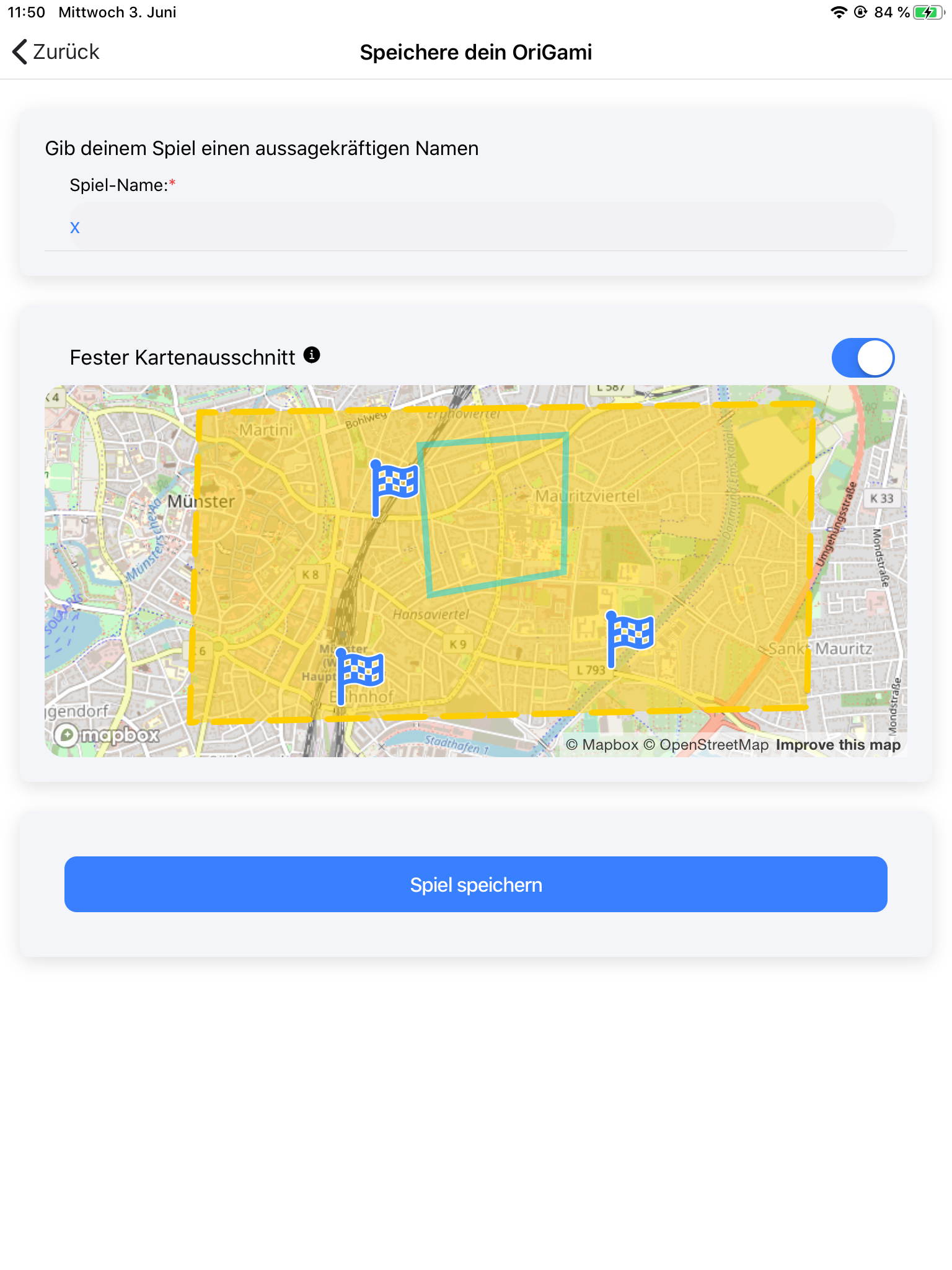 |
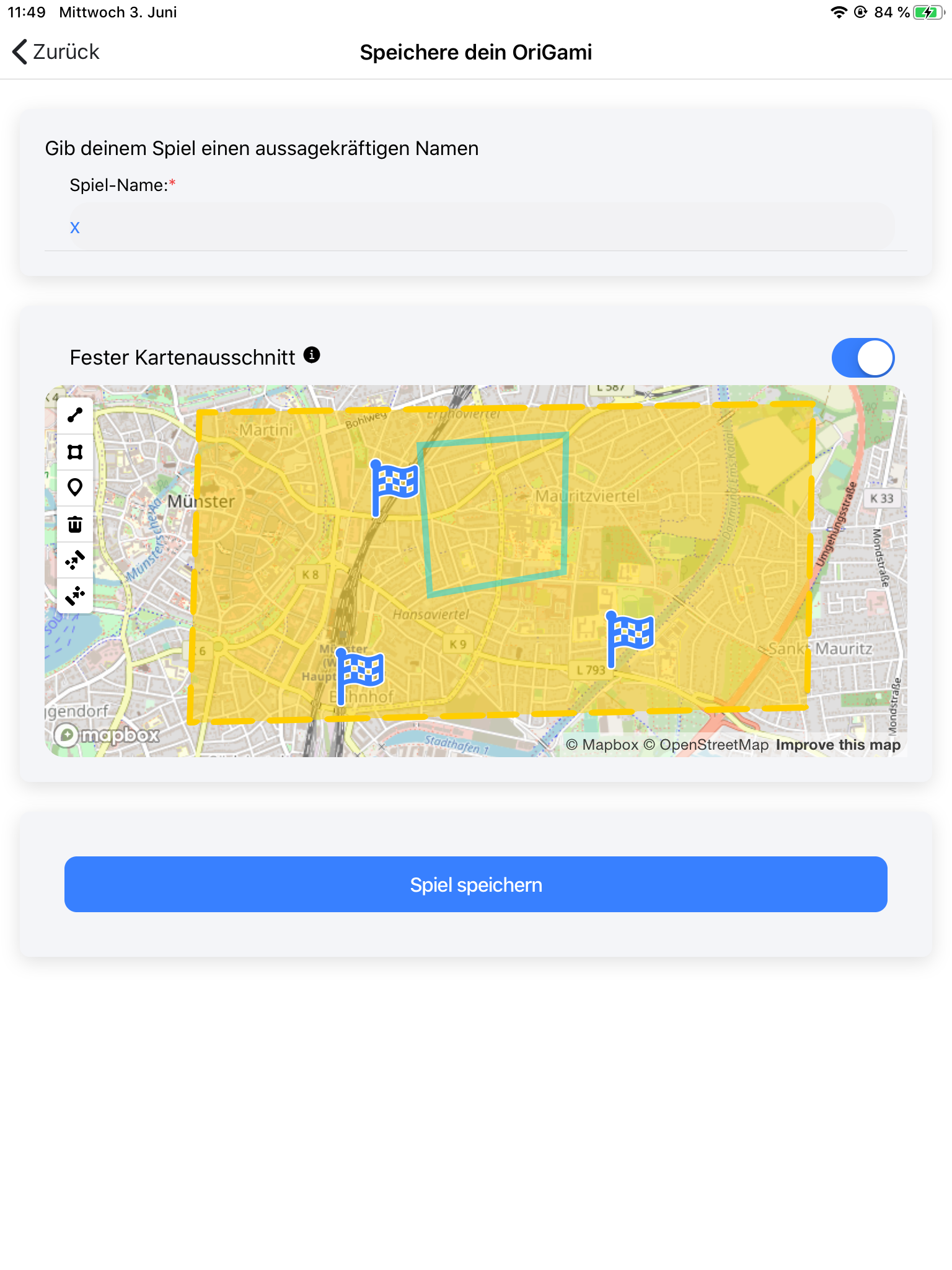 |
macOS Chrome
| Custom draw controls | Default draw controls |
|---|---|
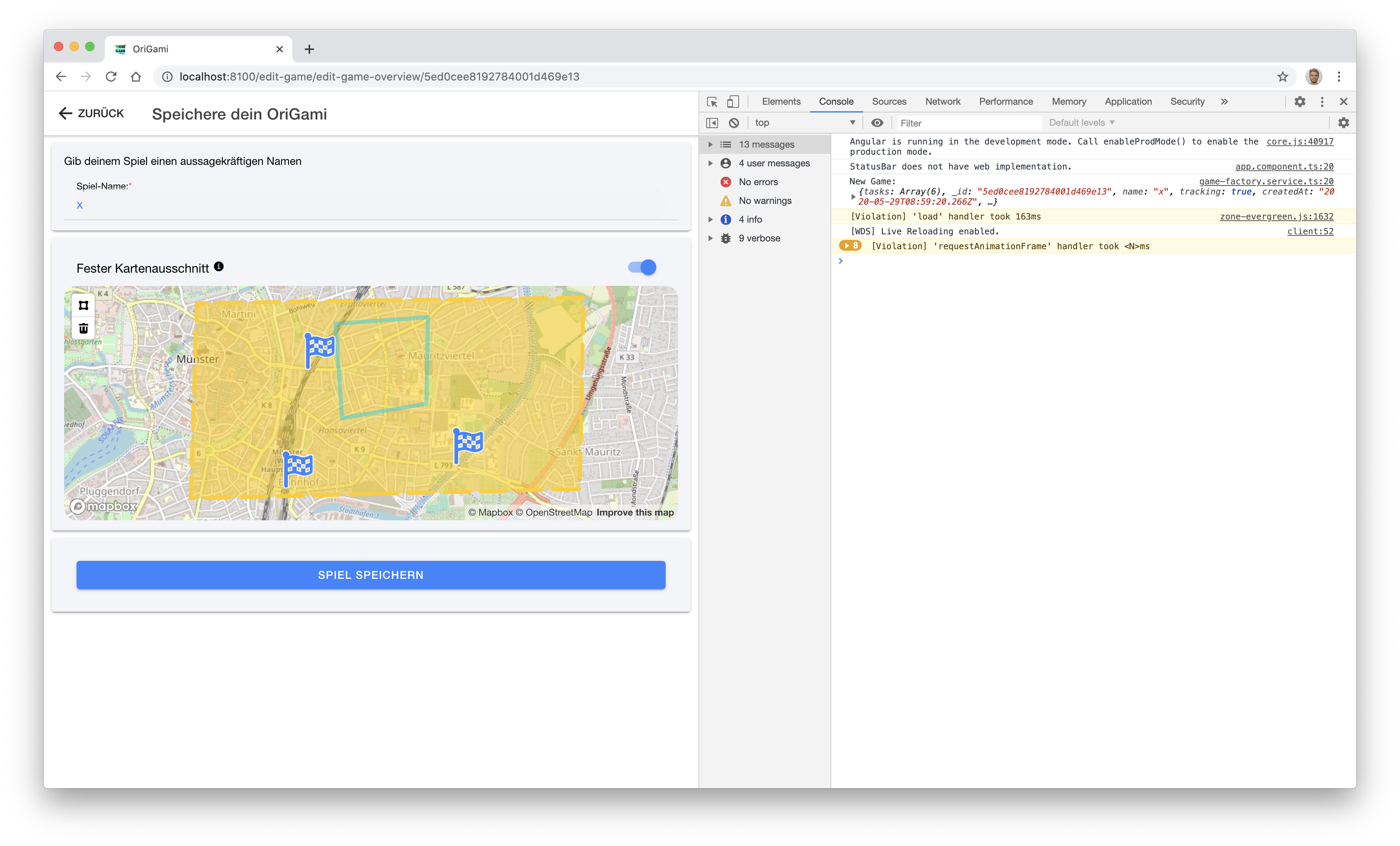 |
is also working |
The weird thing is that the draw controls are visible when I pan the map and tiles have not been loaded yet. When the tiles load, they are on top of the controls. Changing z-index on the controls doesn't have an effect however.
Contributor guide
First steps
- Read the whole issue, then the project's contributing guide.
- Comment on the issue to say you are picking it up — it saves two people doing the same work.
- Fork the repository and make your change on a branch.
- Open a pull request that references the issue number.
Research direction
Start by reproducing the issue with the MapboxDraw configuration shown in an Ionic 5 Angular application on iOS 13.4, then compare custom and default controls while map tiles load. Done means custom draw controls remain visible on iOS after the tiles load, without relying on z-index changes.
Written by the indexing model from the issue text.
Assessment
- Tech stack
- angular, javascript
- Domain
- frontend, web-dev
- Issue type
- Bug
- Difficulty
- 4/5
- Estimated time
- 3-5 days
- Activity status
- Stale
- Clarity
- Mostly clear
- Newbie friendliness
- 35/100