mapbox / mapbox/mapbox-gl-directions
Coordinates doesn't appear in inputs after control was removed and re-added
- Dominant language
- JavaScript
- Stars
- 255
- Forks
- 130
- PR merge metrics
- No merged PRs in 30d
Description
Hi.
After control was removed and re-added, and I click on map, waypoint appears, but input staying unchanged.
**Steps to Trigger Behavior**
1. Remove controls via map.removeControl(directions)
2. Add control via map.addControl(directions, 'top-left');
3. Click on map to set waypoint
**Demonstration**
Builded master branch- commit 07ebea2
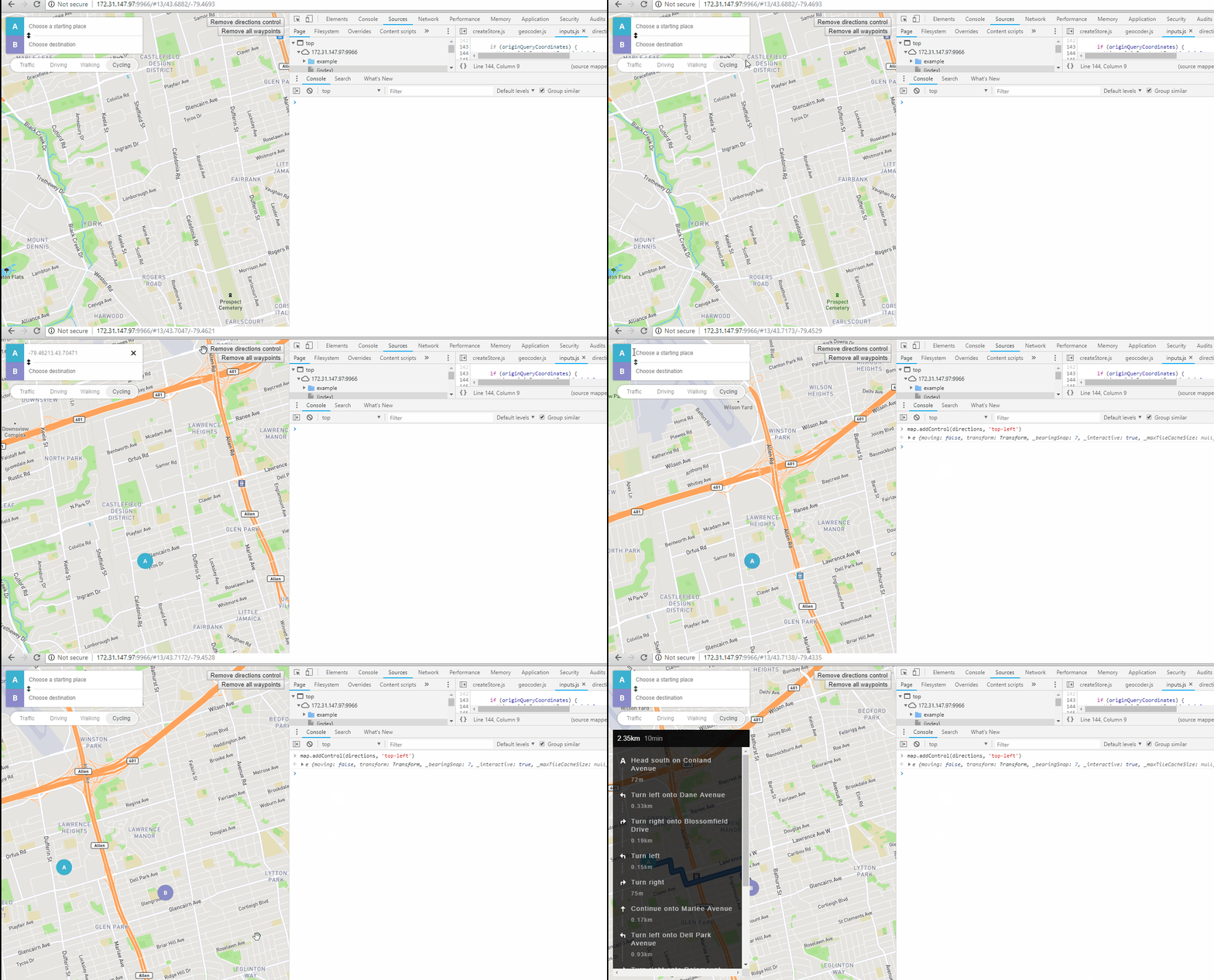
**Expected Behavior**
After waypoint is set, his coordinates appears in origin or destination input.
**Actual Behavior**
Inputs doesn't change.
P.S. As my customer wanted to have that feature as soos as possible, I managed to fix it (https://github.com/sberdashkevich/mapbox-gl-directions/commit/ef7cbd60c9421f695ef42cc4e3d4617c6a813dcc). But I have never worked with redux before, so I think that my fix is not very good, and I'm still testing it.
Contributor guide
Research direction
Reproduce the issue with map.removeControl(directions), map.addControl(directions, 'top-left'), and a map click to set a waypoint. Start by tracing the control lifecycle and Redux state handling, comparing the behavior with the referenced commit ef7cbd60c9421f695ef42cc4e3d4617c6a813dcc. Done means the origin or destination input displays the waypoint coordinates after the control is re-added.
Written by the indexing model from the issue text.
Assessment
- Tech stack
- javascript
- Domain
- frontend
- Issue type
- Bug
- Difficulty
- 3/5
- Estimated time
- 1-2 days
- Activity status
- Stale
- Clarity
- Clearly specified
- Newbie friendliness
- 45/100