Logseq Protocol QuickCapture does not work on iOS from Shortcuts app
Nobody has claimed this yet.
- Dominant language
- Clojure
- Stars
- 45k
- Forks
- 2.8k
- Avg merge
- 1d 22h
- Merged PRs (30d)
- 105
Description
### Search first
- [X] I searched and no similar issues were found
### What Happened?
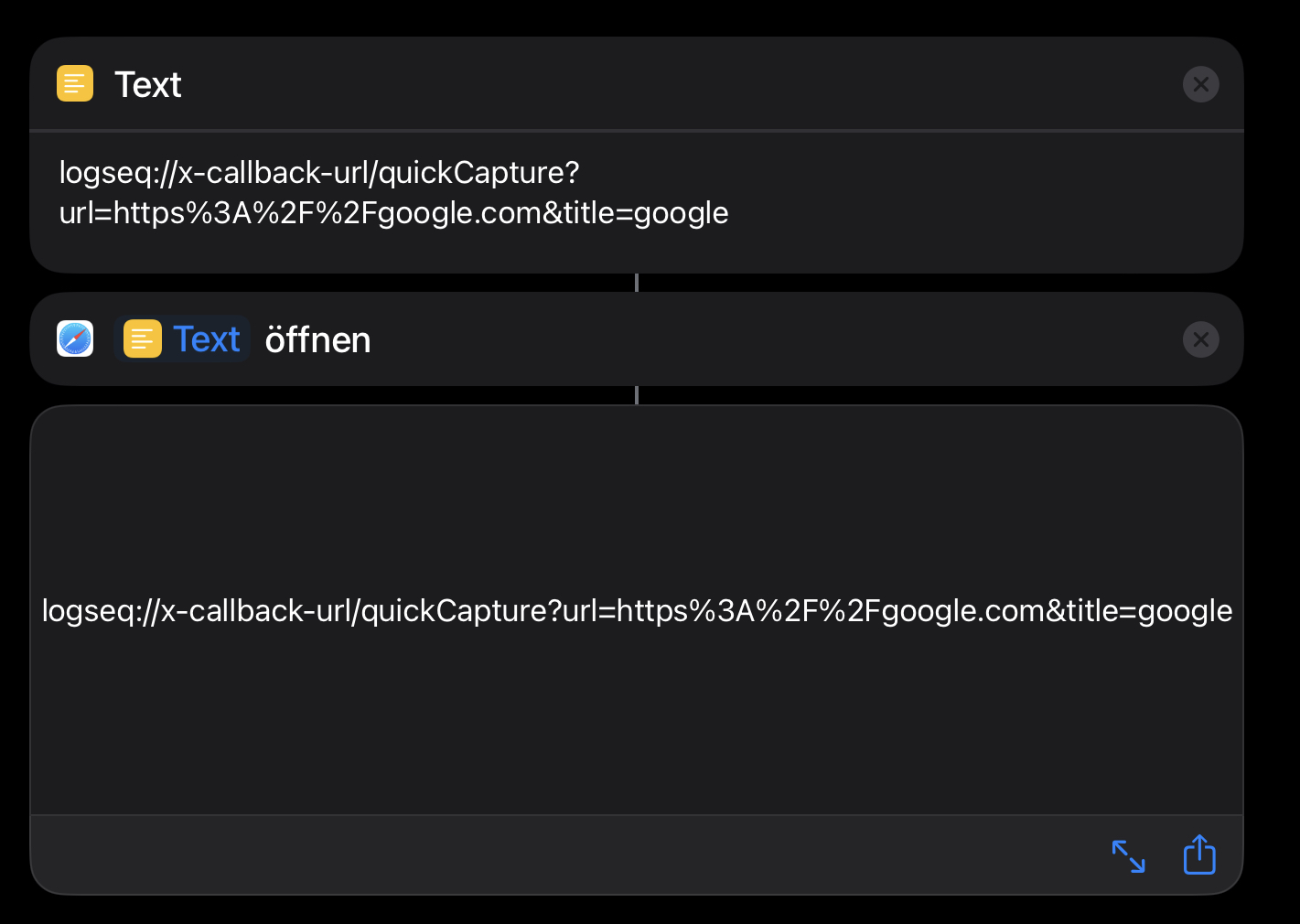
I would like to use the iOS Shortcuts App to add information via the Logseq protocol QuickCapture and pass some text or a website link to Logseq.
### Reproduce the Bug
1. Create a Shortcut with passing an URL to Logseq
2. Execute shortcut
3. Logseq opens but does not add the information to the page
### Expected Behavior
With the execution of the Shortcut the information gets added to the Logseq page, like using the Share function on iOS.
### Screenshots
### Desktop or Mobile Platform Information
iPadOS 16.3.1
Logseq 0.8.16
### Additional Context
_No response_
### Are you willing to submit a PR? If you know how to fix the bug.
- [x] I'm willing to submit a PR (Thank you!)
Contributor guide
First steps
- Read the whole issue, then the project's contributing guide.
- Comment on the issue to say you are picking it up — it saves two people doing the same work.
- Fork the repository and make your change on a branch.
- Open a pull request that references the issue number.
Research direction
Start by reproducing the Logseq protocol QuickCapture flow from the iOS Shortcuts app using the reported iPadOS 16.3.1 and Logseq 0.8.16 versions. Compare it with the iOS Share flow, then verify that passing text or a website URL adds information to the intended Logseq page.
Written by the indexing model from the issue text.
Assessment
- Tech stack
- ios
- Domain
- mobile
- Issue type
- Bug
- Difficulty
- 4/5
- Estimated time
- 3-5 days
- Activity status
- Stale
- Clarity
- Mostly clear
- Newbie friendliness
- 35/100