vicuna 13B not answering
Nobody has claimed this yet.
- Dominant language
- Python
- Stars
- 39.5k
- Forks
- 4.8k
- PR merge metrics
- No merged PRs in 30d
Description
Hi
I have downloaded llama 13B, "updated" weights with given instructions. (fresh install, 1.1 weights)
I have a ryzen 9 7950x and 64gb of ram, also 500gb 980 pro ssd.
I tried he cpu only command, and i got this:

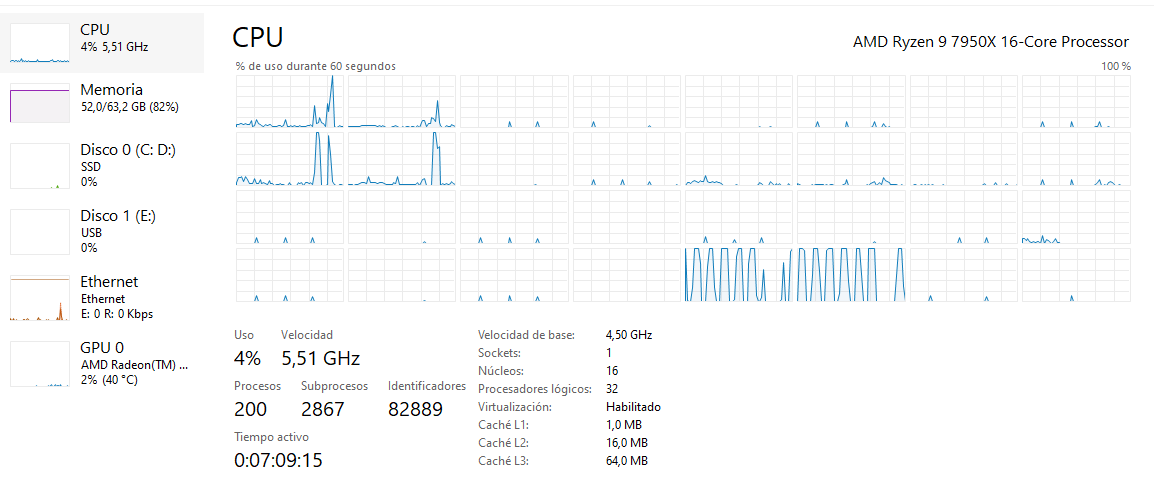
Vicuna is not answering anything, i have waited 30 min, cpu is almost sleep, how can I debug what is happening? there is free RAM, so thats not the problem...
thanks a lot
Contributor guide
No contributing guide indexed for this repository
First steps
- Read the whole issue, then the project's contributing guide.
- Comment on the issue to say you are picking it up — it saves two people doing the same work.
- Fork the repository and make your change on a branch.
- Open a pull request that references the issue number.
Research direction
Start by reproducing the CPU-only command described in the issue with the fresh install and updated Vicuna weights, then inspect the attached screenshots for the exact invocation and output. Determine why the process produces no answer despite available RAM; done means identifying a reproducible cause or a concrete debugging result, but no files or tests are named.
Written by the indexing model from the issue text.
Assessment
- Tech stack
- python
- Domain
- ai, machine-learning
- Issue type
- Bug
- Difficulty
- 4/5
- Estimated time
- 3-5 days
- Activity status
- Stale
- Clarity
- Needs clarification
- Newbie friendliness
- 25/100