[Bug] Inconsistent Datalayout in frontend.
@ivanradanov is already working on this.
Since Nov 8, 2022.
- Dominant language
- C++
- Stars
- 624
- Forks
- 170
- PR merge metrics
- No merged PRs in 30d
Description
**Background**: I was cross-compiling(64bit arch-> 32bit arch) polybench using polygeist while meeting an error. After debugging, I found the datalayout information is lost in frontend.
I add the compiled options: _--target=arm-linux-gnueabi -mcpu=cortex-m55_ for **mlir-clang**, during your _parseMLIR_ function, we can get te correct datalayout like below. (BTW, I have applied your patch to enable cross compilation :) )

However, we lost the information while codegen for struct **File** in **fprintf** (This is the error reporting point, I am not sure where exactly lose the DL information).

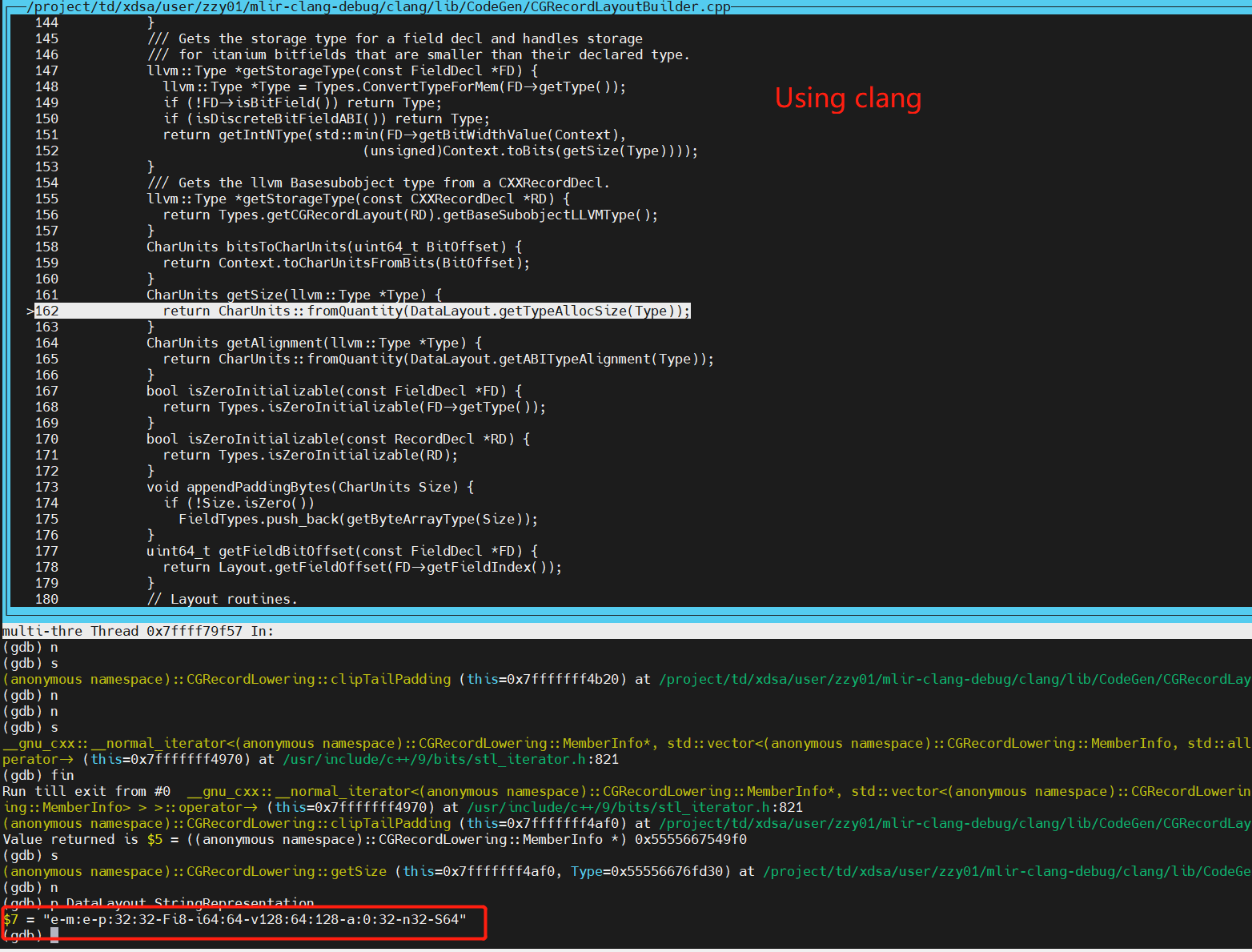
And in order to compared with clang tools, I also cross compiled the same case using clang and got the correct datalayout which leads to no compilation error
**The whole compiling commands are**
**1. For mlir-clang**
```
/project/td/xdsa/user/zzy01/mlir-clang-debug/build/bin/mlir-clang --target=arm-linux-gnueabi -mcp /project/td/xdsa/user/zzy01/polygeist/scripts/polybench-c-4.2.1-beta/utilities -I /project/td/xdsa/user/zzy01/polygeist/../mlir-clang/llvm/../clang/lib/Headers -D POLYBENCH_TIME -D POLYBENCH_NO_FLUSH_CACHE -D EXTRALARGE_DATASET -D DATA_TYPE_IS_FLOAT -emit-llvm correlation.c -o correlation_m55.mlir-clang.ll
```
and the error snapshot:

**2. For clang**
```
/project/td/xdsa/user/zzy01/polygeist/../mlir-clang-debug/build/bin/clang --target=arm-linux-gnueabi -mcpu=ex-m55 -I /project/td/xdsa/user/zzy01/polygeist/scripts/polybench-c-4.2.1-beta/utilities -I /project/td/xdsa/user/zzy01/polygeist/../mlir-clang/llvm/../clang/lib/Headers -D POLYBENCH_TIME -D POLYBENCH_NO_FLUSH_CACHE -D EXTRALARGE_DATASET -D DATA_TYPE_IS_FLOAT -O1 -S -emit-llvm -Xclang -disable-llvm-passes correlation.c -o correlation.clangsing.ll
```
Hope to hear from you soon. :)
Contributor guide
No contributing guide indexed for this repository
First steps
- Read the whole issue, then the project's contributing guide.
- Comment on the issue to say you are picking it up — it saves two people doing the same work.
- Fork the repository and make your change on a branch.
- Open a pull request that references the issue number.
Assessment
This issue has not been assessed yet.