linuxmint / linuxmint/cinnamon
[FEATURE REQUEST] Display Settings - Mirror Displays
Nobody has claimed this yet.
- Dominant language
- JavaScript
- Stars
- 5.6k
- Forks
- 915
- Avg merge
- 5d 22h
- Merged PRs (30d)
- 3
Description
Monitor Mirroring
Monitor mirroring is a display setting which allows for "mirroring" (or duplicating/replicating/etc) the contents of one monitor onto another monitor.
This is a fairly common feature and available in MacOS, Windows, and in the world of Linux, available in KDE and GNOME.
In the latest version of Linux Mint - Cinnamon 21, I have searched and can not find any functionality for mirroring displays at all. So either it's well hidden or doesn't exist. :)
Use Cases
Presentations
One use case is to have two monitors plugged into a PC, one facing the user, and one facing an audience. Such as when giving a presentation in a meeting room, with a slideshow on a projector coming from a nearby desktop or laptop.
Dual Use PCs
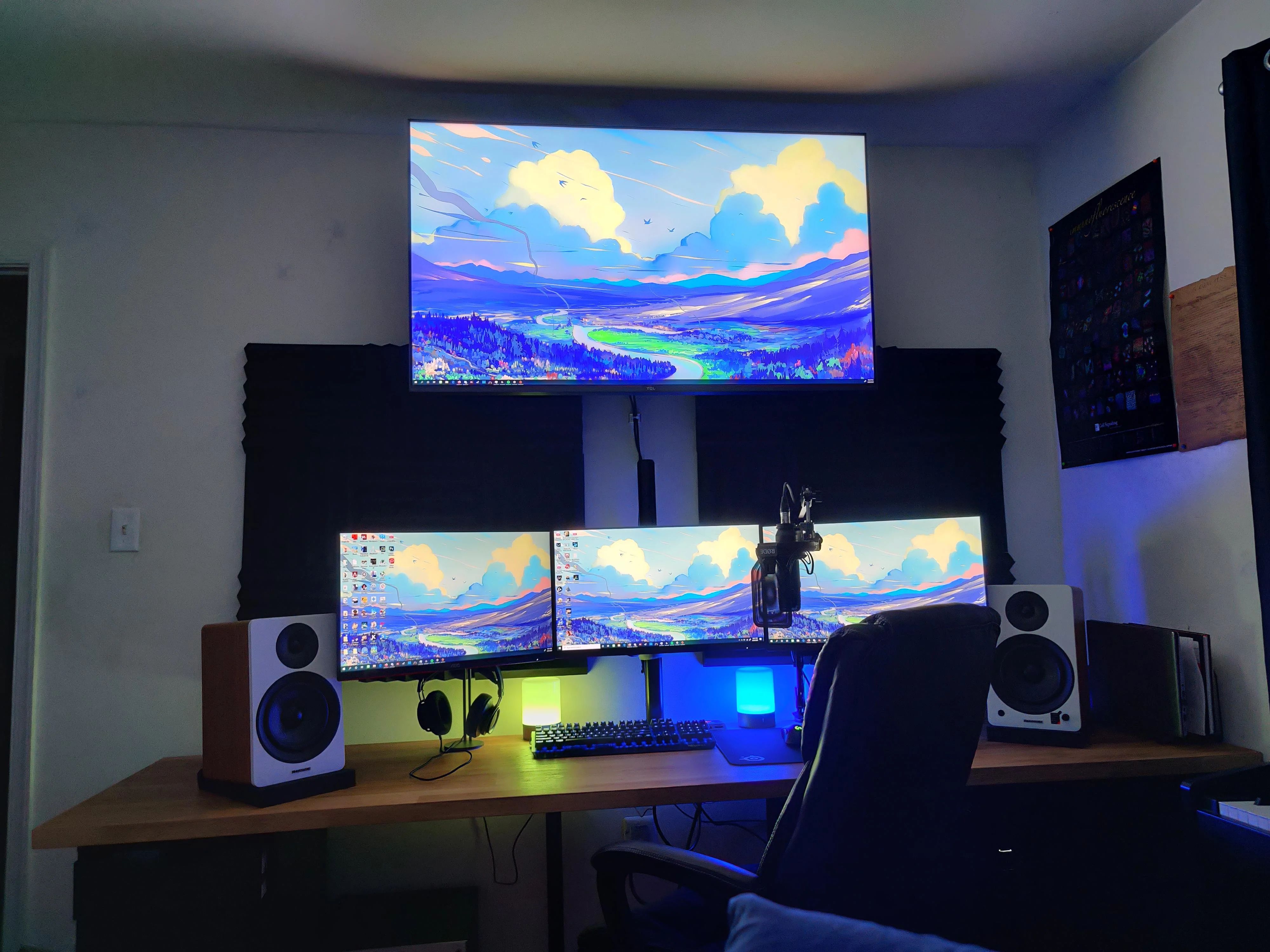
Another use case is to have a small monitor on a desk, and a large TV on a wall, both displaying the output from one PC, for easily switching between regular PC use at the desk, and watching movies/playing games on the larger TV.
Proposal for how this functionality should work
There are two ways I've seen this functionality implemented:
- Global Display Setting
- Per Monitor Display Setting
Global Display Setting: Tick a box, and the contents of all attached screens will be the same, whether you have 2 or 50 screens.
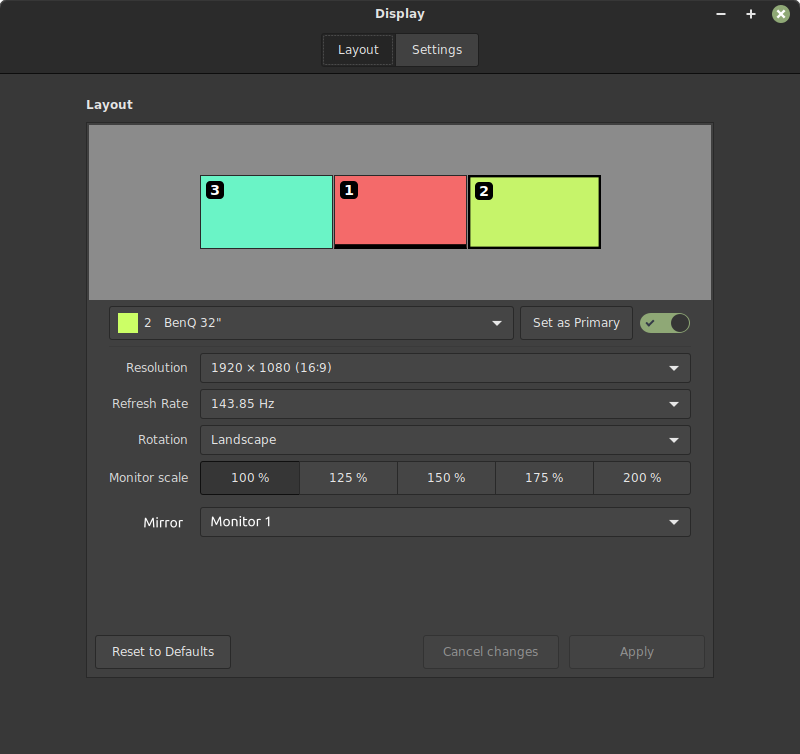
Per Monitor Display Setting: For each monitor individually, you can choose to mirror the contents of a specific other display.
GNOME for example has this option as a Global Display Setting.
KDE has a Per Monitor Display Setting.
In my opinion of the two options, the Global Display Setting is the inferior option, and far too limiting for those who use multimonitor displays regularly.
I propose this functionality be added to Linux Mint's display settings, and that this feature be available as Per Monitor Display Setting.
While the Global Display Setting style of option is acceptable for two-screen setups, it is often very limiting for situations where users have three or four screens, and wish to mirror a single main monitor onto just one other display.
Such as mirroring the central main monitor from a 3 monitor display onto a nearby TV.
Here is a mockup of what this might look like in practice, with an additional option to choose individually per monitor, to mirror the contents of another monitor:
QA
What should the dropdown list display?
A list of choices, including, "Do Not Mirror", and a list of monitors available to mirror.
What prevents someone from mirroring monitor A onto monitor B, and monitor B onto mirror A, creating an infinite loop?
The list of available monitors should only include monitors that are not currently mirroring the contents of another monitor. When a monitor is switched from 'Do Not Mirror' to a choice of monitors, it should be removed from the list of available monitors.
What happens when a monitor mirrors the contents of a monitor with a different resolution or frame rate?
The image to display on the target monitor should be stretched or shrunk to fit. It's up to users to ensure monitor refresh rates and resolutions make sense and to attempt to match them as best as possible between monitors.
Is your feature request related to a problem?
Yes. I was able to use a workaround in previous versions of Linux Mint to achieve this result through the NVIDIA display settings control panel by dragging one monitor over the top of another monitor, then opening the display settings for Cinnamon and applying the configuration. This hacky workaround is no longer possible in LM Cinnamon 21.
While making that workaround possible again would be 'a' solution, I don't think it is 'the' solution. I think this functionality should be officially implemented in Linux Mint.
Describe the solution you'd like
See above.
Describe alternatives you've considered
There really isn't an alternative.
Additional context
See above.
Checklist
- Would it be useful for most people? Yes, mirror monitoring is popular enough for most OSes to implement it.
- Would it be easy to use? No more or less complicated than any of the other display settings.
- Is it necessary? There are use cases this enables which are not possible without it. Without this feature, uses who need monitor mirroring are forced to use a different desktop environment.
Contributor guide
No contributing guide indexed for this repository
First steps
- Read the whole issue, then the project's contributing guide.
- Comment on the issue to say you are picking it up — it saves two people doing the same work.
- Fork the repository and make your change on a branch.
- Open a pull request that references the issue number.
Research direction
The issue does not name files, tests, or an entry point. Start by locating Cinnamon’s display-settings implementation and its monitor-configuration handling; done should provide per-monitor mirroring, prevent circular mirror selections, and handle differing resolutions or refresh rates.
Written by the indexing model from the issue text.
Assessment
- Tech stack
- javascript
- Domain
- desktop
- Issue type
- Feature
- Difficulty
- 5/5
- Estimated time
- Over a week
- Activity status
- Quiet
- Clarity
- Mostly clear
- Newbie friendliness
- 35/100