linebender / linebender/runebender
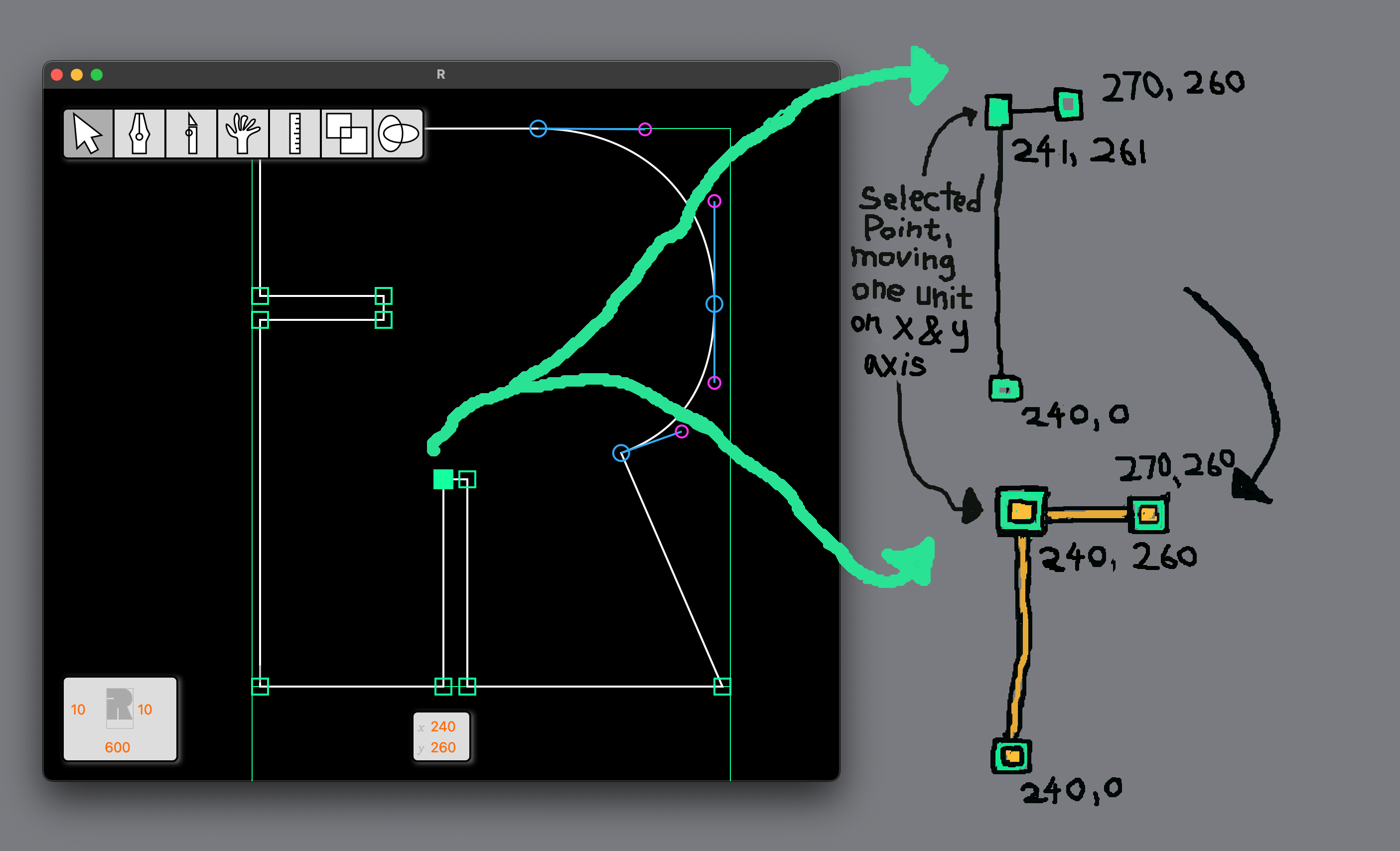
Glyph editor window: add a visual alignment indicator
Nobody has claimed this yet.
- Dominant language
- Rust
- Stars
- 799
- Forks
- 35
- PR merge metrics
- No merged PRs in 30d
Description
When a single point is selected and I'm moving it around with the arrow keys, I usually want visual feedback to see when other points are aligned with the selected point (have the same x or y position). Without this feature a lot of time is spent changing which point is selected and looking at the x/y position at the bottom of the window.
Other font editors will show a temporary alignment indicator that goes away after a few seconds.
For less geometric drawing styles, some people might want to turn this kind of feature off, since knowing when points are aligned can lead to less optically oriented decision making.
Contributor guide
No contributing guide indexed for this repository
First steps
- Read the whole issue, then the project's contributing guide.
- Comment on the issue to say you are picking it up — it saves two people doing the same work.
- Fork the repository and make your change on a branch.
- Open a pull request that references the issue number.
Research direction
Start by locating the glyph editor's single-point selection and arrow-key movement entry points, then inspect how the selected point's x/y position is shown at the bottom of the window. Done means aligned points receive a temporary visual indicator during movement, the indicator disappears after a few seconds, and users can disable it.
Written by the indexing model from the issue text.
Assessment
- Tech stack
- rust
- Domain
- design, desktop-dev
- Issue type
- Feature
- Difficulty
- 4/5
- Estimated time
- 3-5 days
- Activity status
- Stale
- Clarity
- Mostly clear
- Newbie friendliness
- 35/100