[Windows] 'Share' button on 4th Xbox One Controller does not works
Nobody has claimed this yet.
- Dominant language
- C
- Stars
- 14.1k
- Forks
- 2.2k
- Avg merge
- 7h 35m
- Merged PRs (30d)
- 51
Description
Description
Share button on 4th Xbox one Controller does not works on any RA (from 1.9.8 to 1.10.0)

This button works well on windows and only not works on RA.
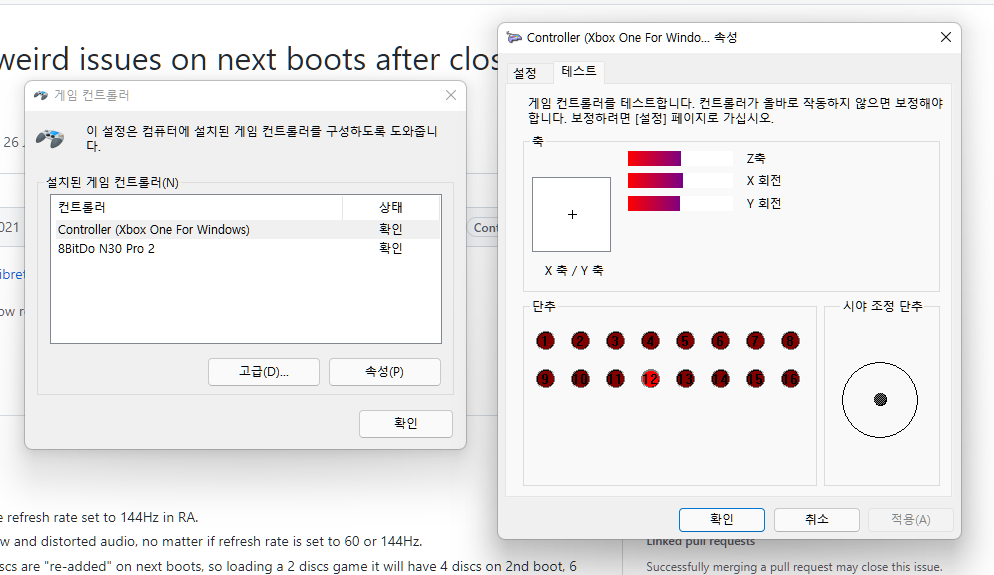
Expected behavior
Share button on 4th Xbox one Controller could be assigned on Hotkey.
Actual behavior
Share button on 4th Xbox one Controller does not works at all and I could not assign it to any key
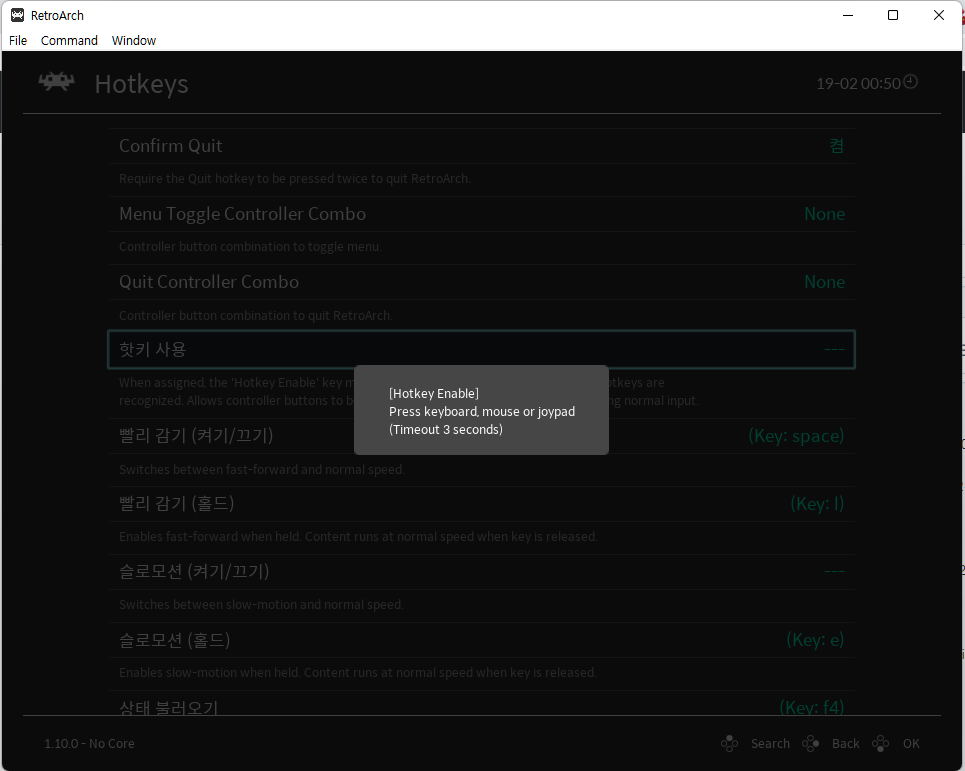
Steps to reproduce the bug
- Turn on 4th Xbox one controller
- Run RA
- Assign Hotkey
Bisect Results
From the beginning
When I try to use 4th Xbox one Controller on RA
Version/Commit
You can find this information under Information/System Information
- RetroArch: 1.9.8 ~ 1.10.0
Environment information
- OS: Windows 10, Windows 11
Contributor guide
First steps
- Read the whole issue, then the project's contributing guide.
- Comment on the issue to say you are picking it up — it saves two people doing the same work.
- Fork the repository and make your change on a branch.
- Open a pull request that references the issue number.
Research direction
Reproduce the issue in RetroArch on Windows 10 or 11 with a fourth Xbox One controller, then try assigning the Share button as a hotkey. Compare the result with the button working in Windows; done means the Share button can be detected and assigned in RetroArch versions covering the reported range.
Written by the indexing model from the issue text.
Assessment
- Tech stack
- c
- Domain
- desktop
- Issue type
- Bug
- Difficulty
- 3/5
- Estimated time
- 1-2 days
- Activity status
- Stale
- Clarity
- Mostly clear
- Newbie friendliness
- 35/100