Strange graphic glitch & dark coloring when using gl driver with Steam Link
Nobody has claimed this yet.
- Dominant language
- C
- Stars
- 14.1k
- Forks
- 2.2k
- Avg merge
- 7h 35m
- Merged PRs (30d)
- 51
Description
Description
Using RetroArch with Steam's streaming functionality, i.e. the Steam Link, and GL driver setting will glitch the graphics in the lower right quadrant on the source machine and distort graphics and colors on the destination machine after loading a game.
The issue does not start until a core and content are loaded and running. Once the content is running, the lower right quadrant of the game looks glitched and blurry on my source PC. The graphics and colors are distorted on the destination PC. The lower right quadrant is also still glitched in the lower right quadrant of the destination machine. Opening the RA menu looks fine on the source PC, but it it incredibly difficult to make out or read anything from it on the destination machine.
It is a lot easier to show the issue in pictures.

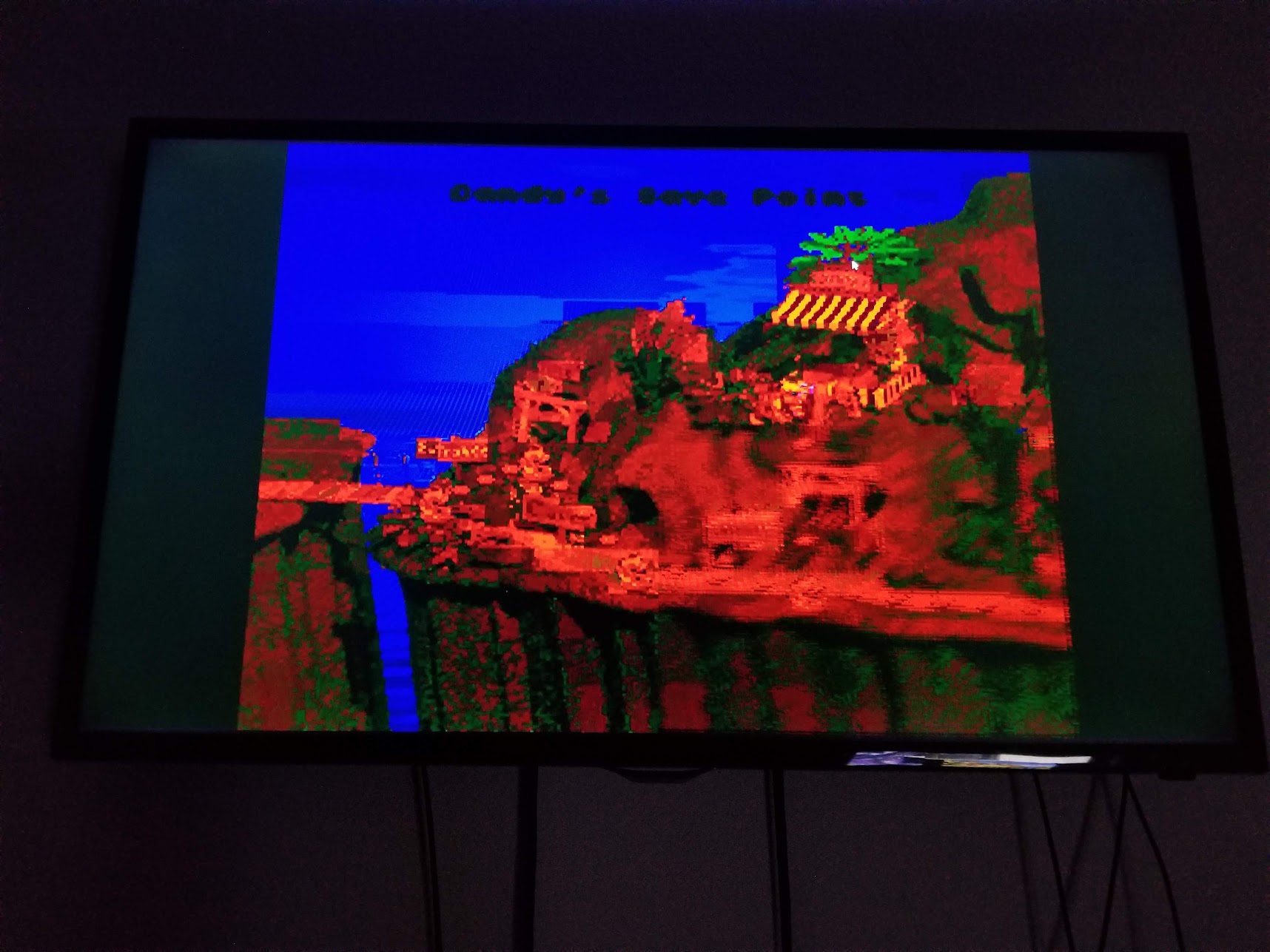
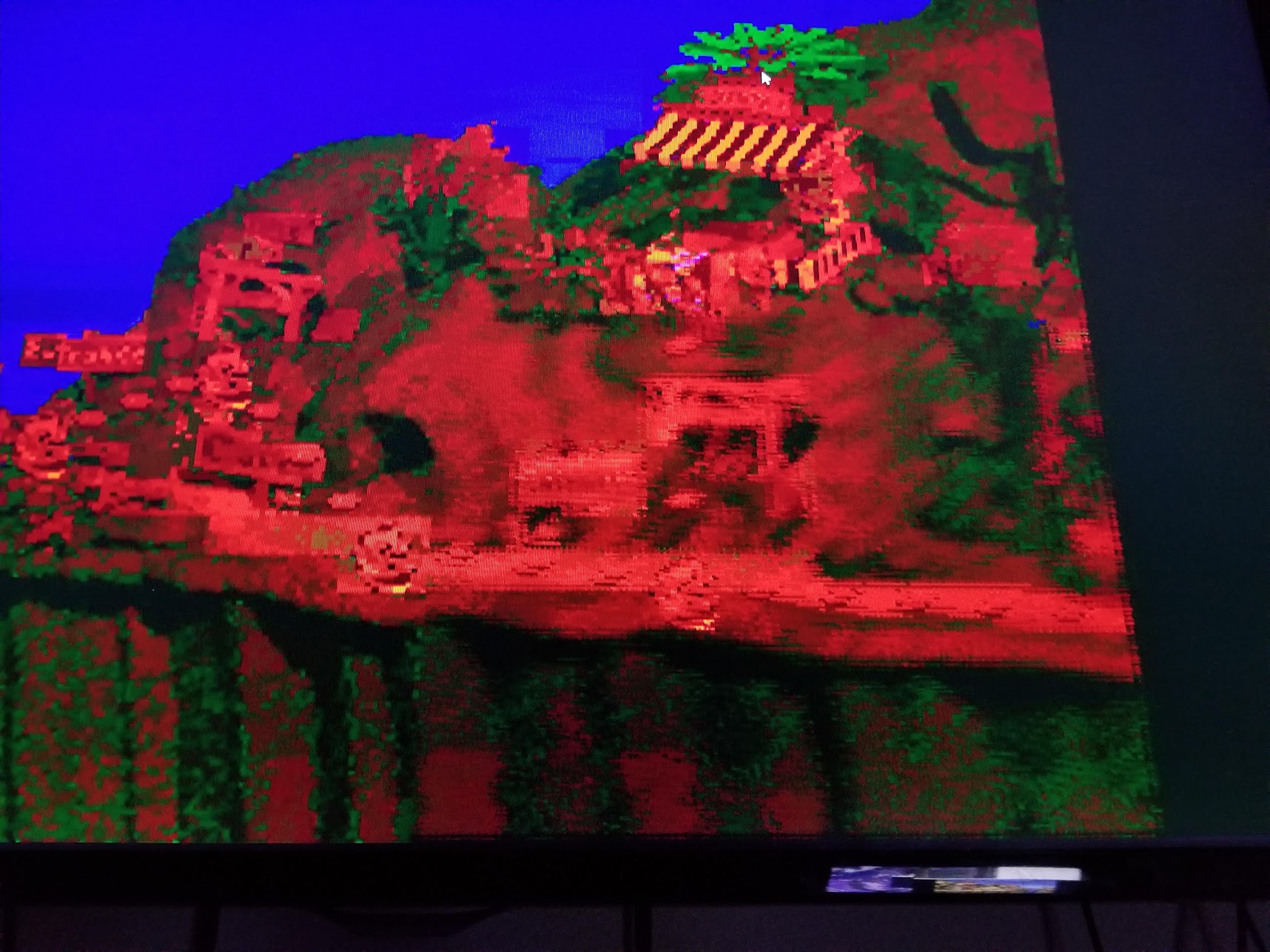
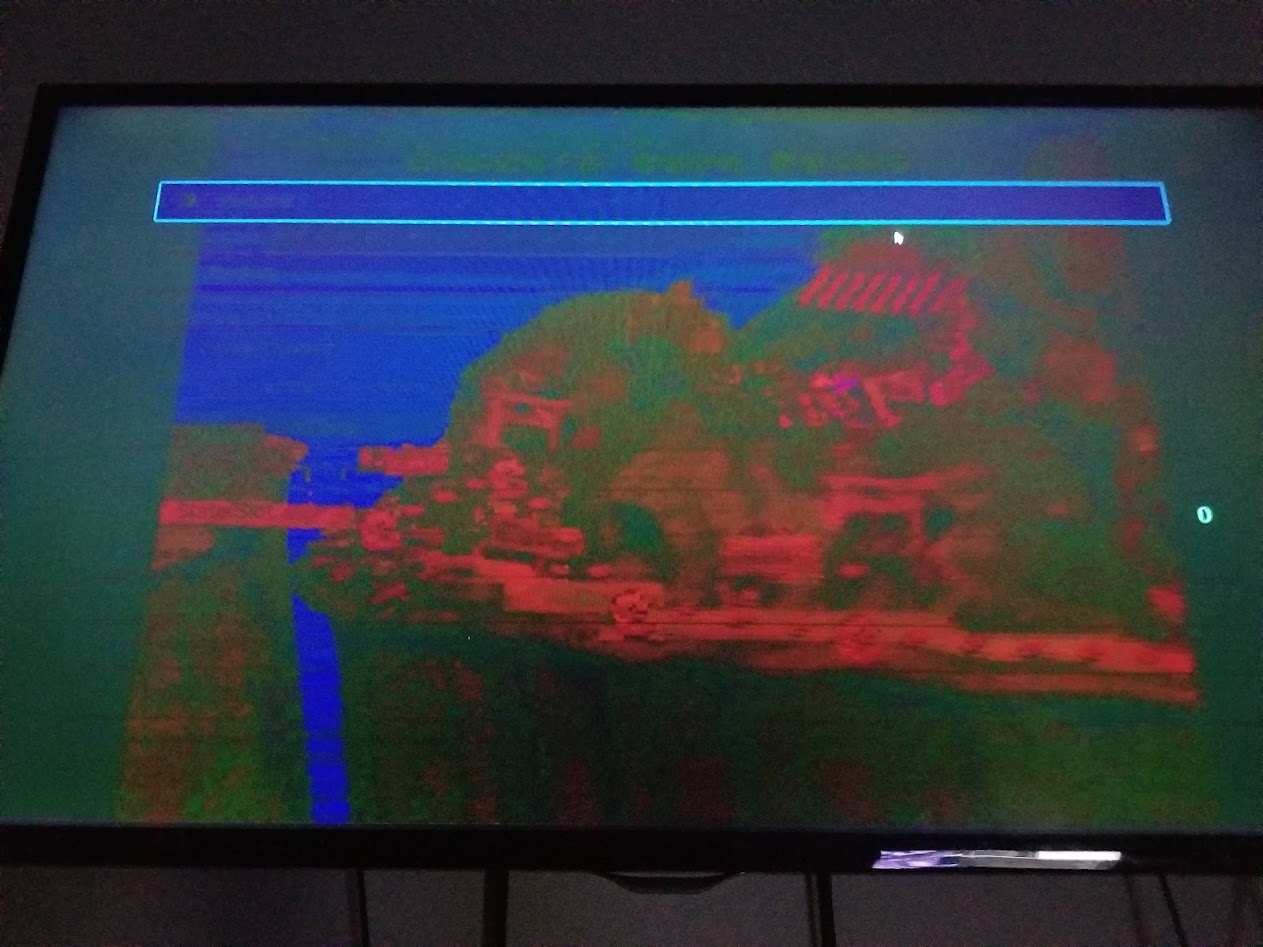
There are no steps to reproduce the issue, I can only state that this issue does not happen at all if I am not streaming to my Steam Link and it doesn't happen when streaming to my Steam Link if I change my graphics driver setting in RA to use vulkan instead of gl. To reproduce the issue, you may just have to create a similar environment to mine.
Version/Commit
- RetroArch: 1.9.8
Environment information
My PC's OS is Windows 10, graphics card is an NVIDIA GeForce GTX 960. GPU driver version and RA version are irrelevant in this case because I've seen same issue 6 months ago with an older driver and older version of RA (at least 1.9.0).
I have a 4K computer monitor so I run RetroArch in a 2560x1440 size window. The destination Steam Link is connected to a 1080p TV. I've experienced this issue using the gl driver with Sameboy and Mesen-S. If I switch to the vulkan driver the issue won't happen. If I am not using Steam streaming, there are no issues at all.
Contributor guide
First steps
- Read the whole issue, then the project's contributing guide.
- Comment on the issue to say you are picking it up — it saves two people doing the same work.
- Fork the repository and make your change on a branch.
- Open a pull request that references the issue number.
Research direction
No source files, tests, or precise reproduction steps are identified. Start by reproducing a loaded core and content over Steam Link with the GL driver, then compare the same setup with Vulkan and without streaming. Done means isolating the GL/Steam Link conditions and eliminating the lower-right glitch and distorted colors.
Written by the indexing model from the issue text.
Assessment
- Domain
- computer-graphics
- Issue type
- Bug
- Difficulty
- 4/5
- Estimated time
- 3-5 days
- Activity status
- Stale
- Clarity
- Needs clarification
- Newbie friendliness
- 25/100