Suggestions to make `Settings > Input > Port N Controls` and the autoconfigs a bit better
Nobody has claimed this yet.
- Dominant language
- C
- Stars
- 14.1k
- Forks
- 2.2k
- Avg merge
- 7h 35m
- Merged PRs (30d)
- 51
Description
Description
Hey! Just a few ideas I have in my mind for a while, there are probably better ways to handle them, and I guess it would require A LOT of work so I wouldn't blame anyone for ignoring this entirely 😓 But anyway, I thought I should write them down:
- Split the "Reset to Default Controls" in 2: "Reset to Default Keyboard Controls" and "Reload Controller Profile". It would avoid confusion and it would prevent from reverting keyboard inputs when you just want default for the controller.
When saving an autoconfig don't save the mouse buttons for the gun inputs, it requires you to "clean" the autoconfig by removing these lines ("_mbtn") and it doesn't seem to do anything anyway (they don't show as "Auto" and pressing Retropad-Start or Space just unbind them).
edit: Fixed- Pressing Retropad-Start should default controller value only, and pressing Space on keyboard should default keyboard input only.
- Being able to unbind an "Auto" input with Retropad-Y (would be restored on reload, and save as "nul" if autoconfig is overwritten). And then pretty much like 3. pressing Retropad-Y would unbind controller input only and Del key would unbind keyboard input only.
Pressing Retropad-Start or Space on "Gun Trigger" should revert it to "Mouse 1", since it's the new default. Atm it just unbinds it.
edit: Fixed- This one is more of a "feature request" than a suggestion: replace the "Search" function to "Change Label", pressing it would open a dropdown menu with a pre-defined list of button labels. So no need to add the labels manually in the autoconfig anymore.
Here's a mockup for 6.:
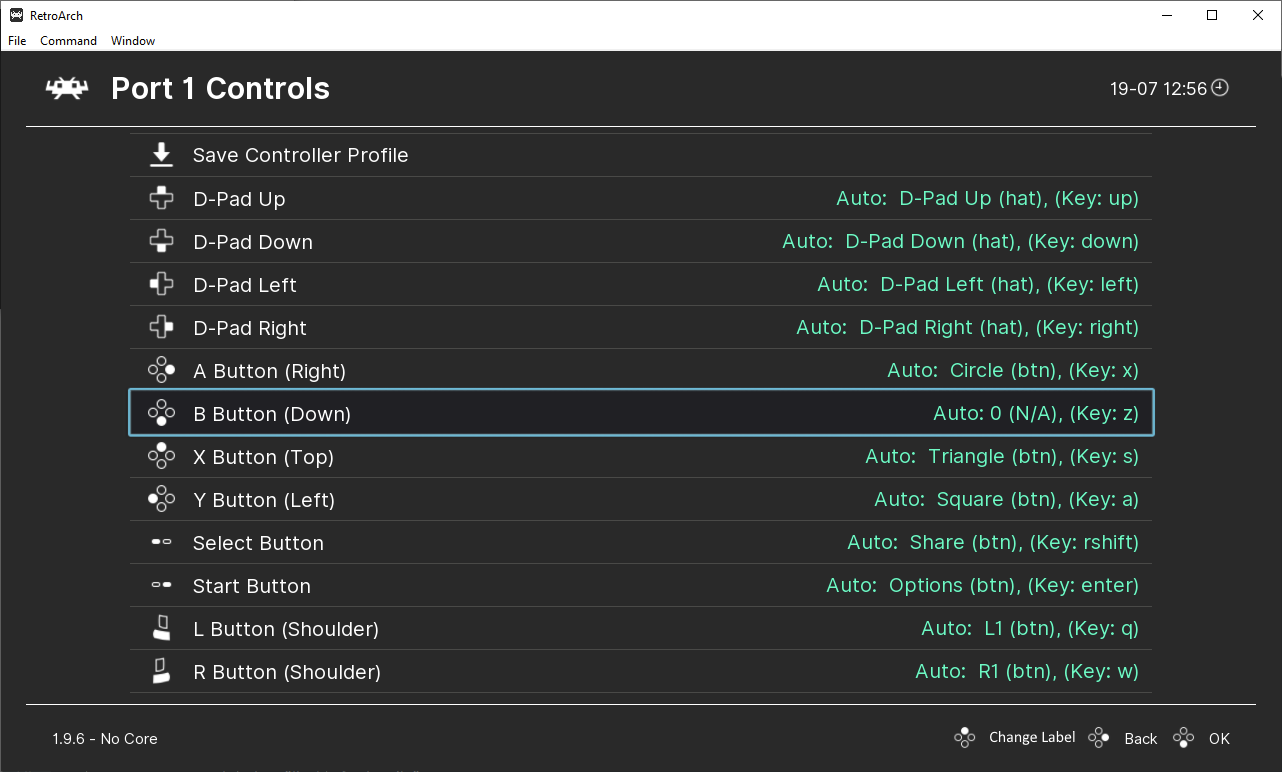
^ My Cross button currently using it's value as a label, so "0" in this case.
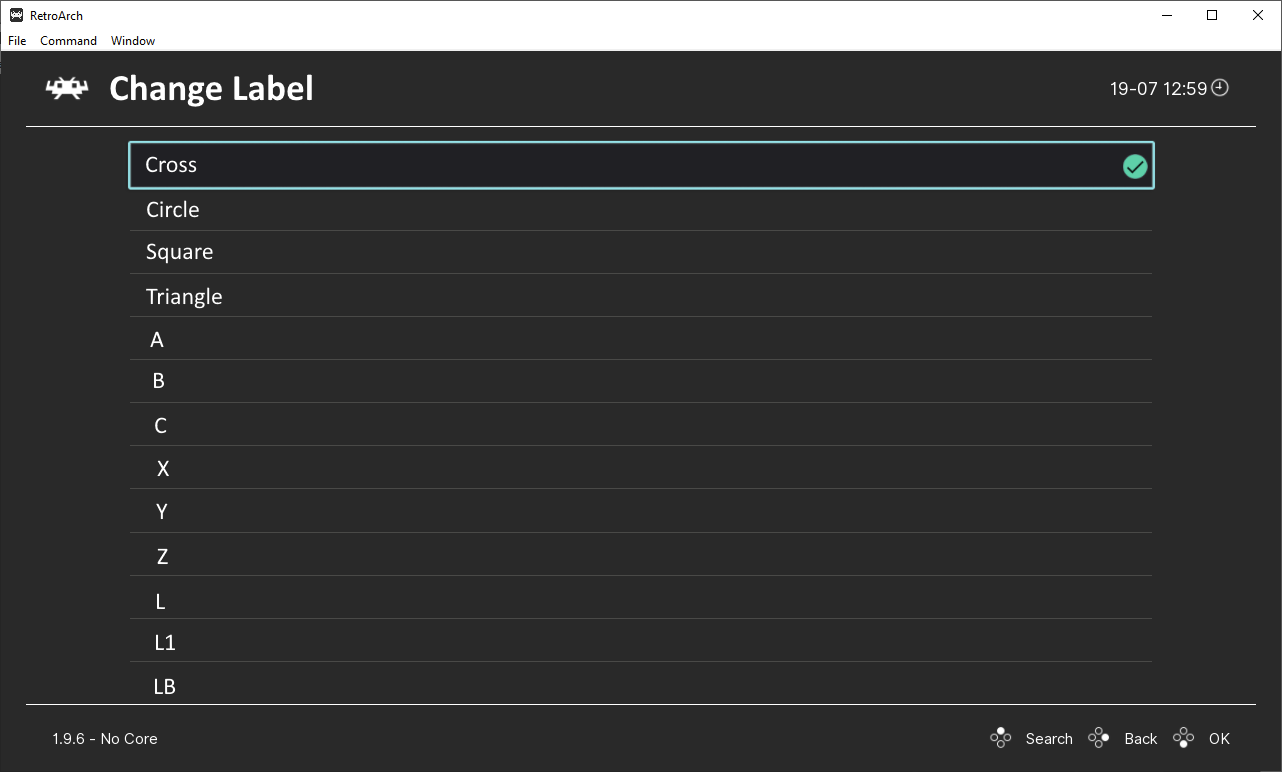
^ Pressing Retropad-X opens a dropdown menu with a list of labels, I select "Cross" in this case.
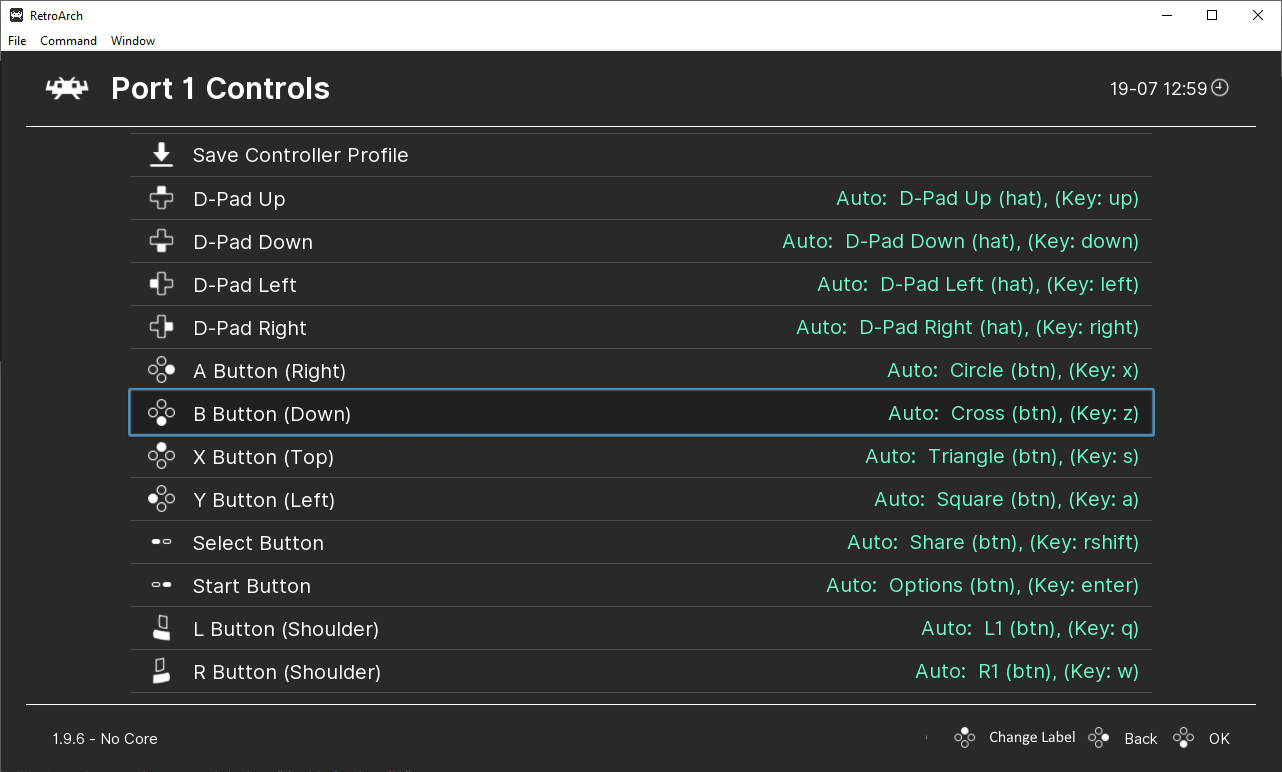
^ And tadaaa! Now I just have to save the autoconf again to add the labels to it, instead of adding them manually with a text editor!
Contributor guide
First steps
- Read the whole issue, then the project's contributing guide.
- Comment on the issue to say you are picking it up — it saves two people doing the same work.
- Fork the repository and make your change on a branch.
- Open a pull request that references the issue number.
Research direction
Start at Settings > Input > Port N Controls and trace the controller and keyboard reset, unbind, autoconfig save, and label-changing flows described in the issue. The work is done when the requested controls act independently and the autoconfig behavior and label selection match the stated expectations.
Written by the indexing model from the issue text.
Assessment
- Tech stack
- c
- Domain
- frontend
- Issue type
- Feature
- Difficulty
- 5/5
- Estimated time
- Over a week
- Activity status
- Stale
- Clarity
- Needs clarification
- Newbie friendliness
- 25/100