[Feature Request] Under "Manual scan" please add these three systems to the list
Nobody has claimed this yet.
- Dominant language
- C
- Stars
- 14.1k
- Forks
- 2.2k
- Avg merge
- 7h 35m
- Merged PRs (30d)
- 51
Description
Description

I have some Neo-Geo and CPS-I/II/III roms and I'd like to put them in separate playlists. Normally, If I choose "Scan folder" everything would be put inside a Finalburn Neo playlist but I prefer to have them separated in multiple playlists.
To make an example with Neo-Geo files, if I want to make a separate playlist I actually have to choose "Manual scan" and select these options:
- Content Directory: [path to the folder that is containing roms for the desired system]
- System Name: CUSTOM
- Custom System Name: "SNK - Neo Geo"
- Core: Finalburn Neo
- Scan inside Archives: ON
- Arcade DAT Files: [path to my own arcade DAT / XML file]
- Overwrite existing playlist: ON
Retroarch do already have proper icons and assets to manage playlists for Neo-Geo and Capcom CPS systems, but actually there's no way to select cartridge-based Neo-Geo or a CPS System playlist under "System Name":
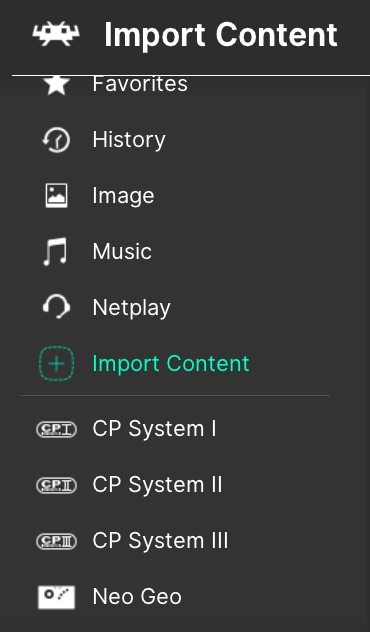
Expected behavior
If I click on system name to choose a system for my playlist, I'd like to be able to find these three options listed as well:
"SNK - Neo Geo"
"Capcom - CP System I"
"Capcom - CP System II"
"Capcom - CP System III"
Actual behavior
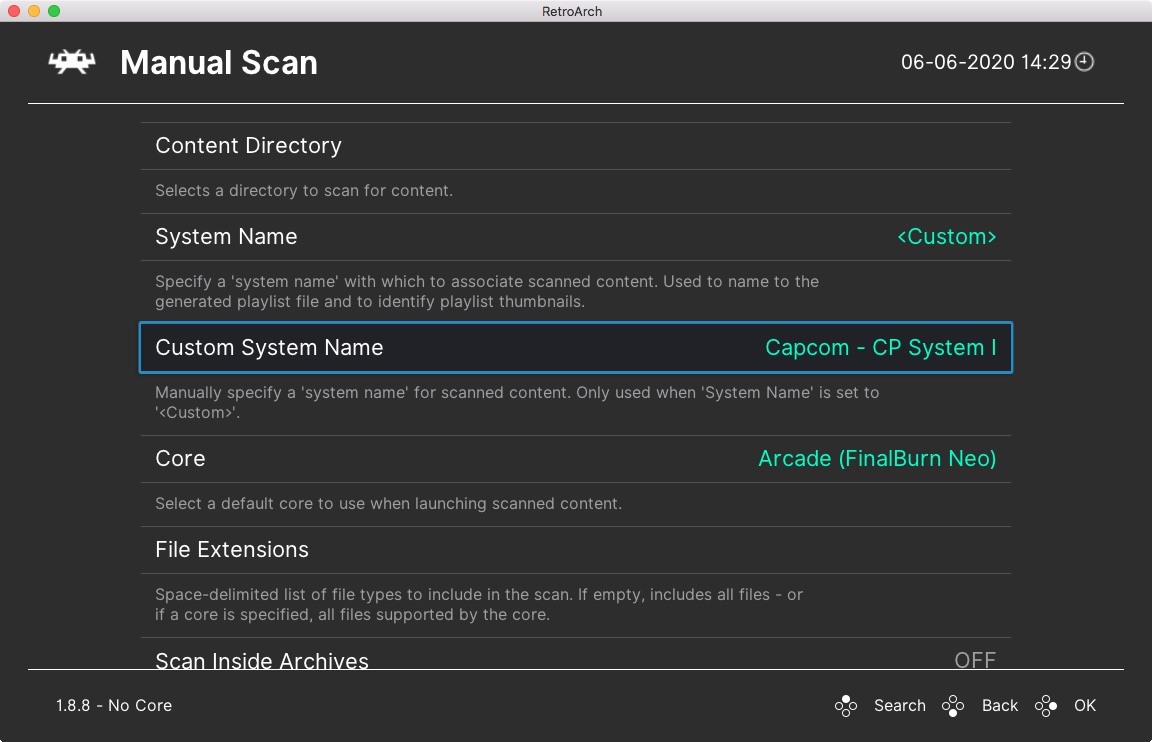
Actually there's no official support for these four playlists under retroarch, so I have to choose "Custom" and under "Custom System name" I have to manually write the name of these playlists. It's easy to do it on my computer, but not that easy when I use my raspberry or my Fire TV Stick with just a joypad.
Contributor guide
First steps
- Read the whole issue, then the project's contributing guide.
- Comment on the issue to say you are picking it up — it saves two people doing the same work.
- Fork the repository and make your change on a branch.
- Open a pull request that references the issue number.
Research direction
Start by locating the Manual scan screen and the System Name list in RetroArch's frontend code, then inspect how existing playlist systems are defined. Done means the list offers SNK - Neo Geo and Capcom - CP System I, II, and III without requiring Custom naming, with the existing manual-scan options still working.
Written by the indexing model from the issue text.
Assessment
- Tech stack
- c
- Domain
- frontend
- Issue type
- Feature
- Difficulty
- 3/5
- Estimated time
- 1-2 days
- Activity status
- Stale
- Clarity
- Mostly clear
- Newbie friendliness
- 35/100