[Feature Request] Dedicated special screenshot keys bind for "Title Screen" and "Screenshots"
Nobody has claimed this yet.
- Dominant language
- C
- Stars
- 14.1k
- Forks
- 2.2k
- Avg merge
- 7h 35m
- Merged PRs (30d)
- 51
Description
Description
I was thinking that many games, hacks and translations often don't have proper "Title screen" and "screenshots" image availables because their CRC, name or something doesn't quite match with Retroarch expectations.
So, in order to make the process quicker, two more system hotkeys keys could be dedicated, one for taking "title screen" screenshot, that will move such screenshot to the "thumbnails --> playlist name --> Named_Titles" folder, with the proper matching game/rom name.
The other key would be for "screenshots" that would do the same than above, but to "Named_Snaps" instead.
Another option would be to have modifiers for the screenshot (F8) key.
By example: ALT+F8 key will take screenshot as title, while CTRL+F8 would take the
screenshot as game snapshot as per above handling.
This could even be automated in a deferred task to upload them to an ftp, imgur or something
so it can be easily integrated within the current thumbnails pool and made available to new users.
To be honest, most of the issues I have with thumbnails are because "~" is usedin different ways,
or names have silly surplus white spaces and there are too many games to manually fixing them.
Examples of what I mean:
"3 Count Bout _ Fire Suplex (NGM-043 ~ NGH-043).png" but the rom name is "3 Count Bout _ Fire Suplex (NGM-043)(NGH-043).png
"Metal Slug 2 - Super Vehicle-001_II (NGM-2410) (NGH-2410).png" but the rom name is Metal Slug 2 - "Super Vehicle-001_II (NGM-2410)(NGH-2410)" note the added white space between (NGM-2410) and (NGH-2410).
And yes, I found this link below, but it doesn't work for Windows users and it' requires significant effort for non tech-savvy users.
https://github.com/RetroPie/RetroPie-Setup/wiki/Take-and-Scrape-Your-Own-Screenshots
I consider this a quality of life feature. I hope you see it like that too, but I will understand that it may be difficult to implement or complex in a way I can't foresee now.
Thanks in advance for your kind support and understanding.
Edit: If it wasn't too much to ask, screenshots taken this way should NOT include FPS counter (see this image below to see what I mean)
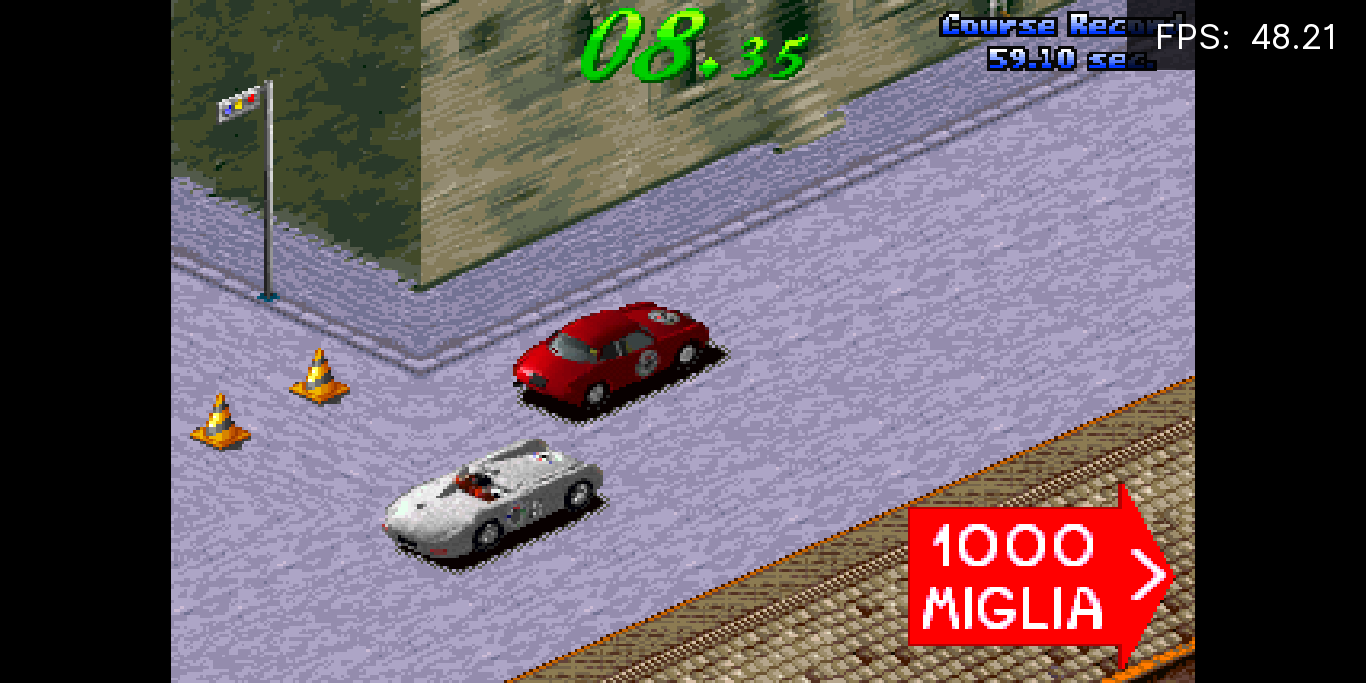
.
Contributor guide
First steps
- Read the whole issue, then the project's contributing guide.
- Comment on the issue to say you are picking it up — it saves two people doing the same work.
- Fork the repository and make your change on a branch.
- Open a pull request that references the issue number.
Research direction
Start by locating the existing F8 screenshot handling and the code that chooses screenshot destinations and filenames. Determine how title-screen and game-snapshot captures should map to Named_Titles and Named_Snaps, including the requested FPS-counter exclusion; done means the key bindings and resulting files work consistently for the supported platforms.
Written by the indexing model from the issue text.
Assessment
- Tech stack
- c
- Domain
- frontend
- Issue type
- Feature
- Difficulty
- 5/5
- Estimated time
- Over a week
- Activity status
- Stale
- Clarity
- Mostly clear
- Newbie friendliness
- 35/100