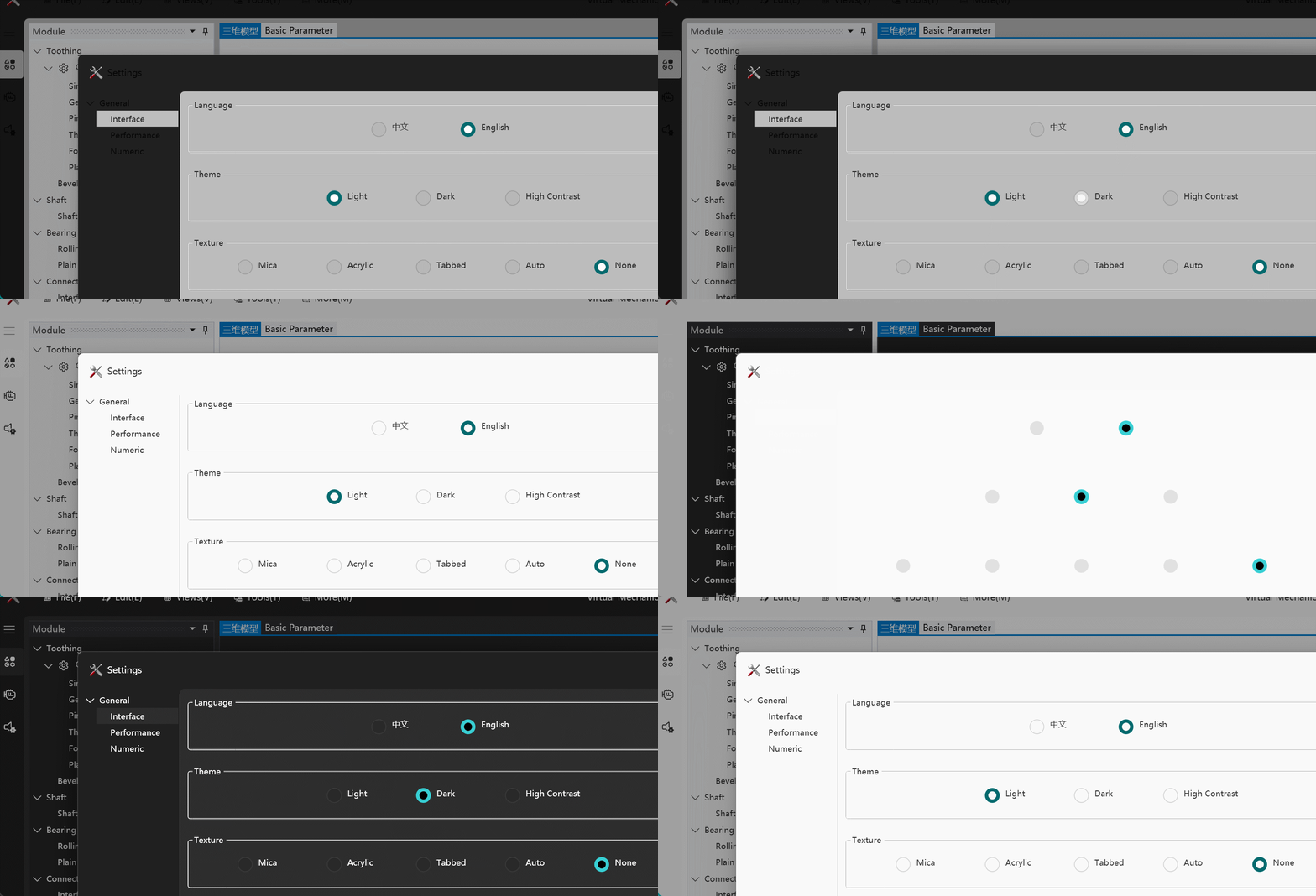
Incorrect display after switching themes.
Nobody has claimed this yet.
- Dominant language
- C#
- Stars
- 9.6k
- Forks
- 1k
- PR merge metrics
- No merged PRs in 30d
Description
Describe the bug
After switching theme(use Theme.Apply(ThemeType.*,BackgroundType.*)), the theme color of the window does not change, only after changing the window material (use WindowBackDrop=BackgroundType.*), while the theme function of the page is normal.
The problem appears to have arisen after an update to the system.
To Reproduce
Switch theme and material by Theme.Apply(ThemeType.*,BackgroundType.*);.
Expected behavior
You know.
Screenshots
OS version
Version Windows 11 Professional Workstation Edition
Version 22H2
The installation date 2022-11 - 17
Operating system Version 22621.963
Experience Windows Feature Experience Pack 1000.22638.1000.0
.NET version
6.0.2
WPF-UI NuGet version
2.0.3
Additional context
No response
Contributor guide
First steps
- Read the whole issue, then the project's contributing guide.
- Comment on the issue to say you are picking it up — it saves two people doing the same work.
- Fork the repository and make your change on a branch.
- Open a pull request that references the issue number.
Research direction
Start by reproducing the theme switch with Theme.Apply(ThemeType., BackgroundType.) and compare it with changing WindowBackDrop=BackgroundType.* on Windows 11. Verify whether the window color updates while page theming remains normal; done means the window responds correctly without requiring a material change.
Written by the indexing model from the issue text.
Assessment
- Tech stack
- csharp
- Domain
- desktop
- Issue type
- Bug
- Difficulty
- 4/5
- Estimated time
- 3-5 days
- Activity status
- Stale
- Clarity
- Needs clarification
- Newbie friendliness
- 25/100