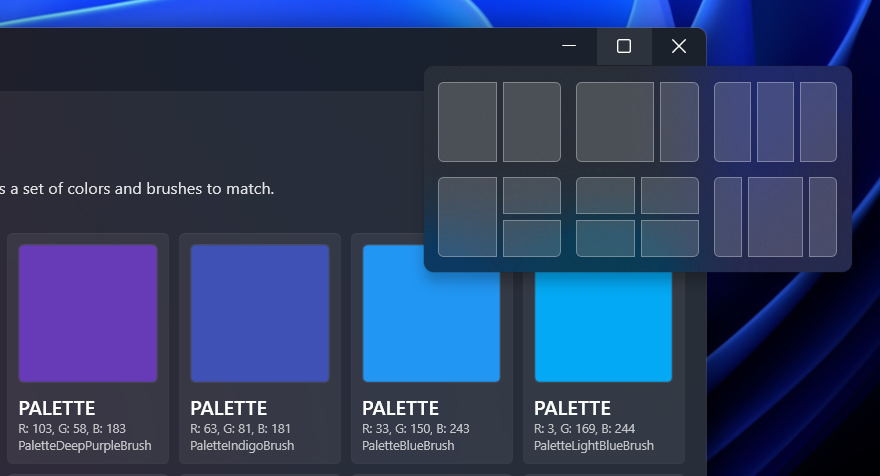
The Custom Windows 11 SnapLayout isn't working when the window is maximized.
Open
@pomianowski is already working on this.
Since May 27, 2022.
bug
- Dominant language
- C#
- Stars
- 9.6k
- Forks
- 1k
- PR merge metrics
- No merged PRs in 30d
Description
The Custom Windows 11 SnapLayout isn't working when the app is maximized. The selector appears only if the window is in the Normal state (i.e. not maximized).
Steps to reproduce the behavior
- Run the demo WPFUI application
- Maximize the main window
- Move the mouse pointer to the Restore button in the title bar
- The Windows 11 SnapLayout selector doesn't appear
Expected behavior
A clear and concise description of what you expected to happen.
Desktop:
- OS: Windows 11
- .net6.0 and .NET Framework 4.7 (in my app)
- Version: 1.2.6
PS: Thank you for the library, keep up the great work!
Contributor guide
First steps
- Read the whole issue, then the project's contributing guide.
- Comment on the issue to say you are picking it up — it saves two people doing the same work.
- Fork the repository and make your change on a branch.
- Open a pull request that references the issue number.
Assessment
This issue has not been assessed yet.