Window size Adjustments
Nobody has claimed this yet.
- Dominant language
- C++
- Stars
- 9
- Forks
- 1
- PR merge metrics
- No merged PRs in 30d
Description
More settings regarding Window size and scaling
1. Scale Contents
A slider which lets the user adjust the scale of the boxes, the labels
2. Set custom sizes
Allows the user to set an x*y scale, for the window, instead of a static, predefined one.
E.g. if the user wants to have QuickKey in exactly 150px X 500px window size
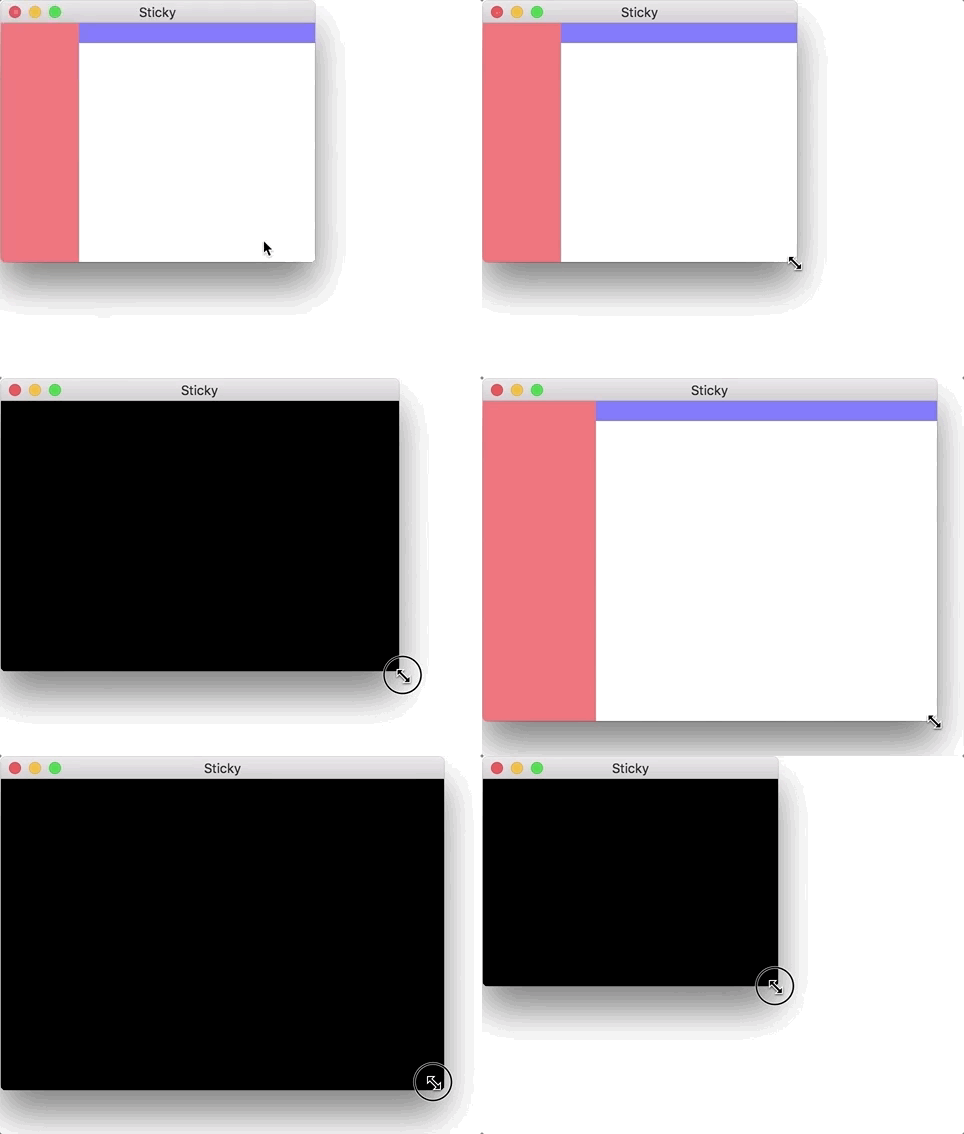
3. Adjust window size by dragging
This can be an option to toggle. This allows the program, to be resized with the mouse courser like normal windows. Once set to off/false, the program saves that window size
e.g.:
Contributor guide
No contributing guide indexed for this repository
First steps
- Read the whole issue, then the project's contributing guide.
- Comment on the issue to say you are picking it up — it saves two people doing the same work.
- Fork the repository and make your change on a branch.
- Open a pull request that references the issue number.
Research direction
The issue names no files, tests, or entry points. Start by locating the existing window and settings implementation, then clarify whether all three requested adjustments are in scope; done means the agreed scaling, custom dimensions, and resizing behavior work as described.
Written by the indexing model from the issue text.
Assessment
- Tech stack
- cpp
- Domain
- desktop
- Issue type
- Feature
- Difficulty
- 4/5
- Estimated time
- 3-5 days
- Activity status
- Stale
- Clarity
- Mostly clear
- Newbie friendliness
- 35/100