leecade / leecade/react-native-swiper
Position absolute and sharing content across slides
Nobody has claimed this yet.
- Dominant language
- JavaScript
- Stars
- 10.5k
- Forks
- 2.3k
- PR merge metrics
- No merged PRs in 30d
Description
Which OS ?
Android, iOS
Version
Which versions are you using:
- react-native-swiper v1.5.13
- react-native v0.57.0
Expected behaviour
I would like to set position absolute on <View> inside one slide for example to right: -50 and see part of this element on the next slide.
Actual behaviour
It is working on iOS but on Android it is cutting element where the border of slide is.
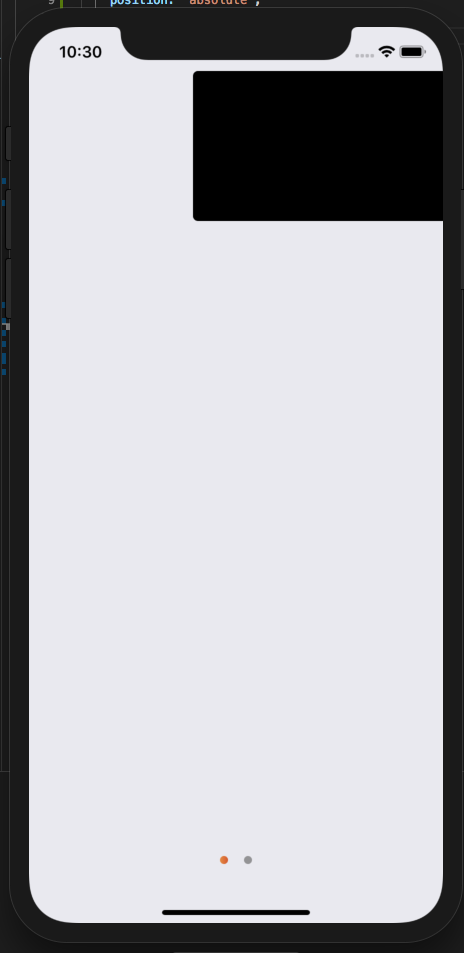
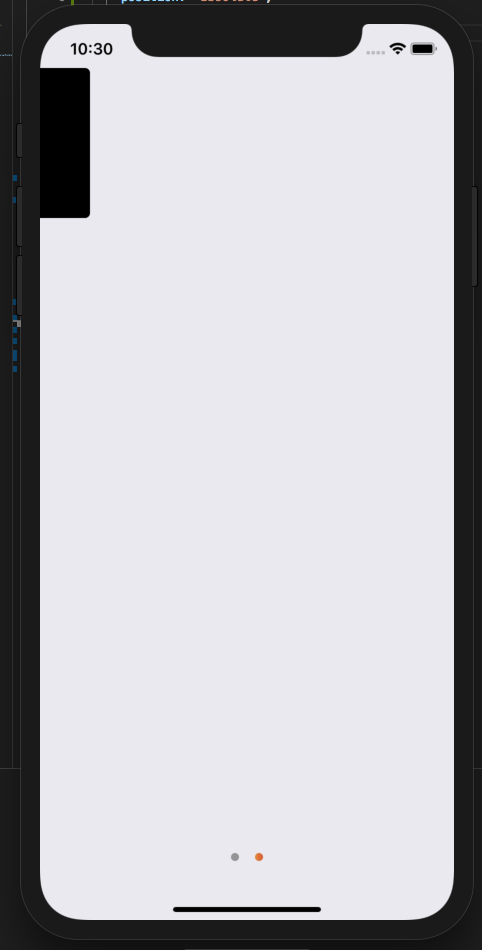
How to reproduce it>
To help us, please fork this component, modify one example in examples folder to reproduce your issue and include link here.
Steps to reproduce
- Create
<View>inside slide - Set
position: 'absolute'andright: -50for example
Contributor guide
No contributing guide indexed for this repository
First steps
- Read the whole issue, then the project's contributing guide.
- Comment on the issue to say you are picking it up — it saves two people doing the same work.
- Fork the repository and make your change on a branch.
- Open a pull request that references the issue number.
Research direction
Start with the relevant example in the examples folder and reproduce the absolute-positioned View with right: -50 on Android, then compare it with iOS using the listed react-native-swiper and React Native versions. Done means content extending beyond one slide remains visible on Android as it does on iOS.
Written by the indexing model from the issue text.
Assessment
- Tech stack
- javascript, react-native
- Domain
- mobile
- Issue type
- Bug
- Difficulty
- 4/5
- Estimated time
- 3-5 days
- Activity status
- Stale
- Clarity
- Mostly clear
- Newbie friendliness
- 35/100