leecade / leecade/react-native-swiper
Setting index property scrolls to wrong offset when using flexbox layout
Open
Nobody has claimed this yet.
- Dominant language
- JavaScript
- Stars
- 10.5k
- Forks
- 2.3k
- PR merge metrics
- No merged PRs in 30d
Description
Which OS ?
iOS 11
Version
react-native-swiper v1.5.13
How to reproduce it
Here is the view that reproduces the problem:
<View style={{backgroundColor: 'white', flex: 1, alignItems: 'center', justifyContent: 'center',}}>
  <View style={{width: 300, height: 300,}}>
    <Swiper index={1} loop={false}>
      <View style={{backgroundColor: 'blue', flex: 1,}} />
      <View style={{backgroundColor: 'orange', flex: 1,}} />
      <View style={{backgroundColor: 'black', flex: 1,}} />
    </Swiper>
  </View>
</View>
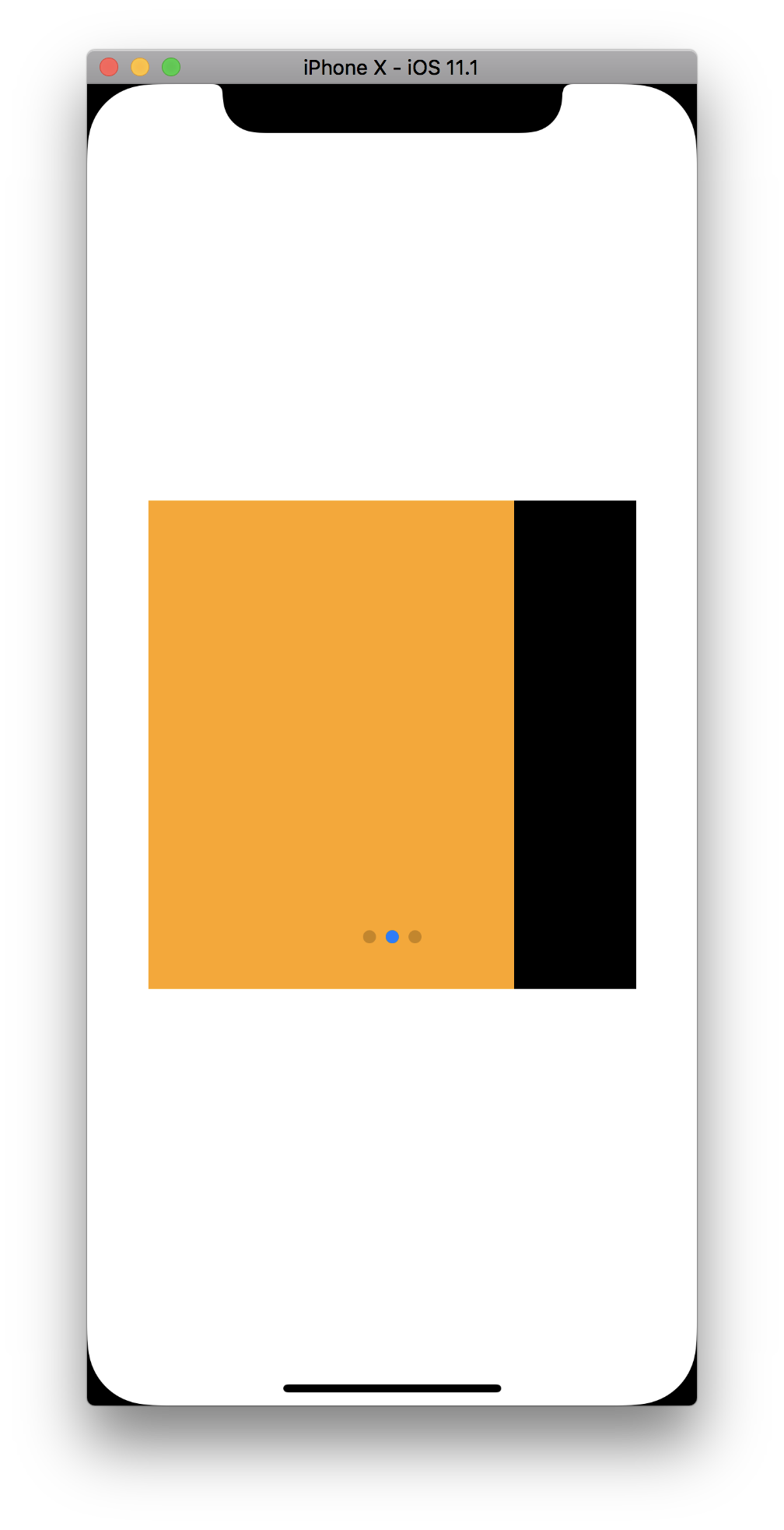
Since the Swiper is using flex: 1 to render at a size that's smaller than the window, setting the index={1} scrolls the scroll view too far.
Expected behaviour
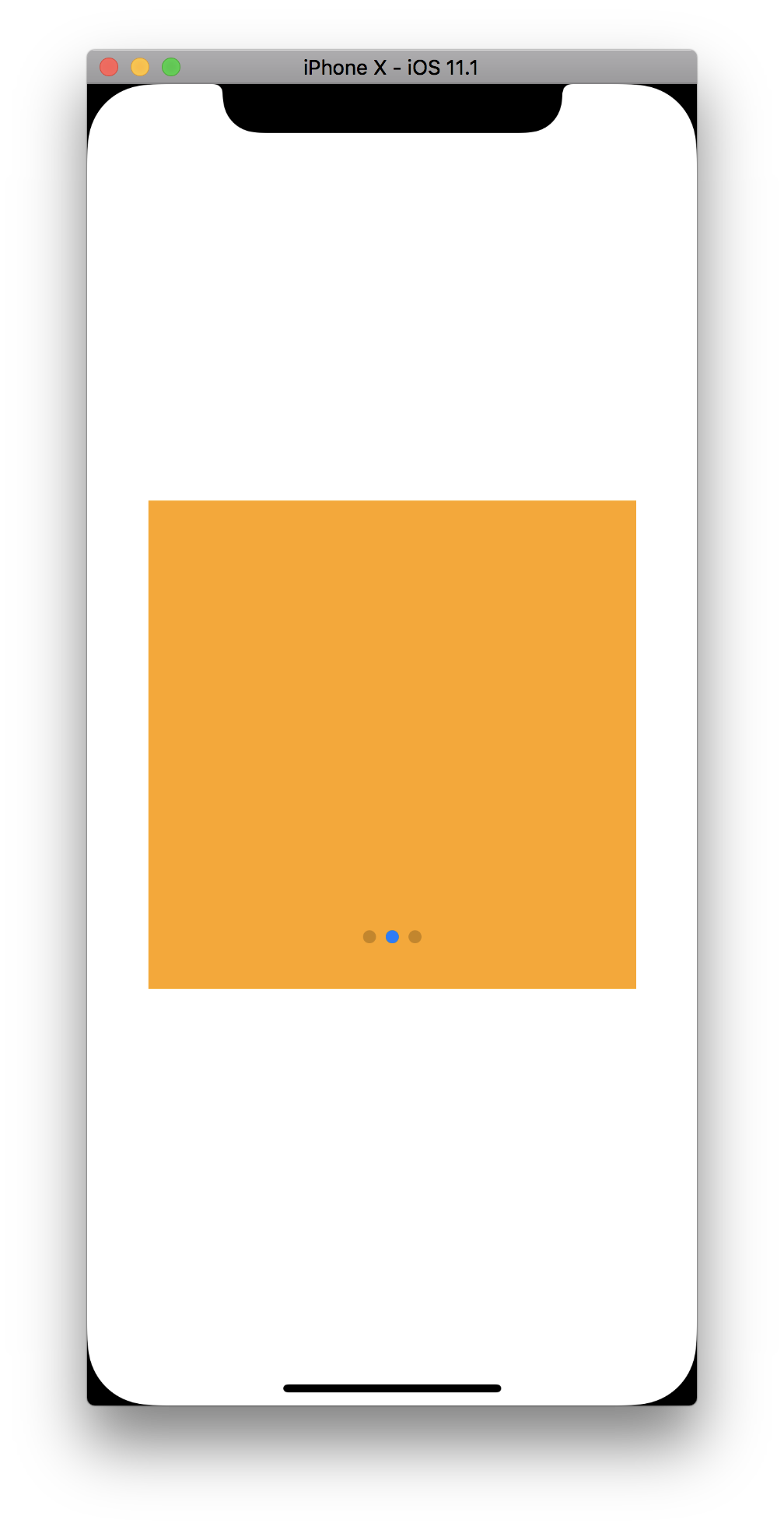
Actual behaviour
Contributor guide
No contributing guide indexed for this repository
First steps
- Read the whole issue, then the project's contributing guide.
- Comment on the issue to say you are picking it up — it saves two people doing the same work.
- Fork the repository and make your change on a branch.
- Open a pull request that references the issue number.
Research direction
Start by running the provided iOS 11 reproduction with react-native-swiper v1.5.13, focusing on the Swiper's initial index inside the smaller flexbox container. Trace how the initial scroll offset is calculated and verify that index={1} lands on the second slide without scrolling beyond the container's bounds.
Written by the indexing model from the issue text.
Assessment
- Tech stack
- javascript, react-native
- Domain
- mobile
- Issue type
- Bug
- Difficulty
- 3/5
- Estimated time
- 1-2 days
- Activity status
- Stale
- Clarity
- Mostly clear
- Newbie friendliness
- 38/100