leecade / leecade/react-native-swiper
Images no longer appear on Android (did previously)
Nobody has claimed this yet.
- Dominant language
- JavaScript
- Stars
- 10.5k
- Forks
- 2.3k
- PR merge metrics
- No merged PRs in 30d
Description
Hey, folks. I'm mostly looking for troubleshooting tips. This is part of an existing app where this used to work and the steps to reproduce would be involved. I might be able to pull things apart to distill the elements if it comes to that though. Recent updates aren't directly related to this, but include using react-native-paper and pixel perfect. Thanks in advance!
Which OS ?
Android
Version
Which versions are you using:
- react-native-swiper: 1.5.13
- react-native: 0.59.10
Expected behaviour
Images appear on Android as they used to, and continue to on iOS.
Actual behaviour
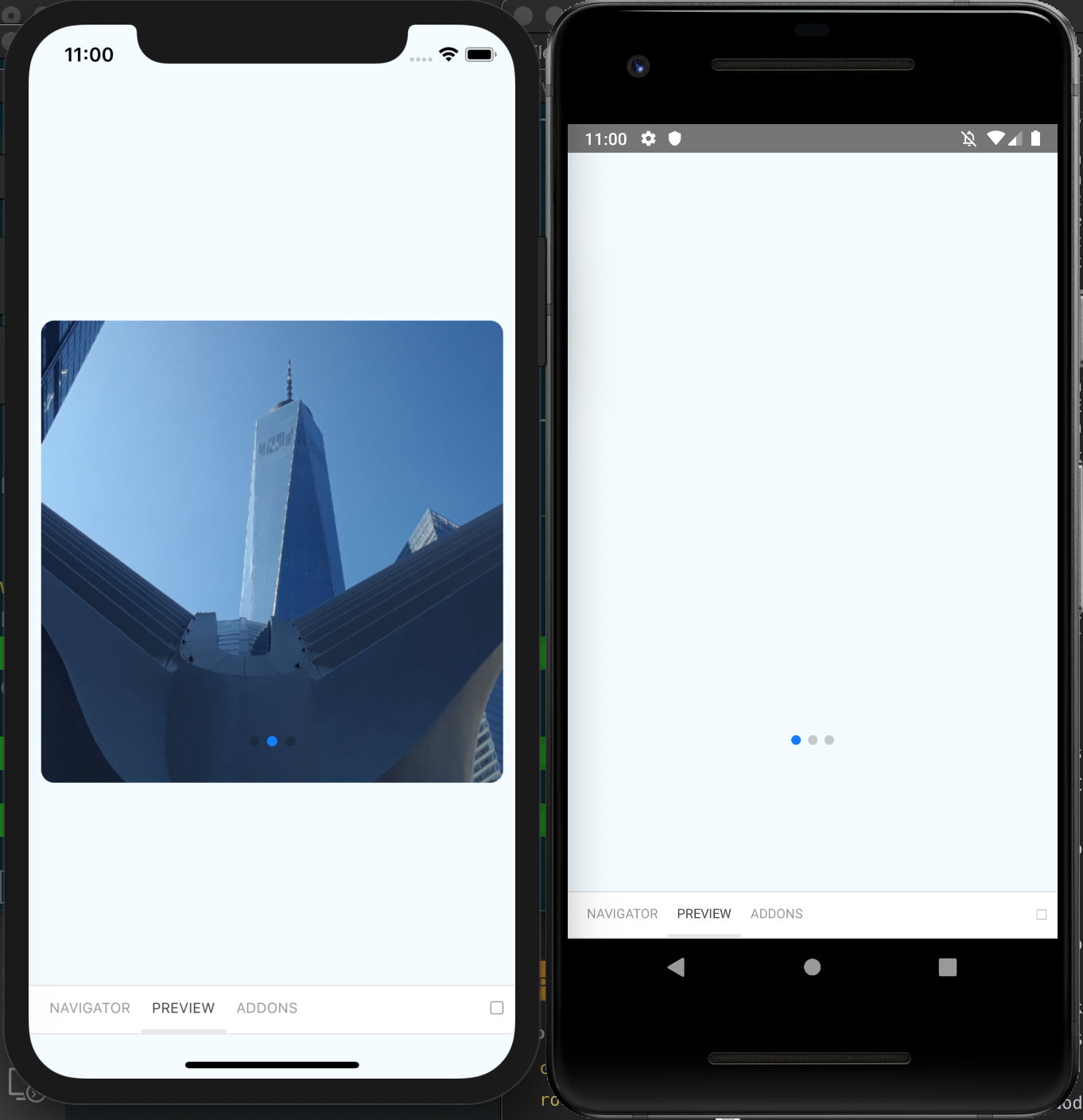
Images appear on iOS, but no longer work on Android, where the swiper is locked on the first frame of three and is unswipable and blank.
Contributor guide
No contributing guide indexed for this repository
First steps
- Read the whole issue, then the project's contributing guide.
- Comment on the issue to say you are picking it up — it saves two people doing the same work.
- Fork the repository and make your change on a branch.
- Open a pull request that references the issue number.
Research direction
Start by reproducing the issue in the existing app on Android with react-native-swiper 1.5.13 and react-native 0.59.10, then compare the same swiper on iOS. The work is done when the three images appear and the swiper can move beyond the first frame on Android.
Written by the indexing model from the issue text.
Assessment
- Tech stack
- javascript, react-native
- Domain
- mobile
- Issue type
- Bug
- Difficulty
- 4/5
- Estimated time
- 3-5 days
- Activity status
- Stale
- Clarity
- Needs clarification
- Newbie friendliness
- 25/100