leecade / leecade/react-native-swiper
Swiping to screen by state change
Nobody has claimed this yet.
- Dominant language
- JavaScript
- Stars
- 10.5k
- Forks
- 2.3k
- PR merge metrics
- No merged PRs in 30d
Description
Which OS ?
Android
Version
Which versions are you using:
- react-native-swiper v1.5.14
- react-native v0.59.9
Expected behaviour
When setting index prop on Swiper by component state, on state change Swiper change active child (as works on iOS).
Actual behaviour
On Android, screen does not change. I have tried onIndexChanged method to .scrollBy(index, false) on Android, but I regularly get "Overflow during conversion" error and a really large number as index which is actually not an index I guess (see screenshot below)
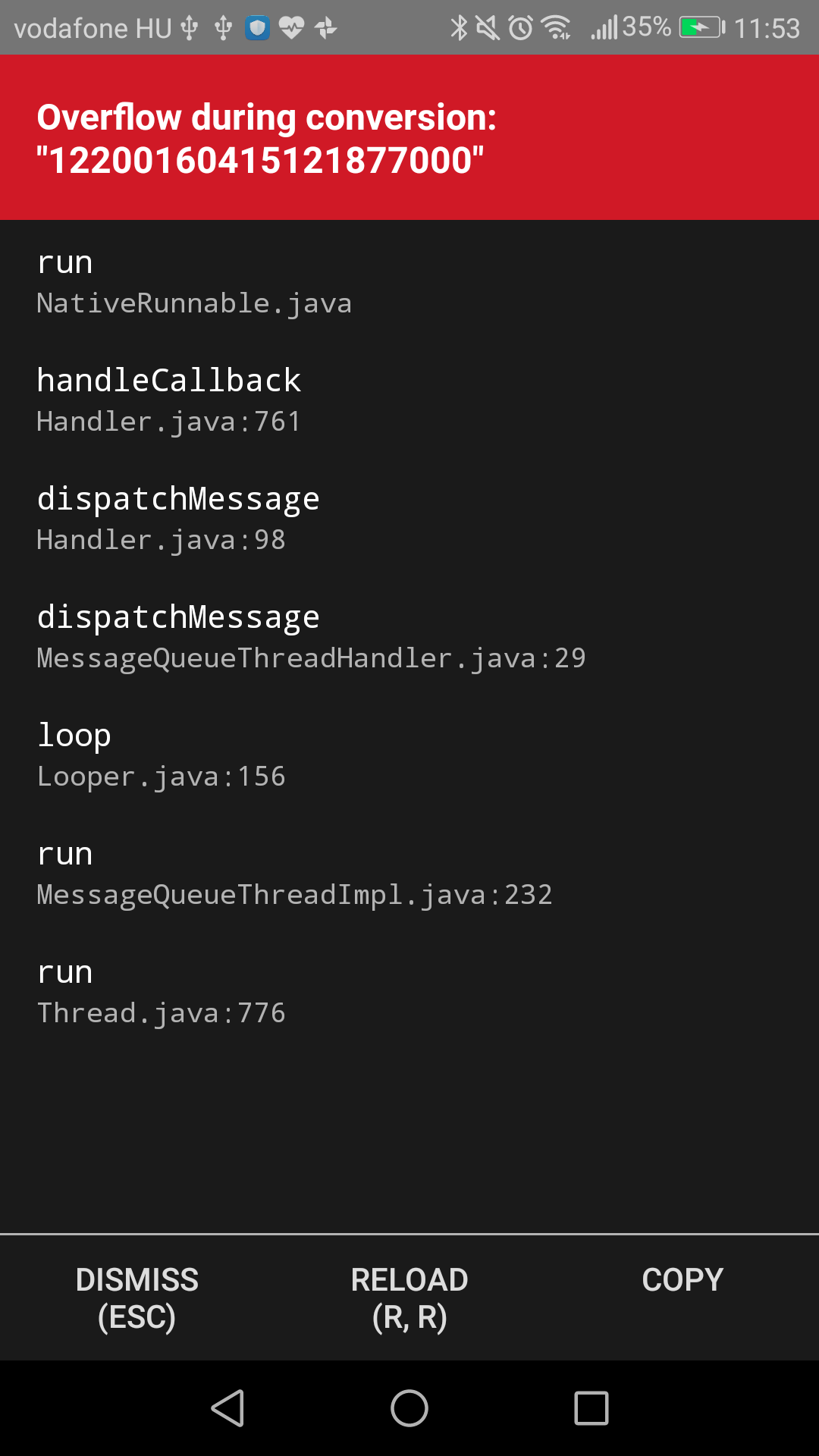
What is the proper way to programatically jump between screens (NOT in child order) on both iOS and Android? User swiping is not a way, we use Swiper for an easier GUI in a single component.
How to reproduce it>
Set up a swiper with the following, then try to update state somewhere in the code:
 _updateMethod = () => {
 this.setState({ step: 2 }); // to jump to the third child
 };
 ...
 <Swiper ref={swiper => { this.swiper = swiper }} showsButtons={false} showsPagination={false} scrollEnabled={false} index={this.state.step} loop={false}>
 ...
 </Swiper>
Am I doing something wrong? This approach works as expected on iOS (both Simulator and actual device), but not on Android.
Thank you!
Contributor guide
No contributing guide indexed for this repository
First steps
- Read the whole issue, then the project's contributing guide.
- Comment on the issue to say you are picking it up — it saves two people doing the same work.
- Fork the repository and make your change on a branch.
- Open a pull request that references the issue number.
Research direction
Start with the provided Android reproduction using react-native-swiper v1.5.14 and React Native 0.59.9, then trace how the index prop and state updates change the active child on Android versus iOS. Done means programmatic jumps to a non-adjacent screen work on both platforms without the overflow conversion error.
Written by the indexing model from the issue text.
Assessment
- Tech stack
- javascript, react-native
- Domain
- mobile
- Issue type
- Bug
- Difficulty
- 3/5
- Estimated time
- 1-2 days
- Activity status
- Stale
- Clarity
- Mostly clear
- Newbie friendliness
- 45/100