learningequality / learningequality/studio
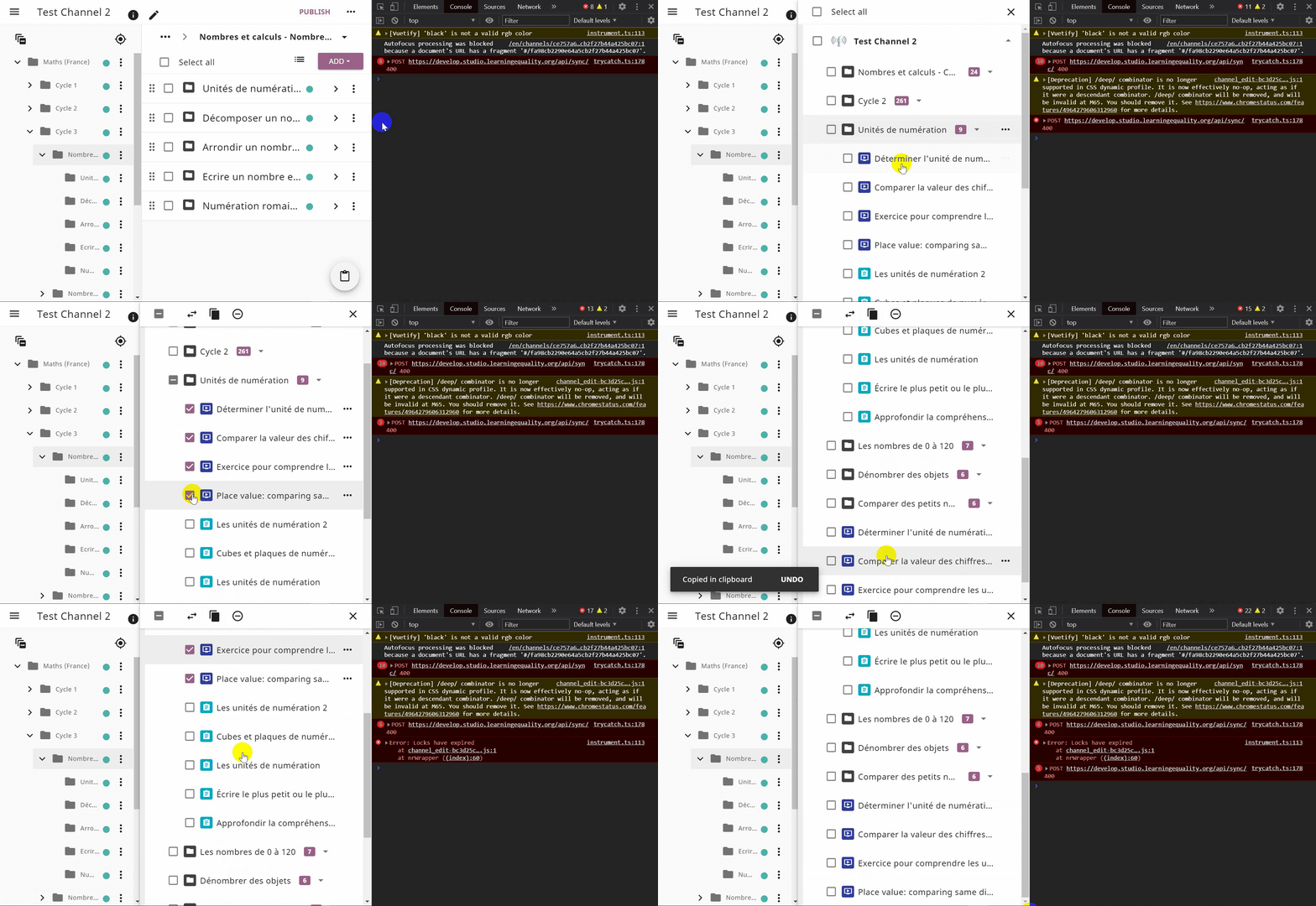
Clipboard - CANCEL the copying of multiple selections does not cease the process
Open
Nobody has claimed this yet.
DEV: frontend
P2 - normal
- Dominant language
- Python
- Stars
- 191
- Forks
- 307
- Avg merge
- 5d 6h
- Merged PRs (30d)
- 10
Description
Summary
When the user has the Clipboard toggled and selects multiple resources to copy in the Clipboard clicking the snackbar CANCEL button does not cease the process. The items are still copied to the Clipboard.
Category
BUG
Usage Details
- Windows 10
- Browser: Chrome, Firefox, Edge (latest)
How to reproduce
- Login to Studio
- Click a Channel with imported content
- Select multiple resources and add them to the Clipboard
- Click the floating Clipboard icon in the bottom right corner
- Browse the resources tree and select multiple resources
- Click the Copy button in the selection toolbar
- Click the snackbar CANCEL button right away
- See that the selected items are copied in the Clipboard
Screenshots
Contributor guide
First steps
- Read the whole issue, then the project's contributing guide.
- Comment on the issue to say you are picking it up — it saves two people doing the same work.
- Fork the repository and make your change on a branch.
- Open a pull request that references the issue number.
Research direction
Start by reproducing the issue in Studio using the listed multi-selection steps, then trace the clipboard copy flow and the snackbar CANCEL handler. Done means cancelling immediately prevents the selected resources from being copied; verify the behavior in Chrome, Firefox, and Edge.
Written by the indexing model from the issue text.
Assessment
- Domain
- frontend
- Issue type
- Bug
- Difficulty
- 3/5
- Estimated time
- 1-2 days
- Activity status
- Stale
- Clarity
- Mostly clear
- Newbie friendliness
- 35/100