learningequality / learningequality/studio
Localization strings not displayed correctly on some pages
Open
Nobody has claimed this yet.
DEV: frontend
TAG: user strings
TAG: ux update
- Dominant language
- Python
- Stars
- 191
- Forks
- 307
- Avg merge
- 5d 6h
- Merged PRs (30d)
- 10
Description
Summary
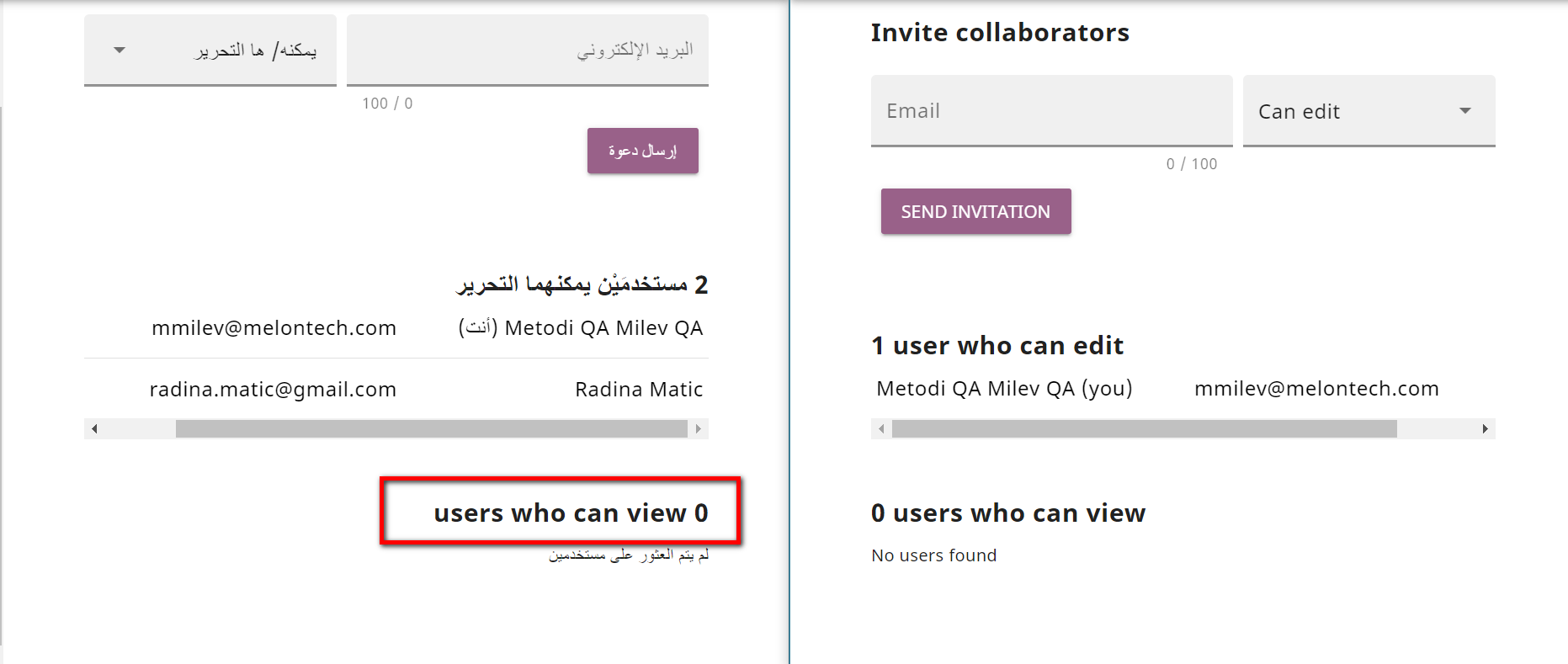
- On the Edit Channel page there's an issue with displaying the translation in Arabic and French for "users who can view" section.
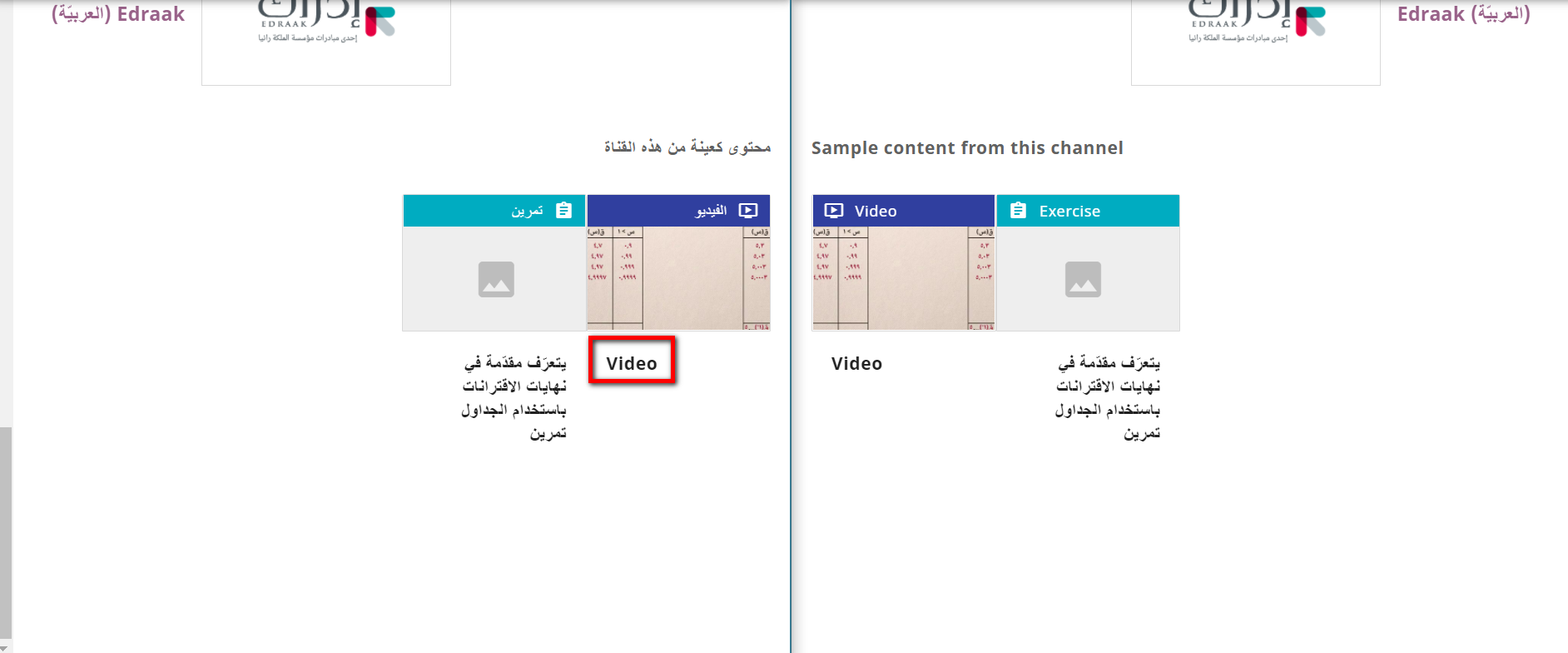
- On the Channel info page there's an issue with displaying the translation in Arabic and French for "Sample content from this channel" section - the string Video.
Category
BUG
Usage Details
- Browser: Chrome
- Channel: Arabic Test Channel
How to reproduce
- Login
- Click the Profile drop-down in the upper right corner
- Click Change Language
- Select Arabic or French
- Click Save and go to Channel
- Click the Edit icon of the Channel
- Click the Sharing tab
- Scroll down to the bottom and see the "users who can view" section
- Close the Edit channel page
- Click the "i" icon to see the Channel info page
- Scroll down to the bottom
- See the "Sample content from this channel" section - the string "Video" translation is not displayed
Screenshots
Contributor guide
First steps
- Read the whole issue, then the project's contributing guide.
- Comment on the issue to say you are picking it up — it saves two people doing the same work.
- Fork the repository and make your change on a branch.
- Open a pull request that references the issue number.
Research direction
Start by reproducing the issue with Arabic and French using the listed steps, checking the Edit Channel Sharing tab and Channel info page. Trace the localization strings for “users who can view” and “Video”; done means both translations render correctly in those sections.
Written by the indexing model from the issue text.
Assessment
- Domain
- localization
- Issue type
- Bug
- Difficulty
- 3/5
- Estimated time
- 1-2 days
- Activity status
- Stale
- Clarity
- Mostly clear
- Newbie friendliness
- 35/100